Where
Top right-hand corner
Also the Dooey tab in the left sidebar

Getting started with Rundoo · Dooey
Dooey is your go-to for any question about your store. When something comes up, ask before you go hunting.
Dooey lives in the top right-hand corner of Rundoo, the purple icon next to Search and Support. Click it any time to open the chat. You'll also spot Dooey in the left sidebar under POS.
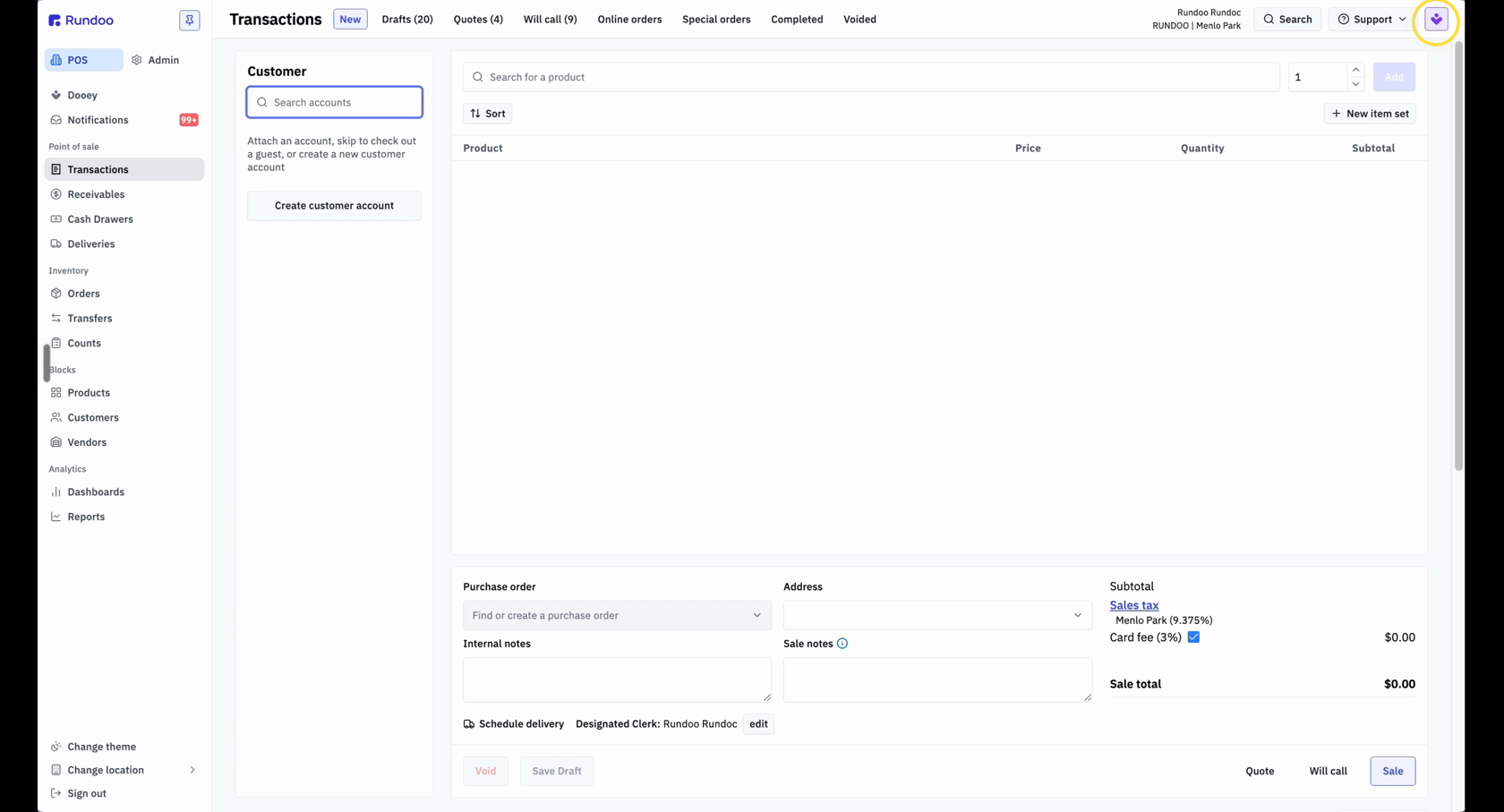
Click the purple Dooey icon in the top right-hand corner to open the chat panel.
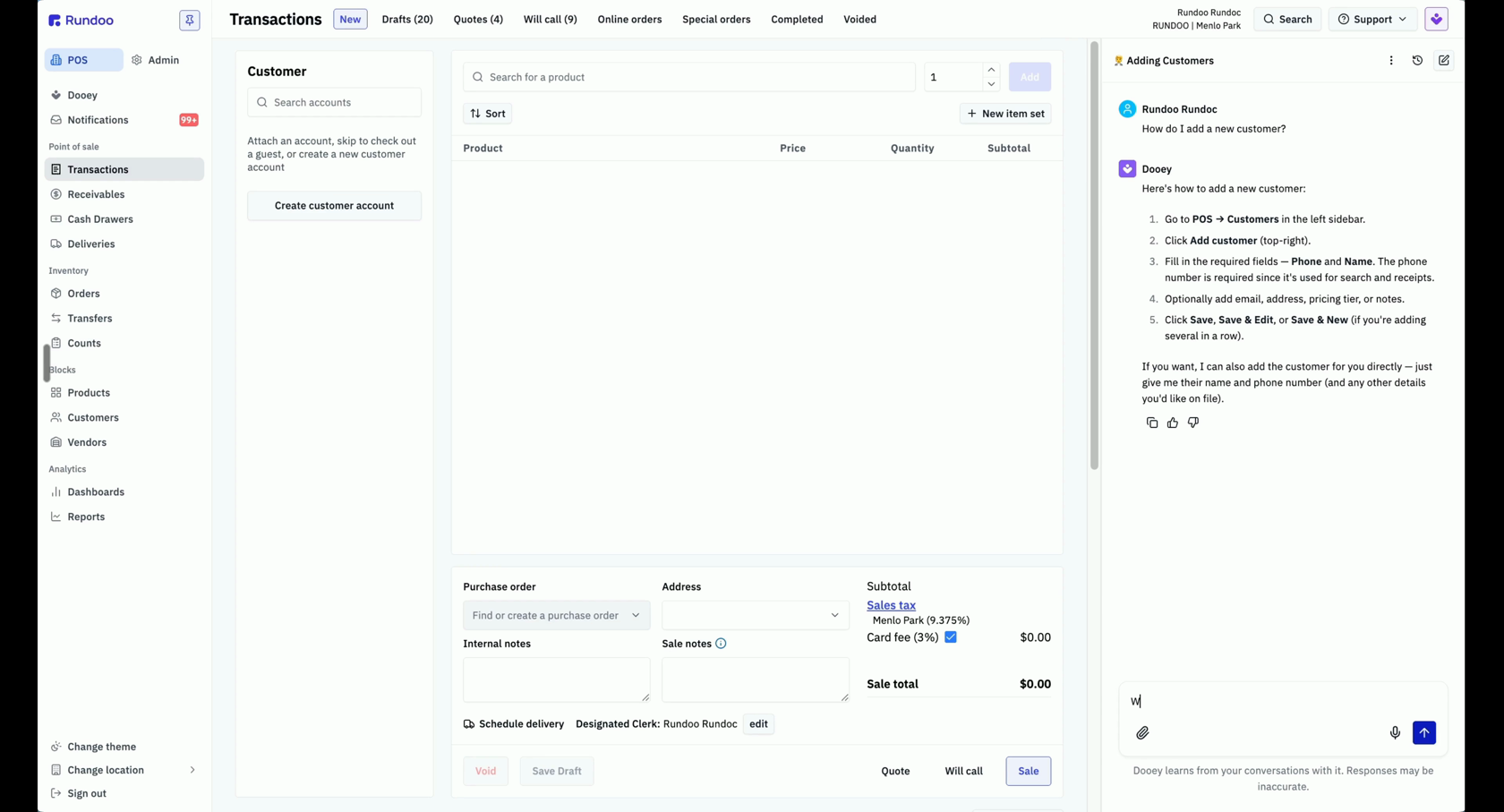
Type your question the way you'd say it out loud, like how do I add a new customer? You don't need any special terminology, just your own words. Be as clear as you can and Dooey will follow. Right away, it hands back the exact steps.
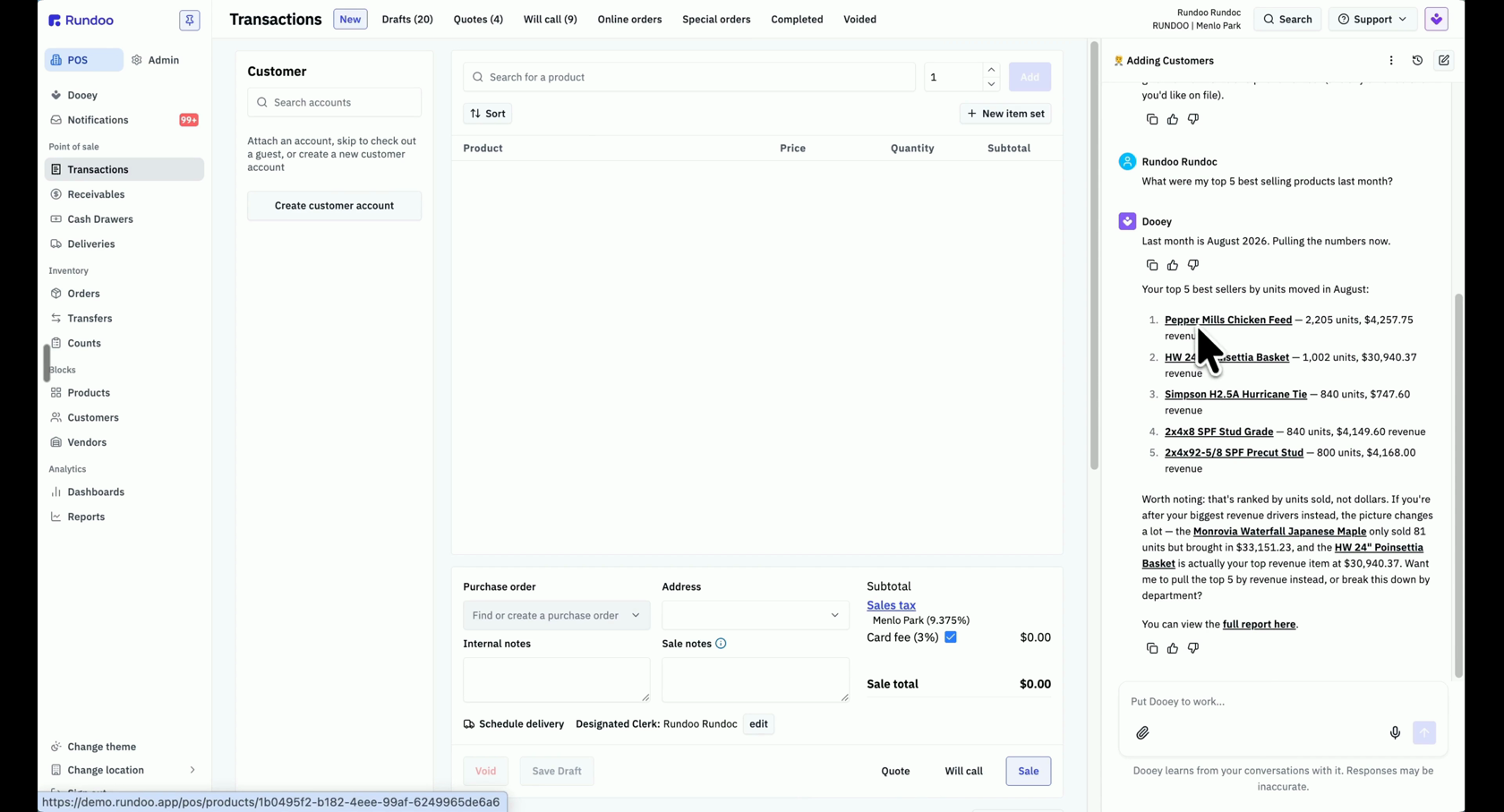
Follow up with anything else, like check my inventory or what were my top 5 best sellers last month? Dooey keeps the thread, so you never have to start over.
For questions about your store, Dooey checks your live numbers and hands you a clean list, no digging through reports. When there's more to see, it points you to the full report so you can open it and dig in.
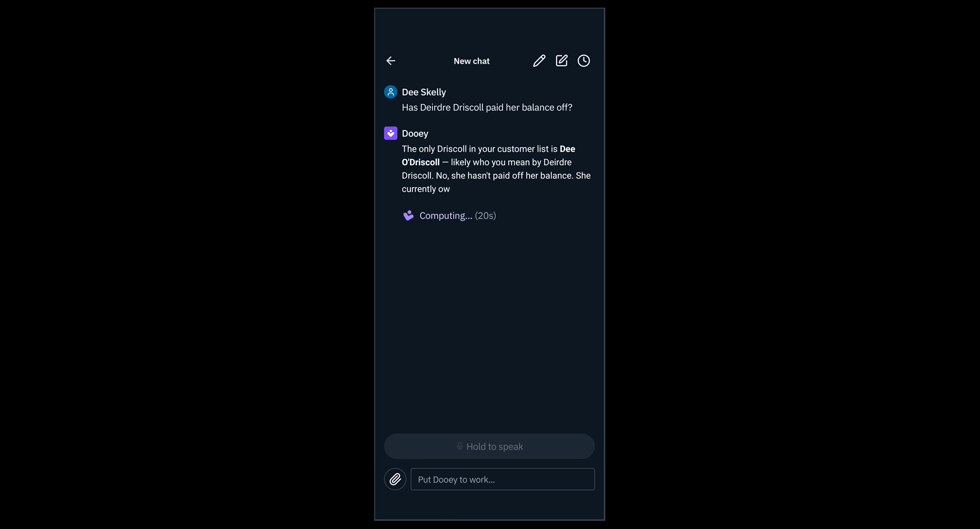
This isn't just for the counter. Out on the floor or on a delivery, open the Rundoo app and tap the Dooey button in the top right-hand corner. Type your question, or hold the microphone and speak it, like Has Deirdre Driscoll paid her balance off? There's your answer.
Where
Top right-hand corner
Also the Dooey tab in the left sidebar
How to ask
Plain English
Your own words, no special terms
What it knows
Your live store
Real numbers, not last night's report
On the go
Rundoo mobile app
Type it or hold the mic to speak
Good to know