What rounds
Cash only
Cards, checks, and charge accounts stay exact

Rundoo Primer
Round cash sales to the nearest nickel, the way your store wants to handle it, with every penny tracked.
Pennies are getting scarce. The US Mint struck its last penny in 2025, so your bank is handing out fewer of them and making exact change at the counter gets harder every week. Cash rounding lets Rundoo round each cash sale to the nearest nickel, the way your store wants to handle it. Only cash rounds, so cards, checks, and charge accounts still ring to the exact cent.
Cash rounding is set per location, so if you run five stores you will turn it on in each one. Open Admin, go to Locations, click into the store, and scroll down to Cash rounding. The Strategy dropdown starts on Off; open it and pick how this store should round.
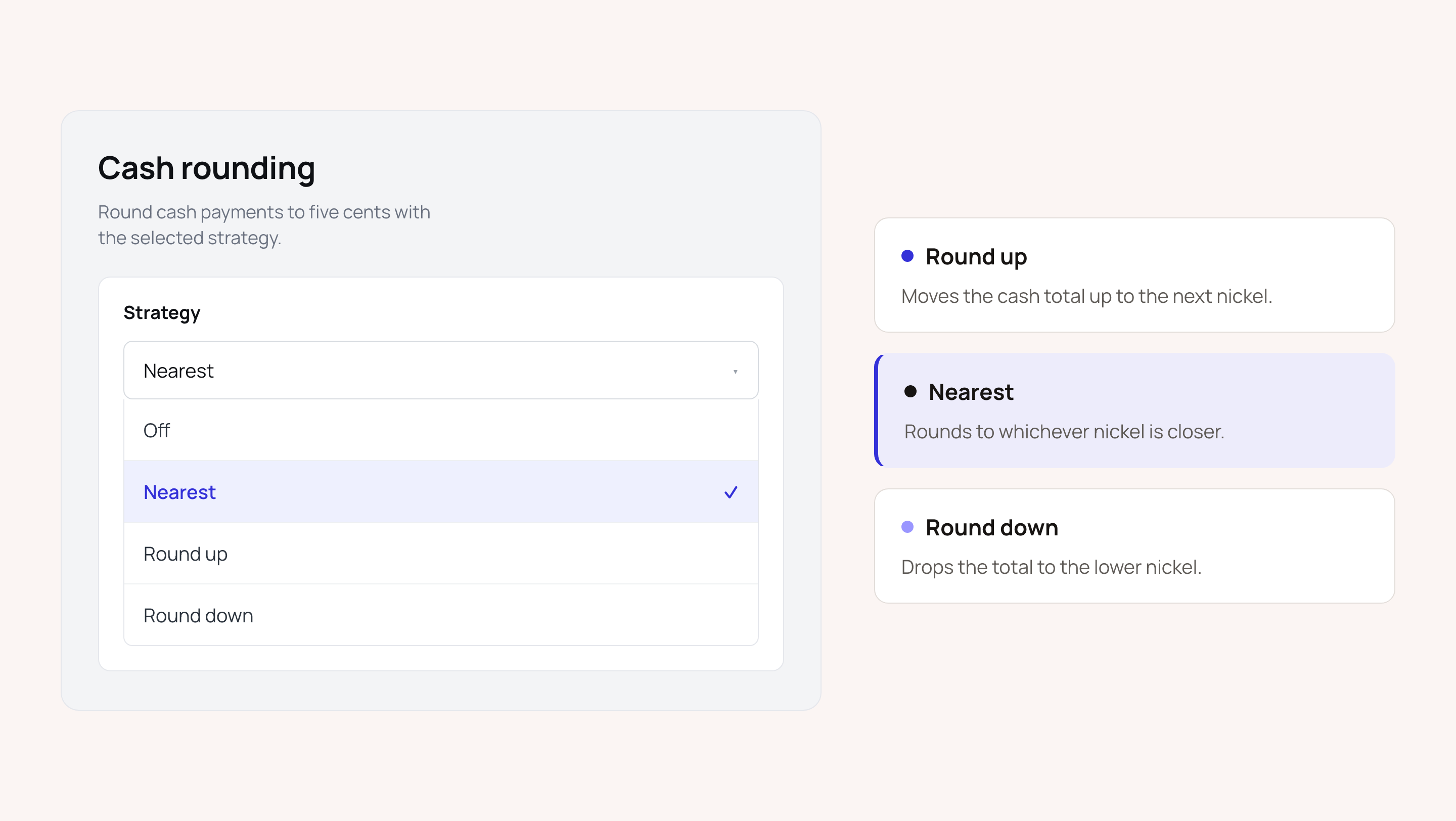
Every store chooses how its cash totals land on a nickel. Pick the one that matches how you already handle change at the counter:
In Admin › Locations › your store › Cash rounding, set Strategy to Nearest, Round up, or Round down. That is the whole setup.
Add products to a transaction. The sale total shows in full, down to the penny, no matter which strategy you picked. Nothing rounds yet.
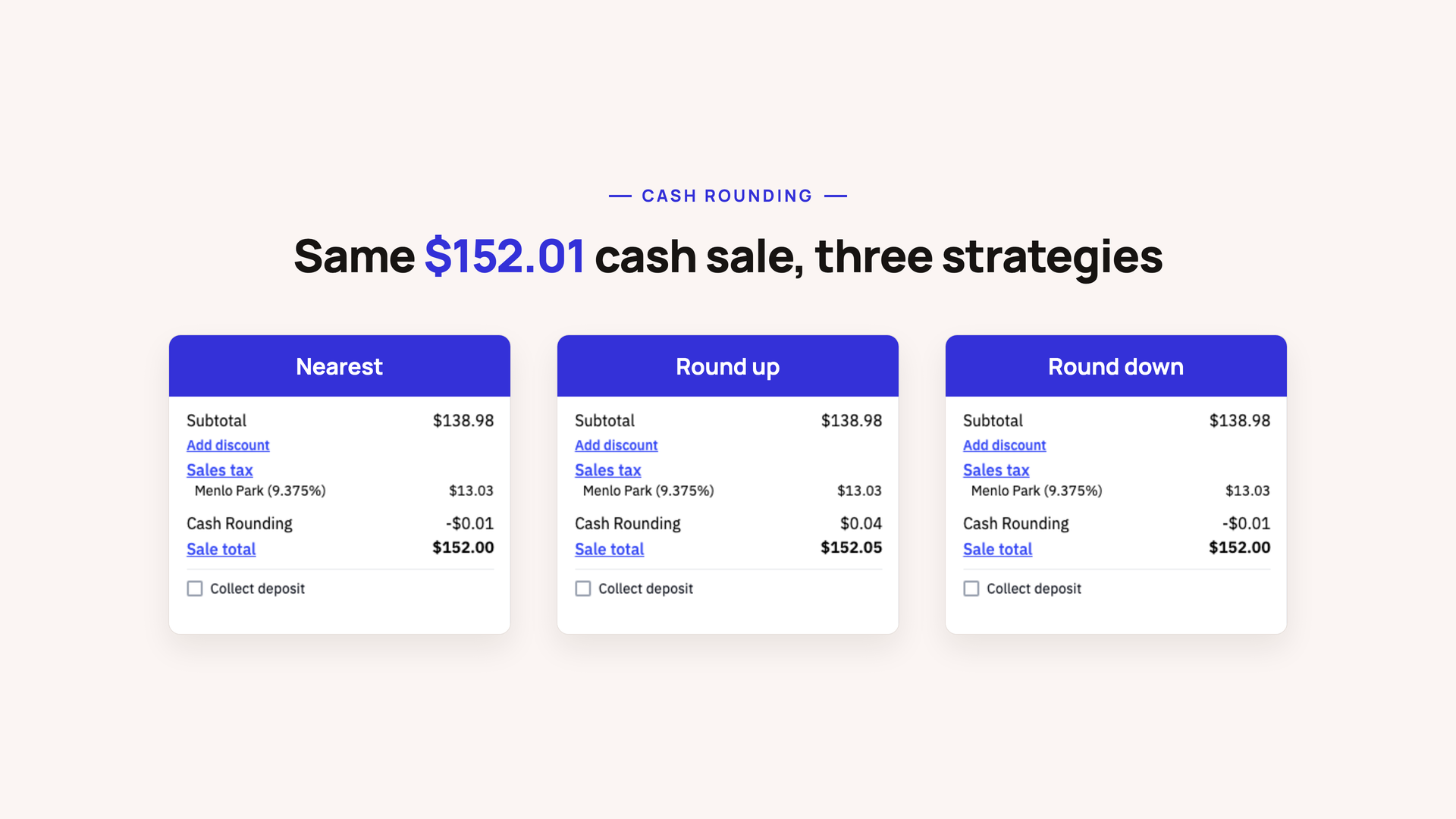
When the customer pays cash, pick Cash. A new Cash Rounding line appears above the sale total showing the adjustment, and the total rounds to the nearest nickel for that strategy. Cards, checks, and charge accounts never round.
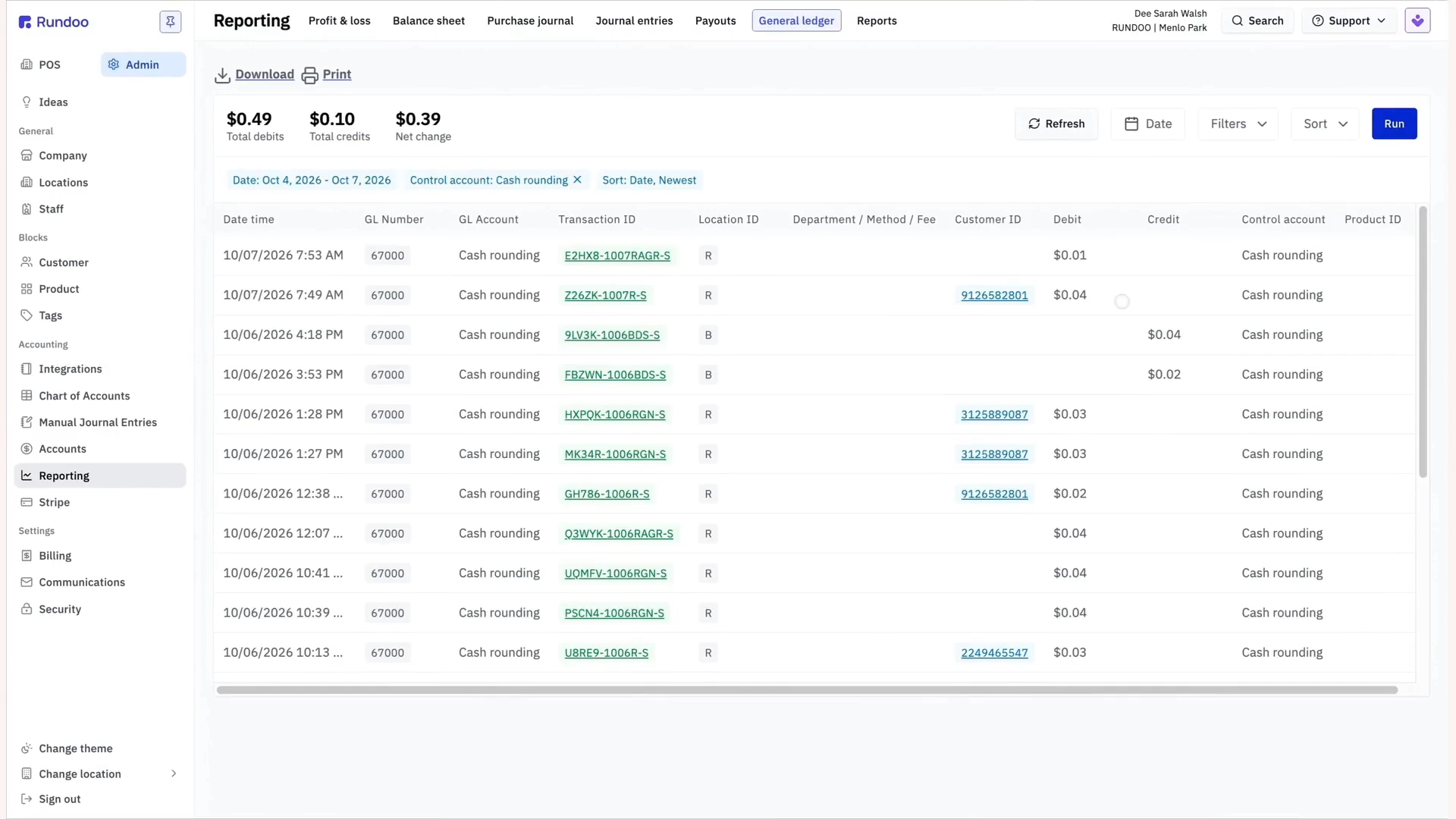
Rundoo books every bit of rounding automatically. Go to Reporting › General ledger and filter to the Cash rounding control account to see each rounded sale. Round up posts a credit, round down posts a debit, and nearest can go either way. Click any Transaction ID to open the sale, or view totals breakdown to see the rounding line again.
What rounds
Cash only
Cards, checks, and charge accounts stay exact
Rounds to
Nearest $0.05
The next, lower, or closest nickel
Where to set it
Admin › Locations
Per location, a one-time setup
Where it posts
Cash Rounding account
Its own control account in the general ledger
Good to know