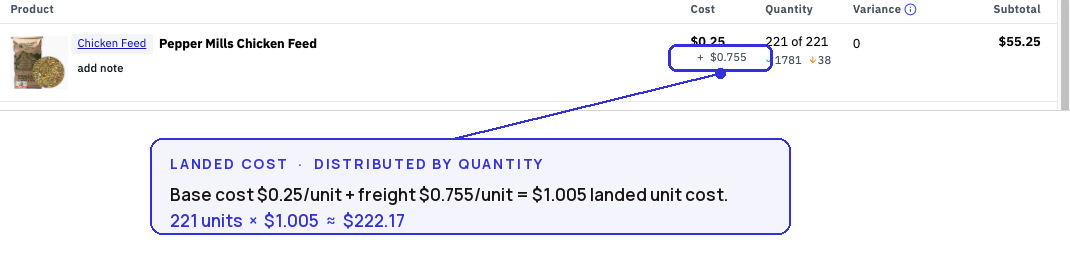
By quantity
Even per unit
Chicken feed: +$0.755/unit, lands at $1.005

Purchasing & Inventory
Put freight where it belongs: in the real cost of each product, not off in a separate expense line.
A shipment shows up and the freight has to go somewhere. It used to get parked in a separate expense account, which meant the cost on your product looked lower than what it really took to get it on the shelf. Landed costs fixes that: it rolls the freight straight into each product's cost, so your margins and your books tell the truth.
When you add a shipping fee to a purchase order, you choose how Rundoo spreads it across the items on the order. Either way the total you pay the vendor is the same. What changes is how much of the freight lands on each product, which is what drives how profitable that product looks and how you price it.
Start from Orders and open (or build) the order for the shipment that arrived. This one is from Chadwicks Supply, with Pepper Mills Chicken Feed and a run of lawn and garden products.
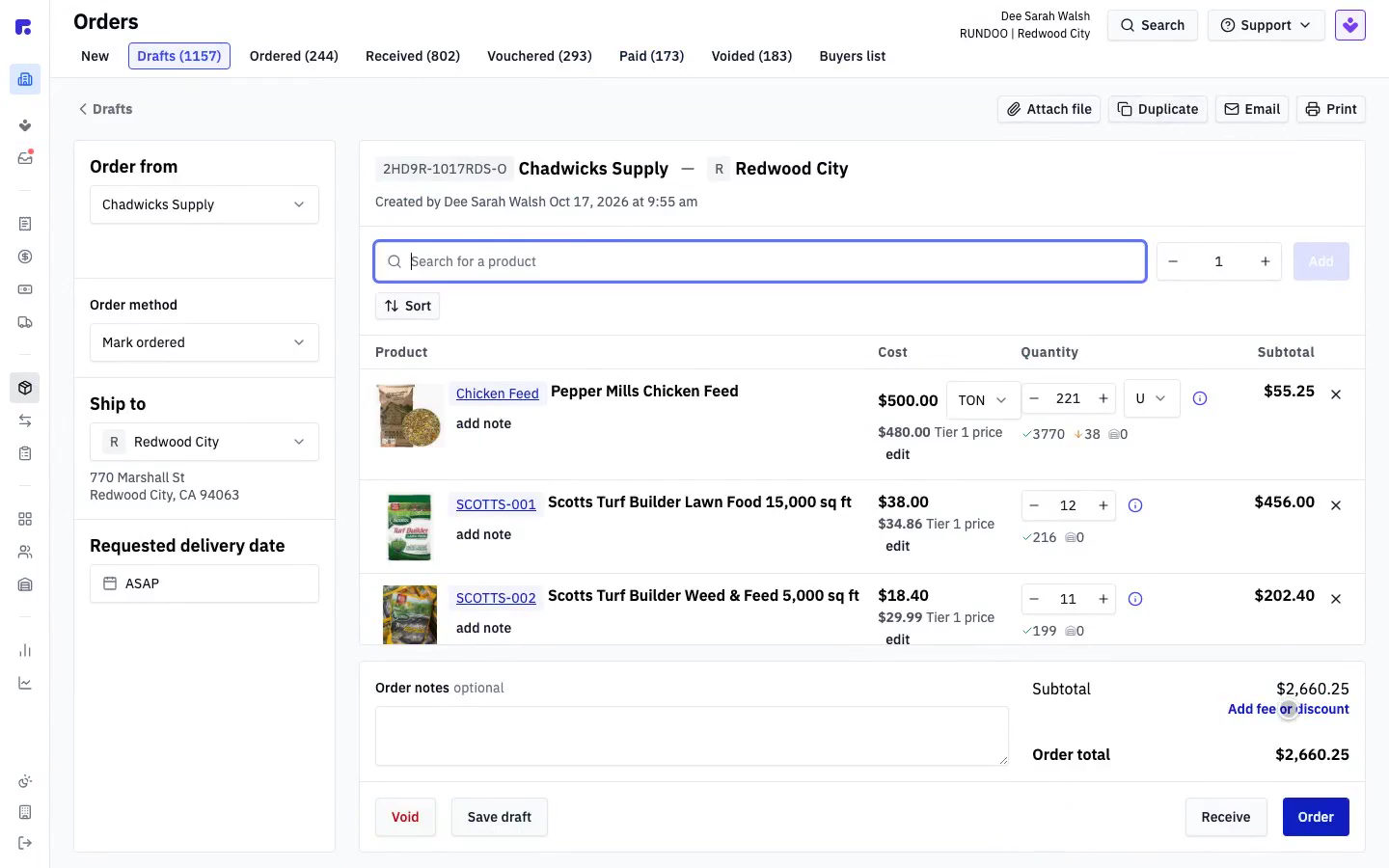
Click Add fee or discount, keep it on Fee, name it something like Shipping, and enter the amount off the invoice. In this example the freight is $250.
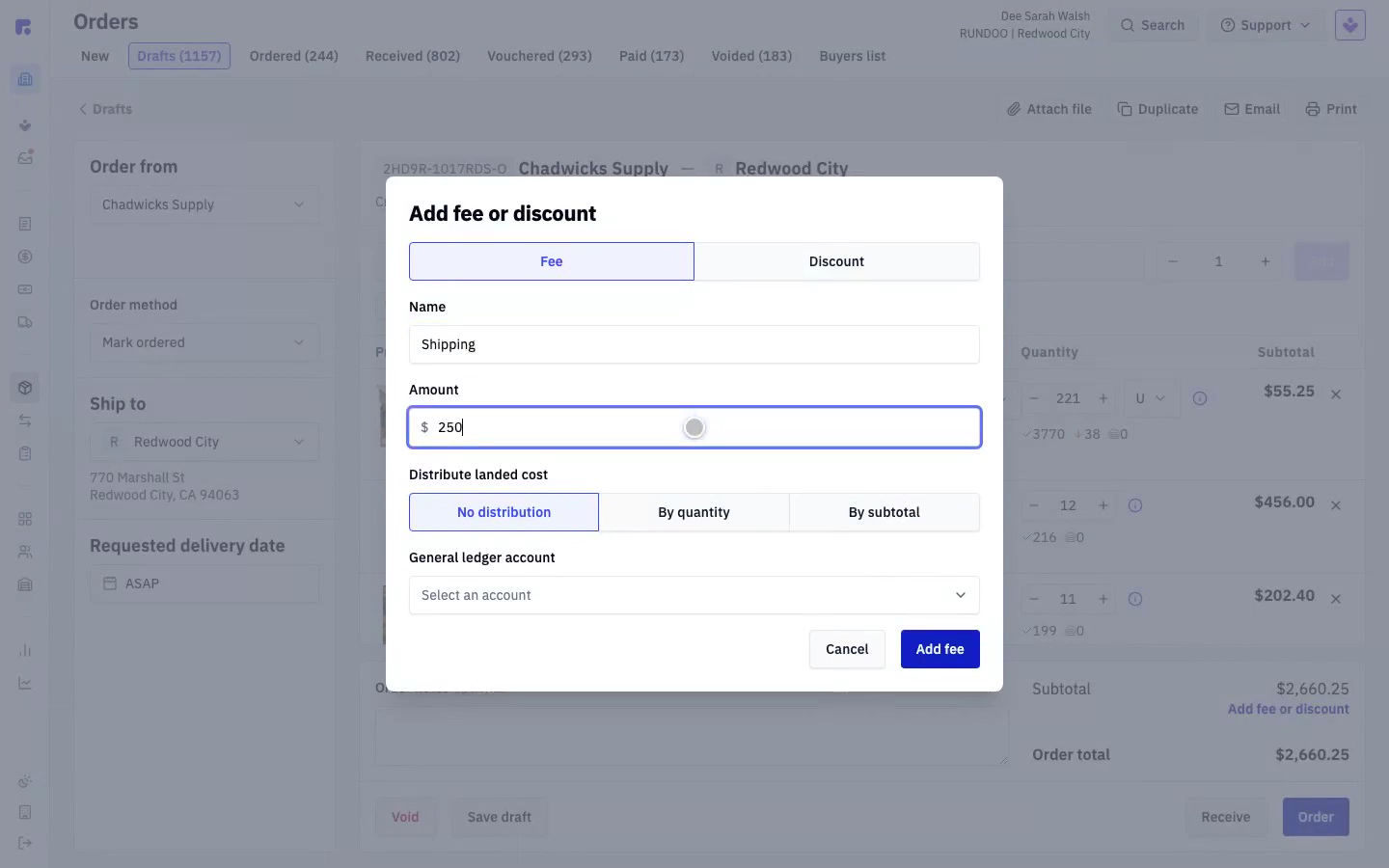
Under Distribute landed cost you have three choices. No distribution leaves the fee as its own line. By quantity spreads it evenly across the number of units. By subtotal weights it by each line's share of the order's dollar value. Pick one and click Add fee.
By quantity splits the freight equally across every unit on the order. Here the freight works out to $0.755 per unit, so Pepper Mills Chicken Feed goes from a base cost of $0.25 to a landed cost of $1.005 a unit.
By subtotal spreads the freight by each line's dollar share instead. Because the chicken feed is a lower-dollar line, it picks up only about $0.023 per unit, landing at $0.273 a unit. Same $250 shipping, a very different cost on this product.

Send it with Order, receive the shipment with Receive and close, enter the vendor invoice and Voucher it, then Mark as paid. The landed cost rides along the whole way.
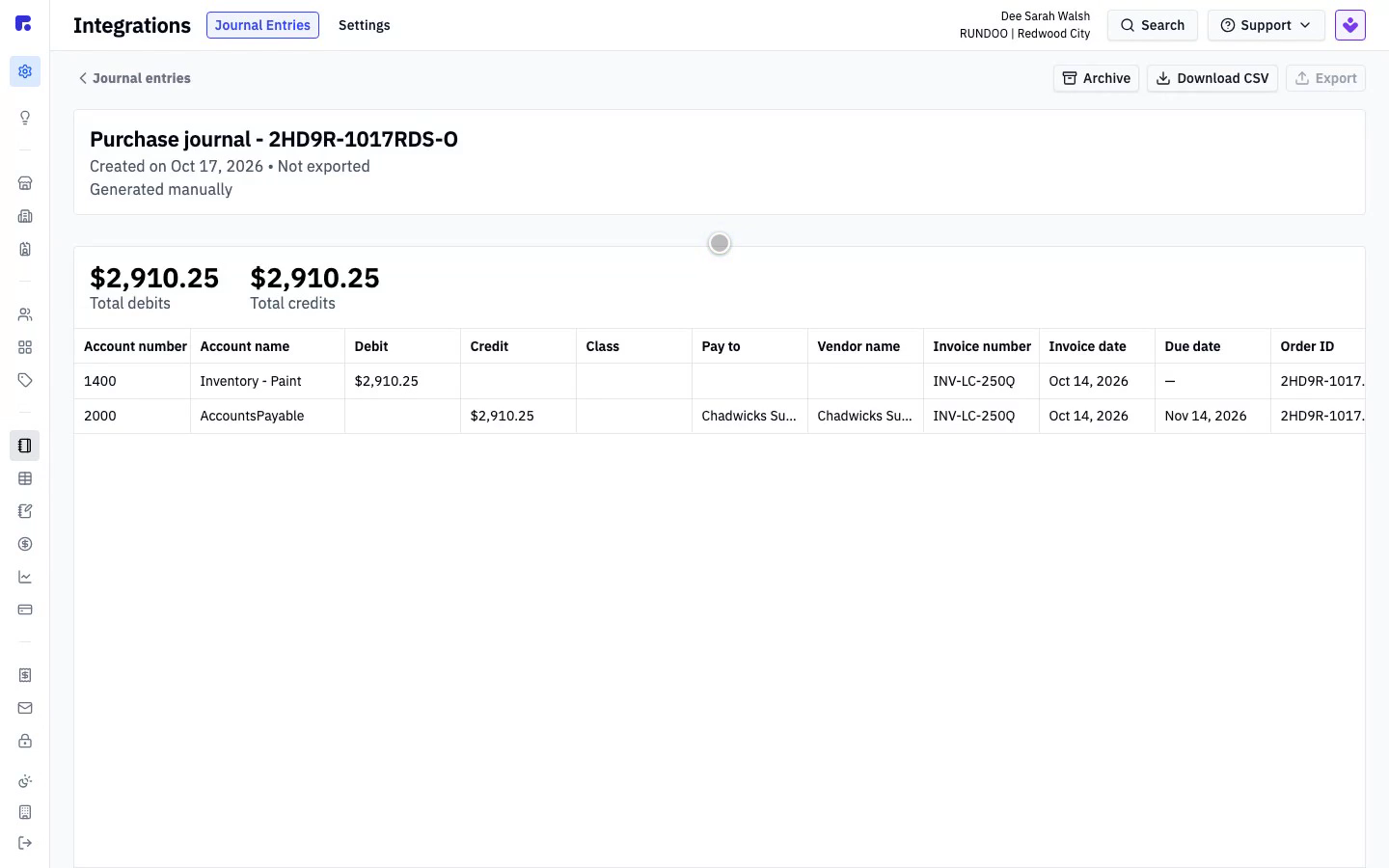
On the paid order, Generate purchase journal and open it under Admin, Integrations, Journal Entries. The freight is capitalized into the Inventory account, not booked as a separate freight expense. The full order total posts as a debit to Inventory and a credit to Accounts Payable.
By quantity
Even per unit
Chicken feed: +$0.755/unit, lands at $1.005
By subtotal
By dollar share
Chicken feed: +$0.023/unit, lands at $0.273
On this product
$222.17 vs $60.44
What the chicken feed line books to Inventory, by quantity vs by subtotal
On the order
Same total
All of it is capitalized to Inventory 1400, not a freight expense
Good to know