 Glance Card
Getting Started with Rundoo · Setup
Rundoo Loyalty Program
A loyalty program built into your point of sale. No separate app, no extra fee, nothing to reconcile.
How it works
Earn
Points on every dollar a customer spends
Attach the customer to the sale
Redeem
Points become dollars off, before tax
Loyalty, Add to sale
Report
Earned, redeemed, outstanding, expired
Just ask Dooey
Turn it on
- Admin, then Customer
- Turn on Enable Rundoo Rewards
- Set points per dollar, the reward, the minimum sale, and when points expire
- No Save button. It saves on its own.
Starting rules
1 point per $1. 100 points = $5.00 off.
$10.00 minimum sale to redeem. Points can expire 3 months to 2 years after the last purchase, or never. Change any of it.
Import or bulk update balances
- Download the points balances file
- Edit column E only, whole numbers
- Import, check the counts, confirm
Keep control
Adjust points on the customer's Rundoo Rewards tab.
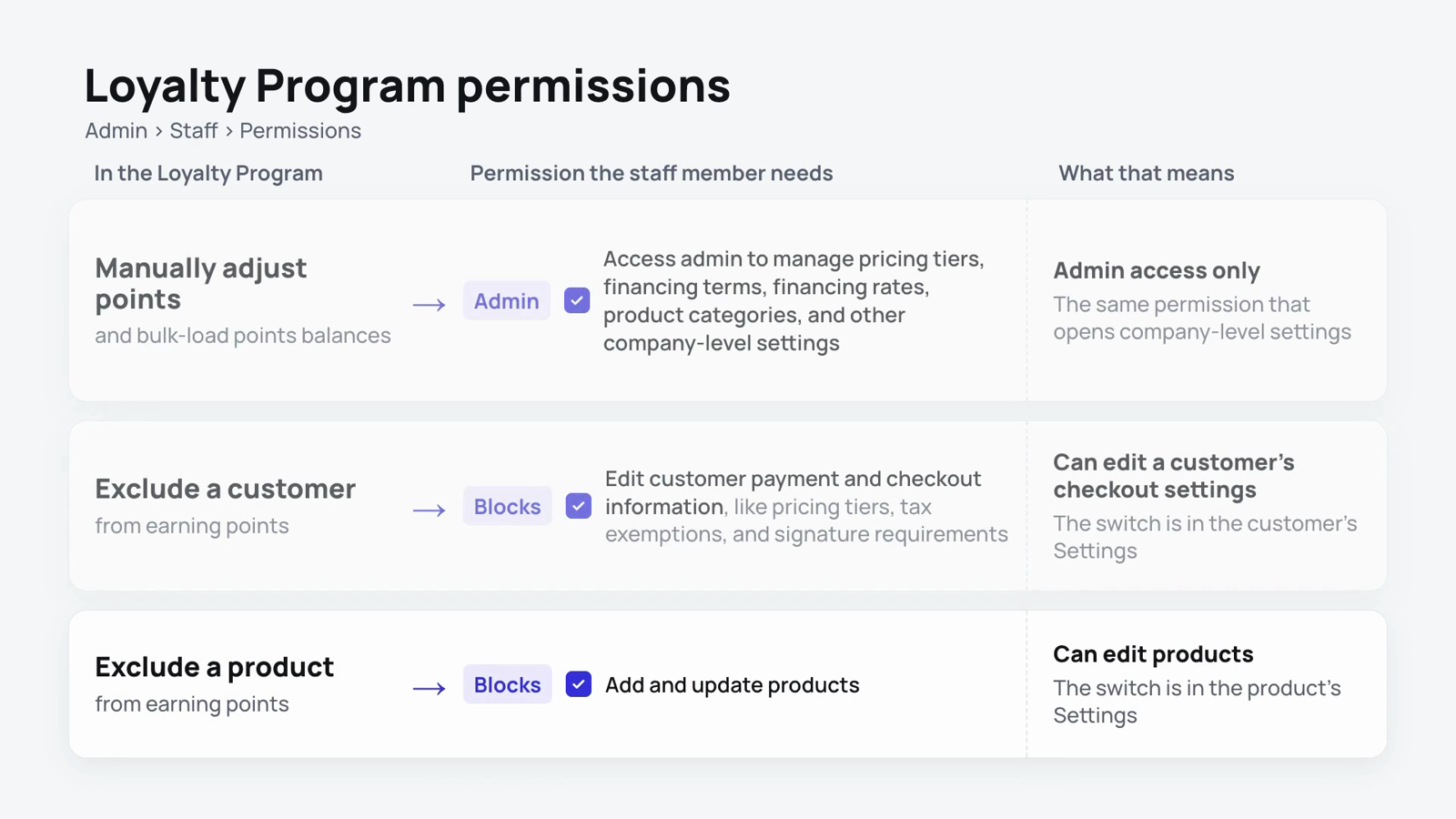
Negative removes, positive adds, and it can't be undone. To leave a product or customer out, turn on Exclude from earning Rundoo Rewards points in its settings, or ask Dooey.
Decide who can do what
Three actions, three permissions.
Points are real money to your store, so each action has its own permission under Admin, Staff, Permissions.
 Earn, redeem, and report. One more reason your customers keep coming back. · rundocs.com