
Getting Started with Rundoo · Setup
Sales Tax Components
Split your sales tax into the city, county, state, and district parts you remit. The customer still pays one number.
Do this
-
Open the location's sales tax rate
Go to Admin, then Locations, and open your location. Under Sales tax, click the rate and turn on Split into tax components.
-
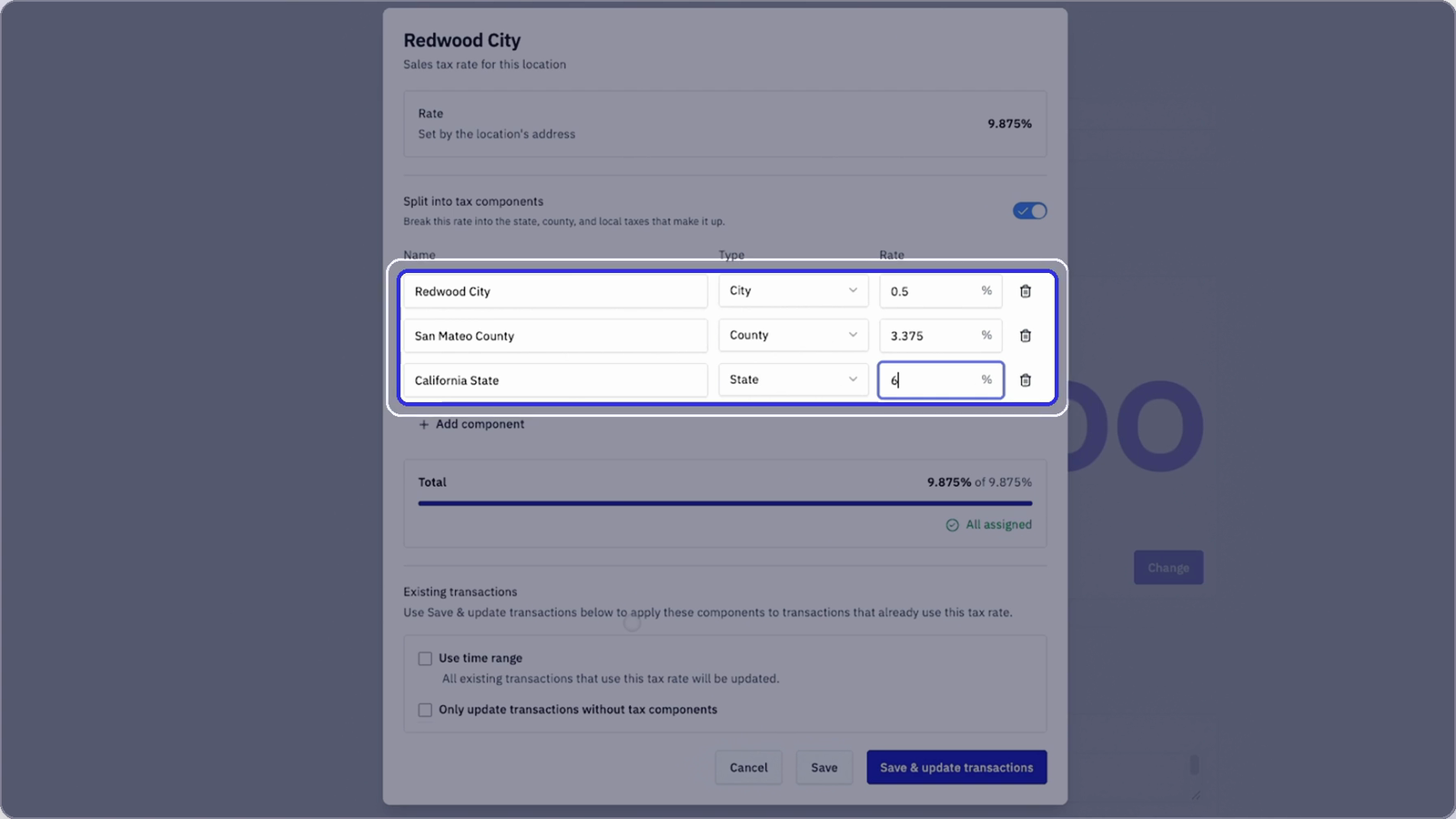
Add each component
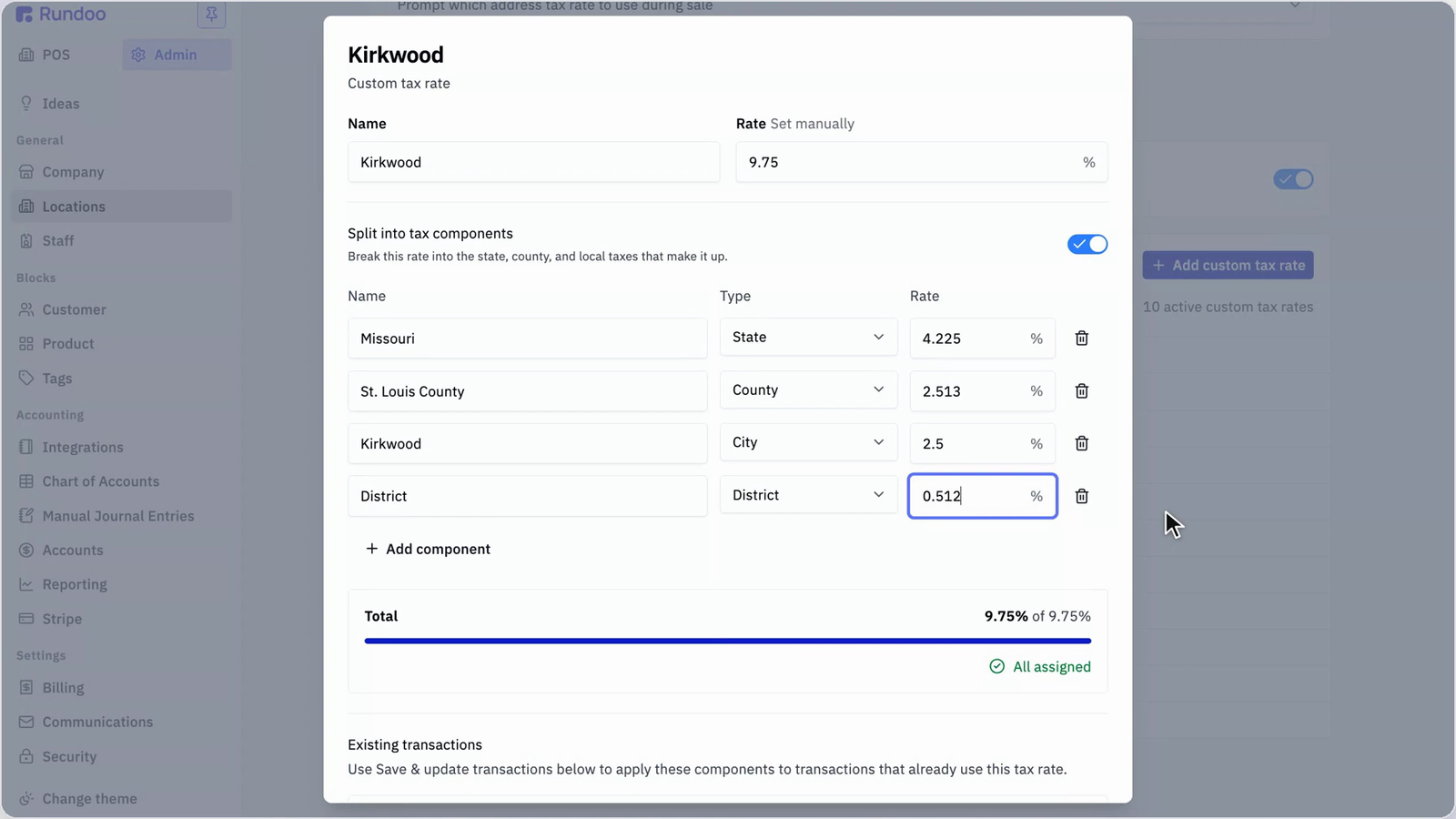
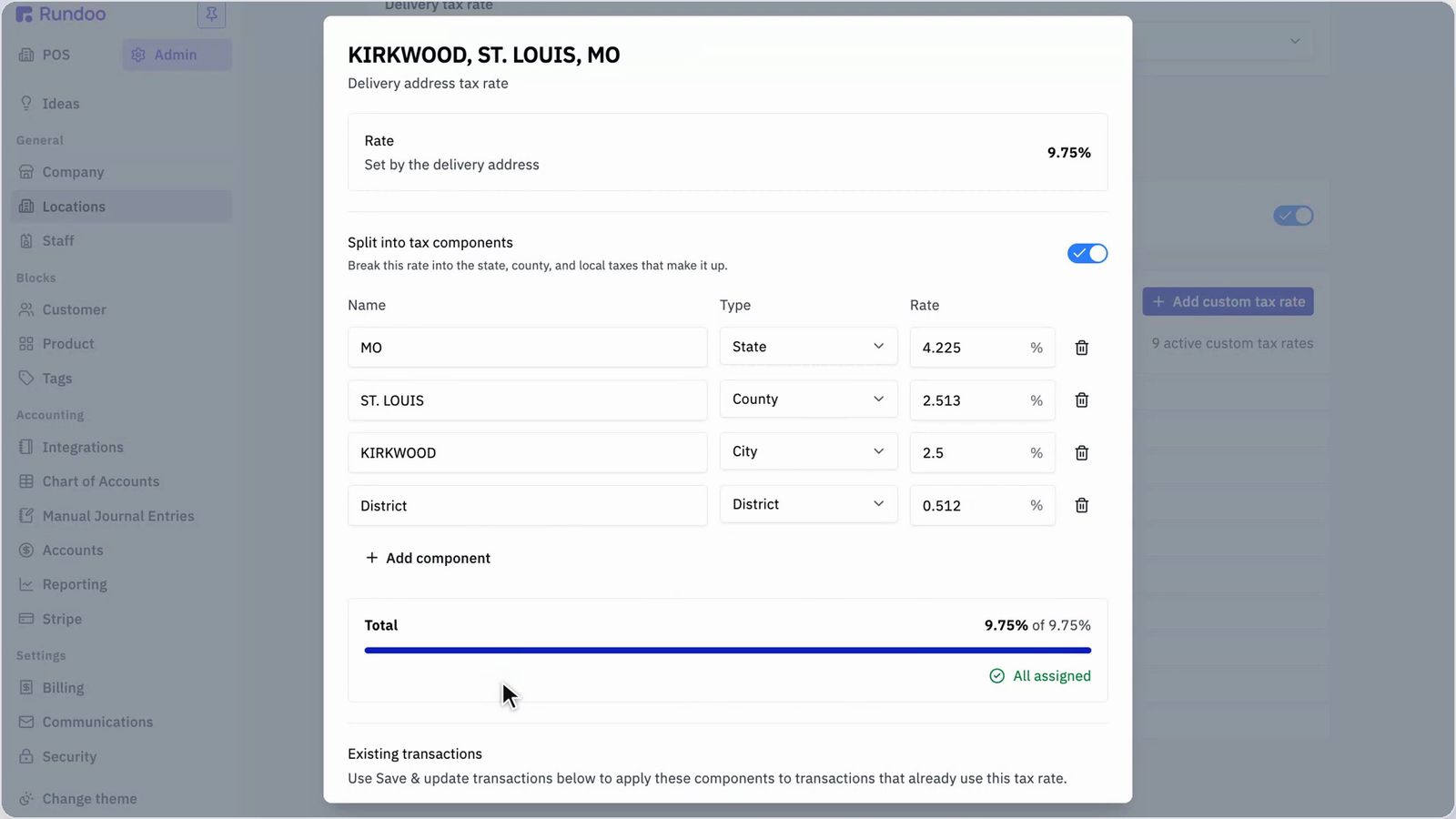
Click Add component and give each one a Name, a Type (State, County, City, or District), and a Rate.
-
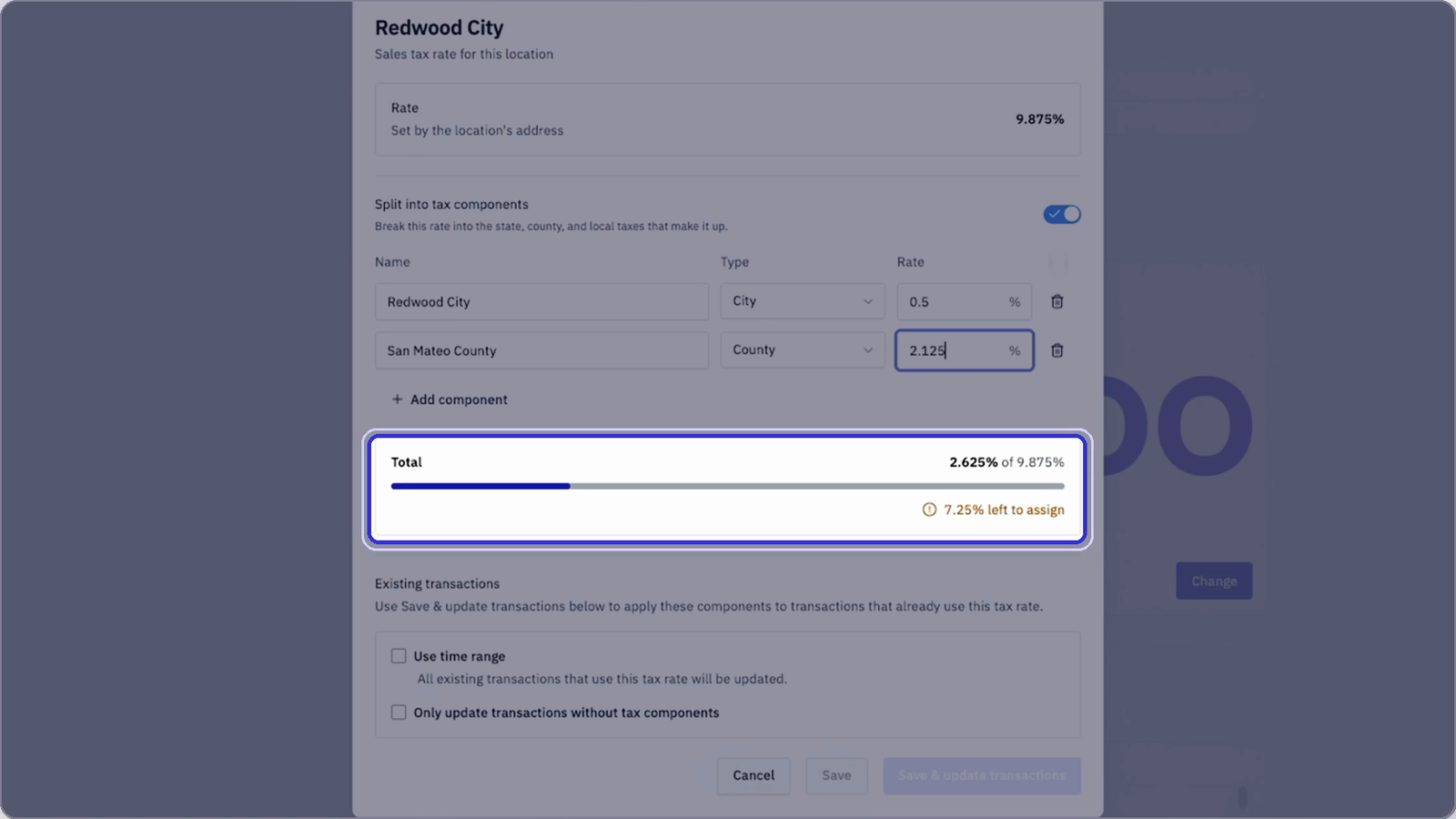
Make them add up
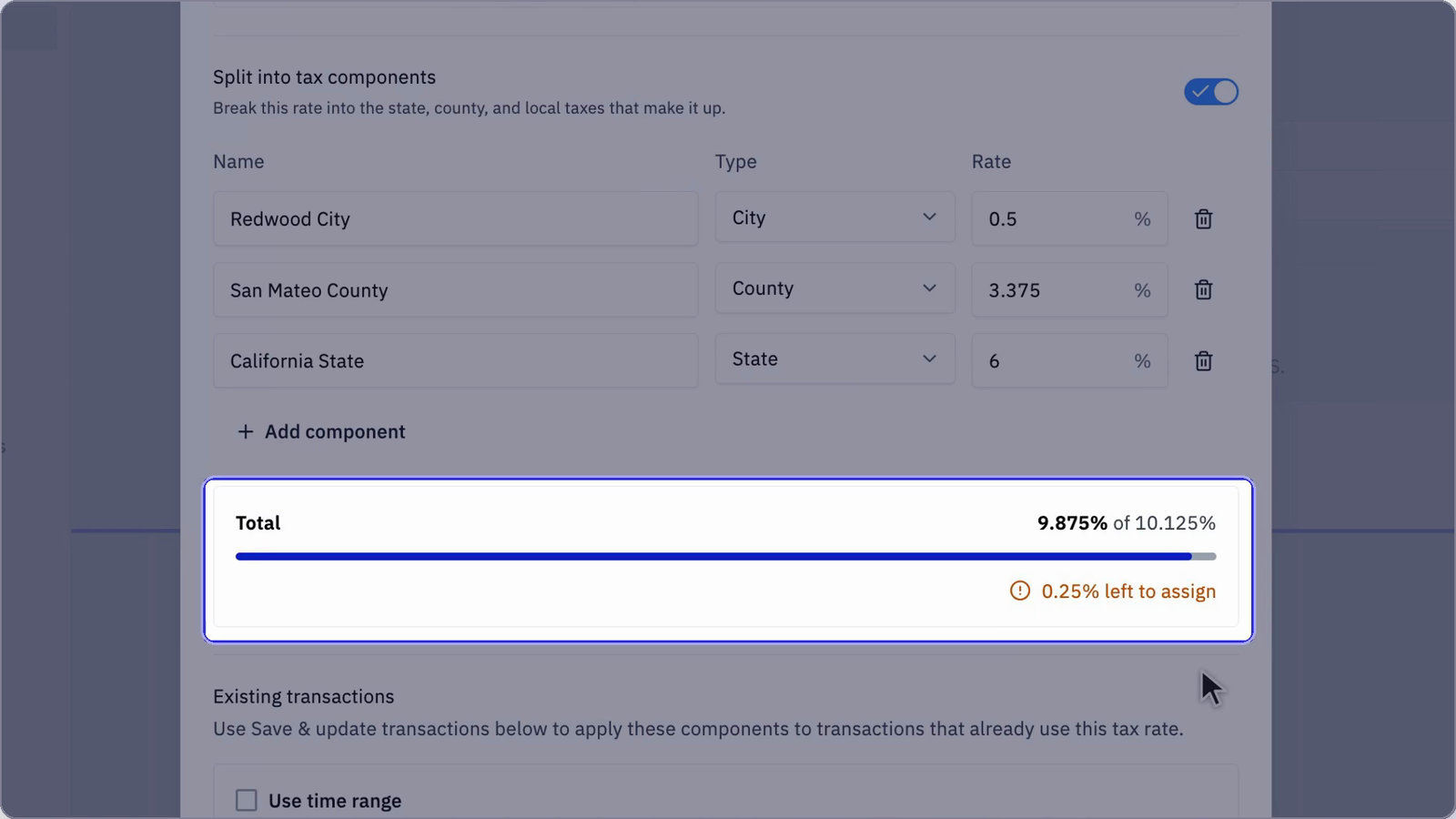
The Total line shows what is left to assign. Keep going until it reads All assigned.
-
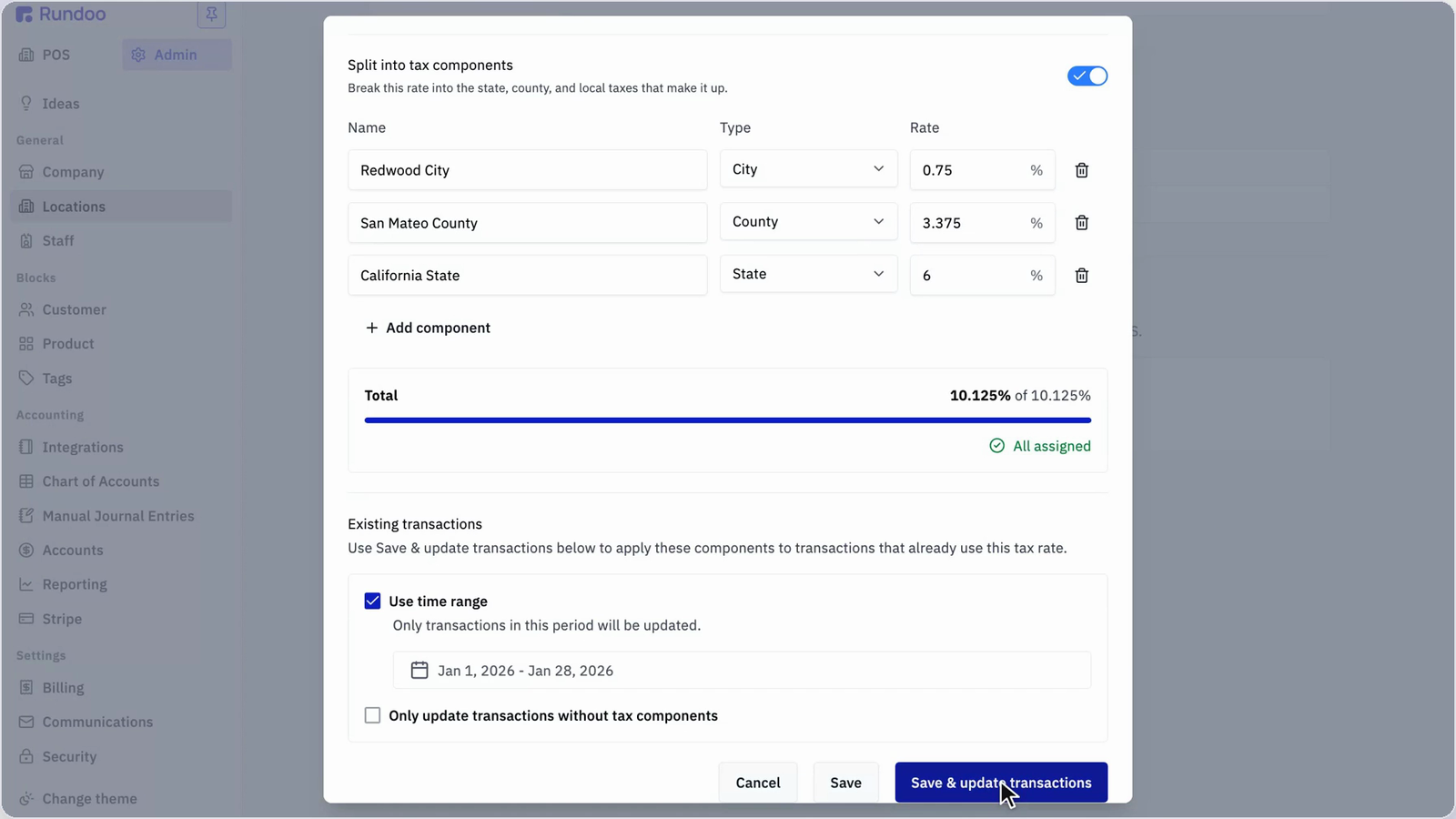
Save, and decide about past sales
Save applies the components to future sales. Save & update transactions also applies them to past sales on this rate. Tick Use time range to limit that to certain dates.
When a rate changes
-
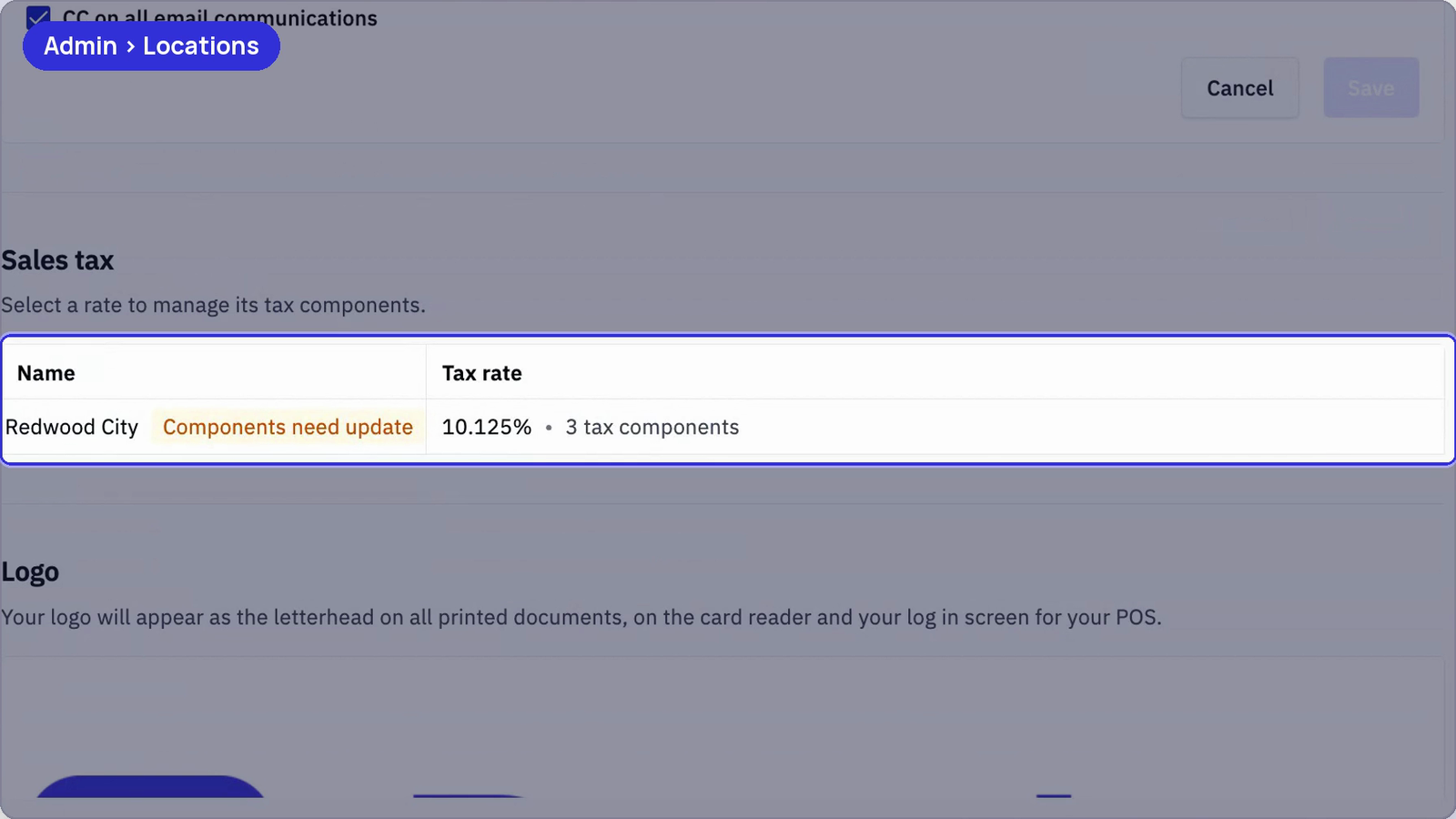
Watch for the warning in Admin
When a tax rate changes, the combined rate updates on its own. Your components are then short, so the location shows Components need update.
-
Fix the components
Click the rate and edit, add, or delete components until the Total reads All assigned. Then Save, or Save & update transactions to correct sales made since the change.
See it in Reports
-
Create the Tax components report
Go to Reports, click Create report, and pick Tax components.
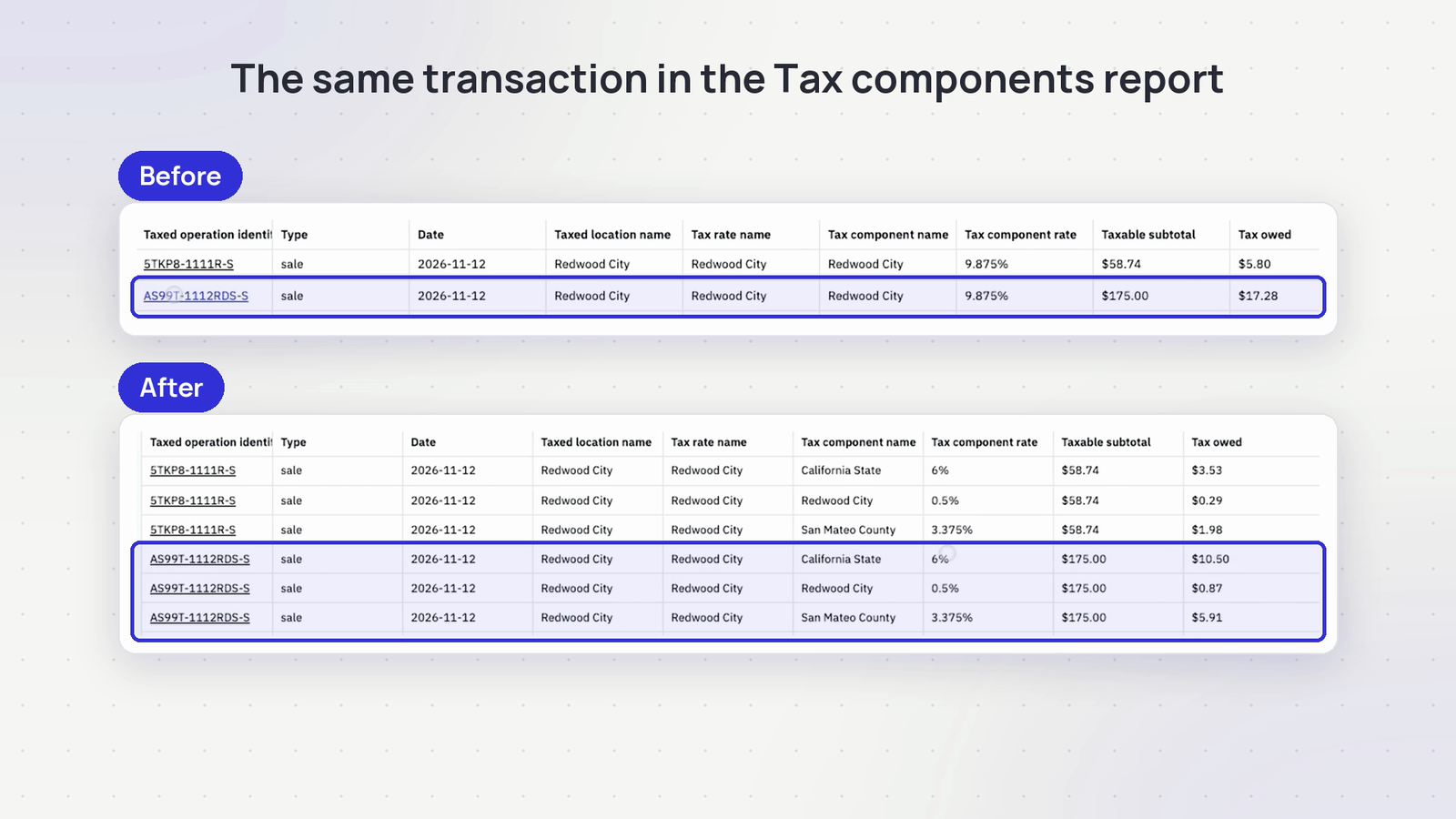
Before: one row at the combined rate. After: a row for each component.
Custom tax rates
-
Set up a custom tax rate
In Admin, Locations, scroll to Custom tax rates and click Add custom tax rate. Name it, set the rate, and save. Then open it and turn on Split into tax components.
-
Apply it on a sale
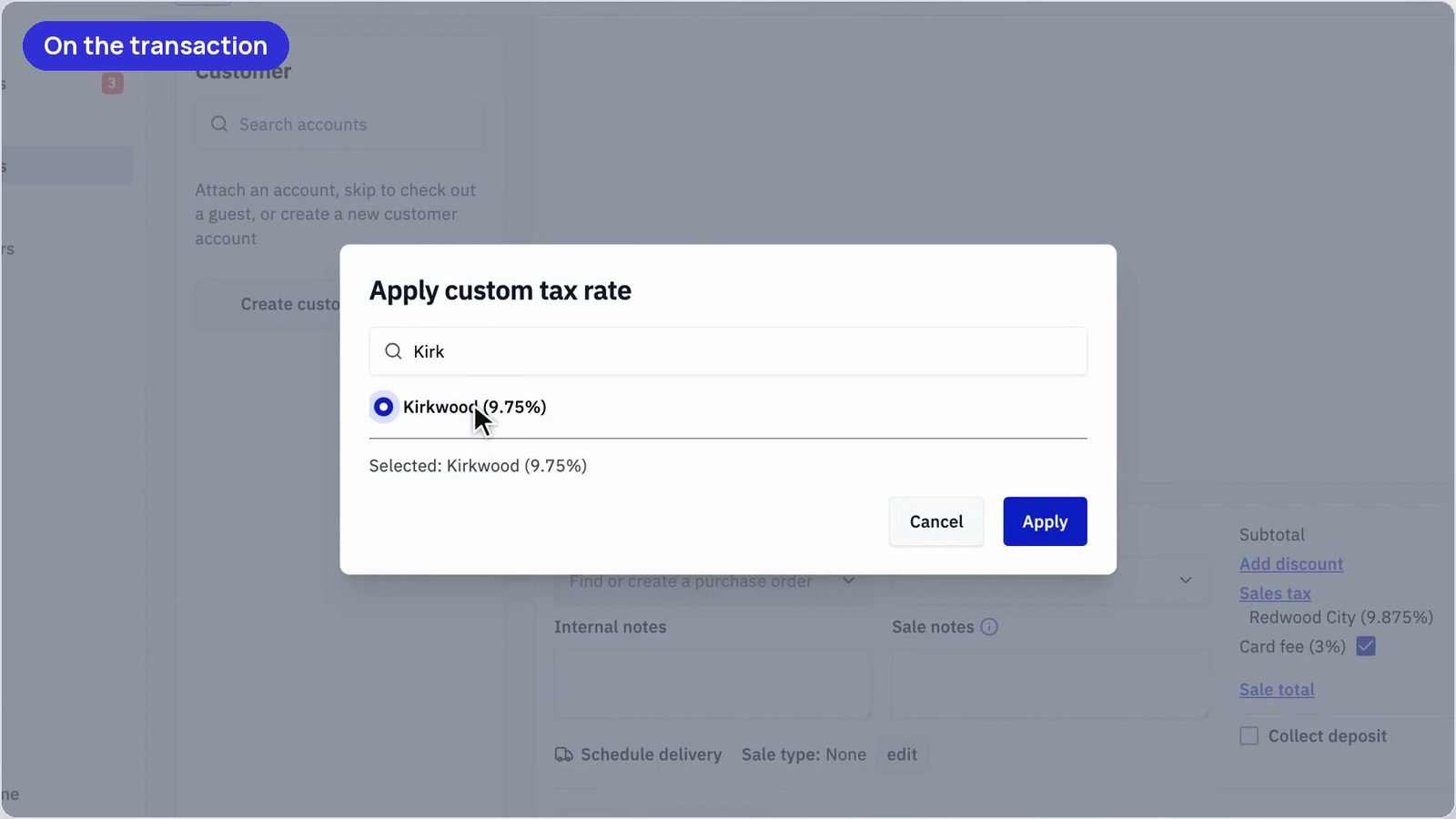
On the transaction, click Sales tax, pick the custom rate, and click Apply.
Delivery address tax rates
-
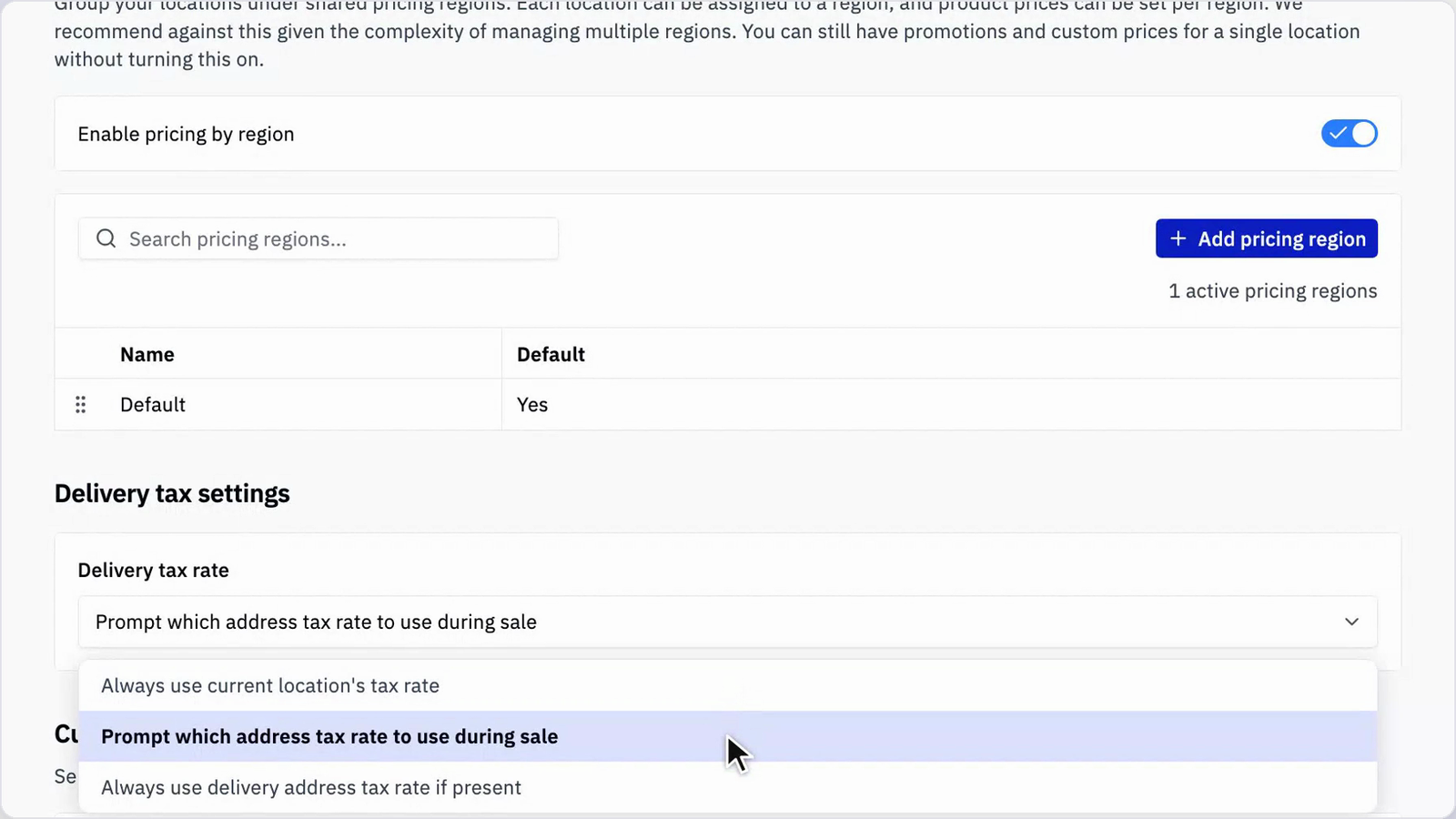
Choose how deliveries are taxed
In Admin, Locations, find Delivery tax rate and pick one of the three options.
-
Turn on component recommendations
Under Custom tax rates, turn on Use TaxJar component recommendations. New delivery address rates then start with suggested components.
-
Schedule a delivery
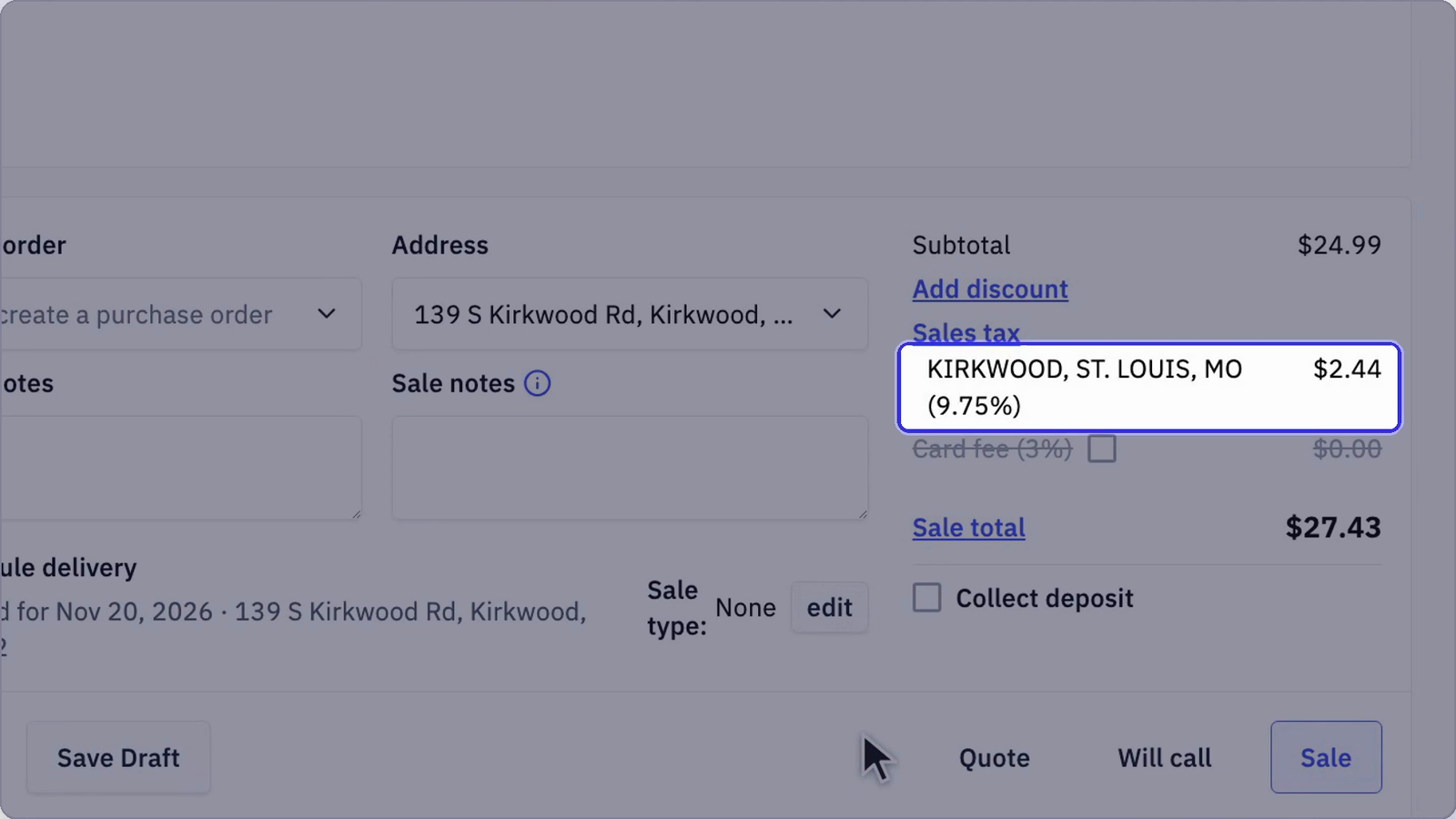
On a sale, click Schedule delivery, enter the address, and click Stage for delivery. The sales tax switches to the delivery address rate.
-
Check or correct the suggested components
The delivery address now appears under Custom tax rates. Click it to check the breakdown. If something is off, fix it and click Save & update transactions.
Bulk update by spreadsheet
-
Download your tax rates
In Admin, Locations, click Download tax rates.
-
Edit the spreadsheet
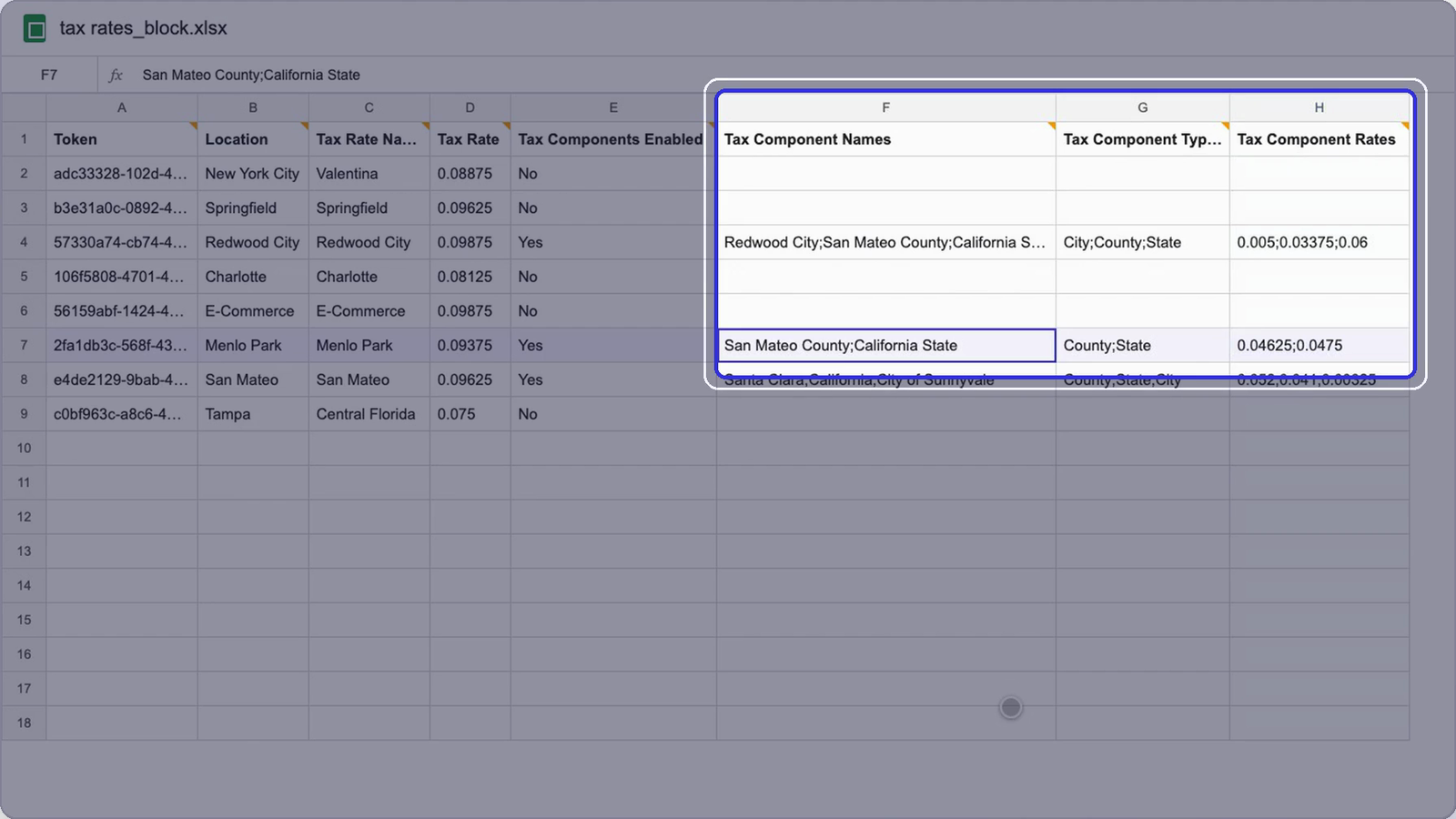
Column E turns components on or off. Columns F, G, and H hold the names, types, and rates, in matching order, separated by semicolons with no spaces. Do not change column A.
-
Upload it
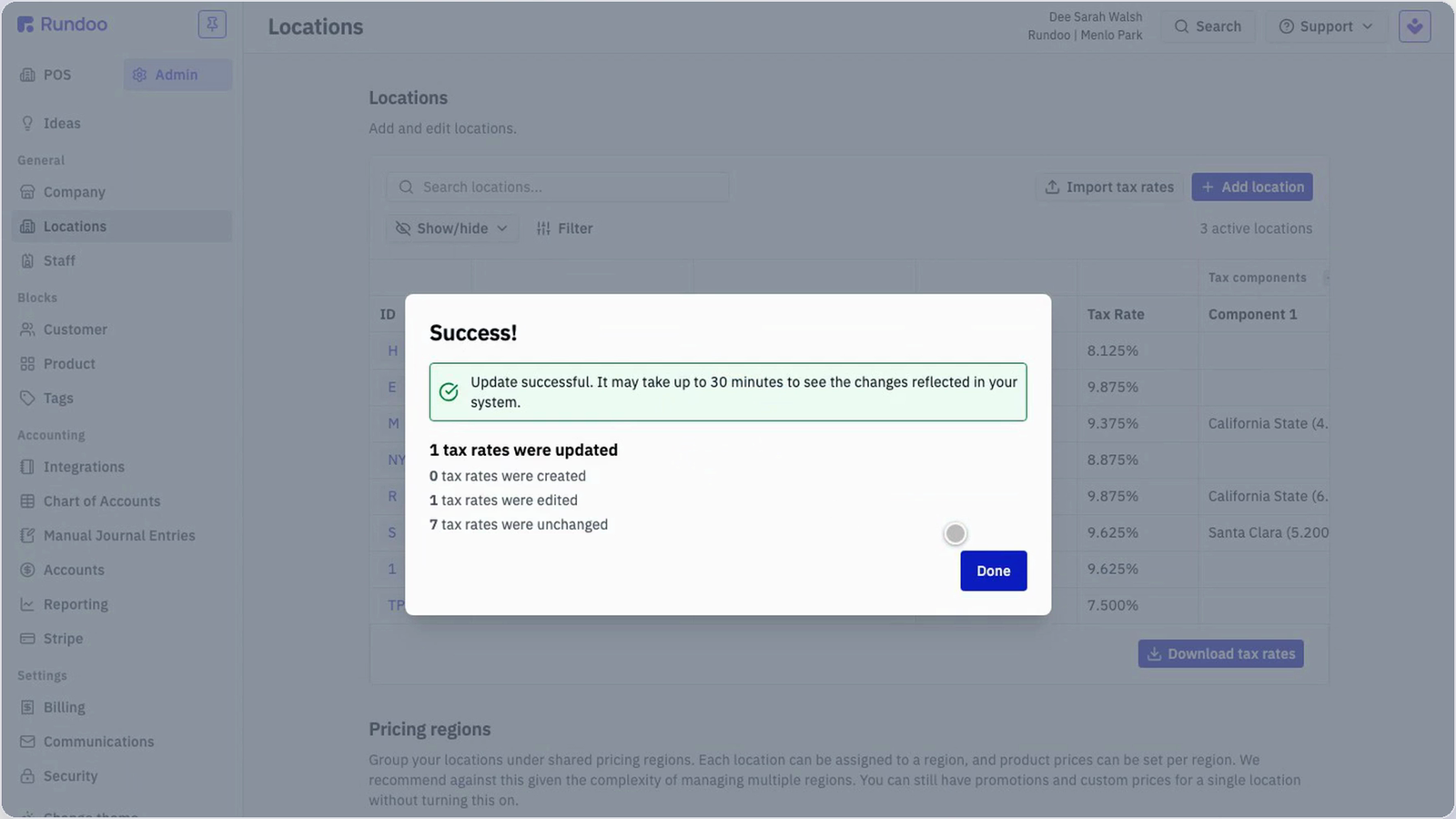
Click Import tax rates and upload the file. On success, refresh Locations. If you get an error, download the error report, fix it, and try again.
Good to know
- Components never change the tax a customer pays, only how it is broken down in your reports.
- Components must add up to the total rate, or Rundoo will not let you save them.