Where
POS → Customers → open the record
Search by name, phone, or customer ID.

Getting Started with Rundoo · Setup
See what a customer bought and what they still owe.
You know the phone call. One of your regulars, or the bookkeeper for a big contractor, is on the line and needs to know what they bought last month, or just wants to confirm what they still owe you. Both answers live on that customer's own record in Rundoo, a few clicks away. Two tabs do the work: Transactions shows you what they bought, and Balance shows you what they owe.
Open a customer and you land on their profile. Under the header, which shows their ID, name, phone, pricing tier, current balance, and Sales YTD, six tabs split up everything about them: Transactions, Balance, Jobs, Relationship, Custom Prices, and Settings. For "what did they buy" and "what do they owe," you only need the first two.
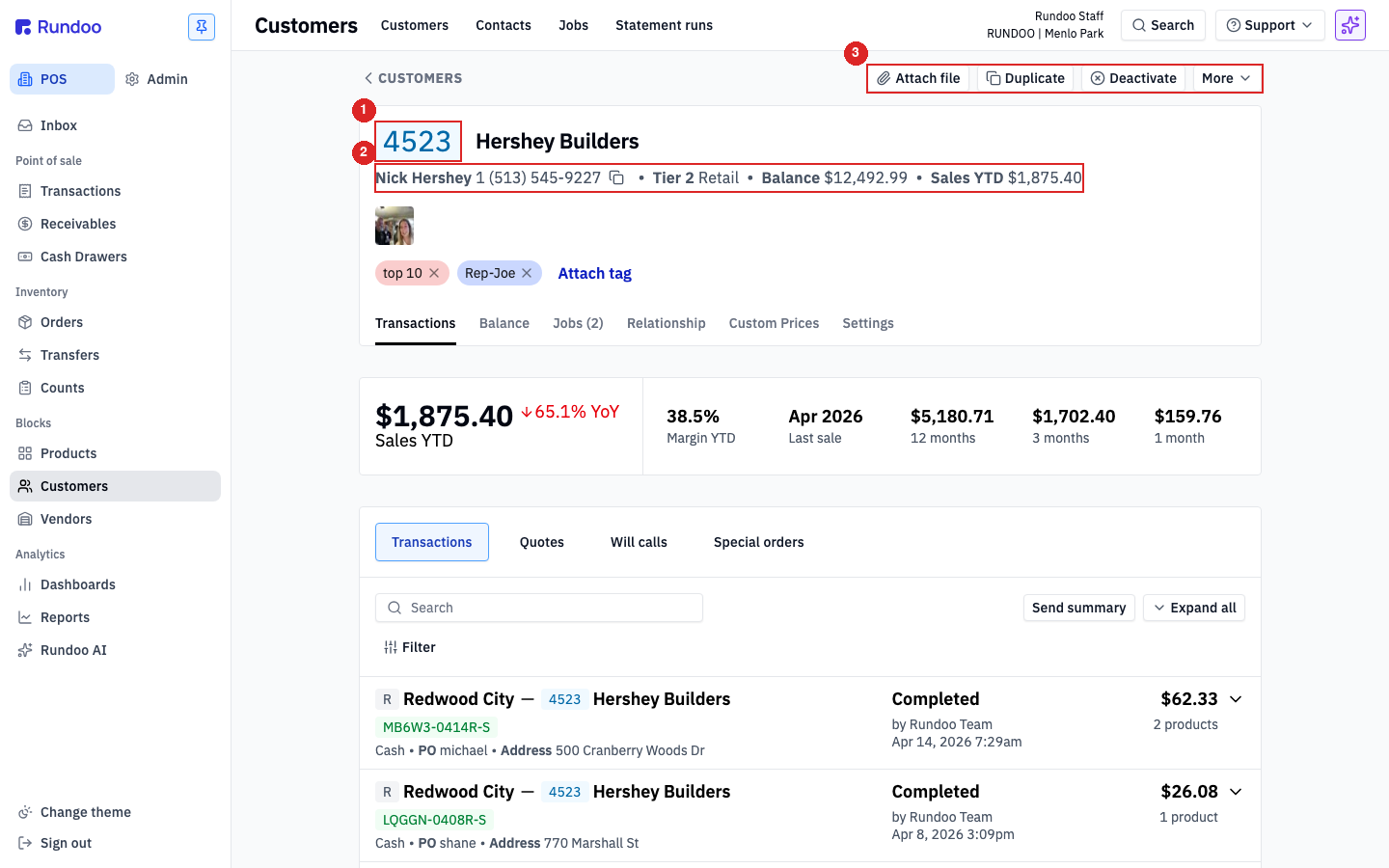
From your main screen, go to POS, then Customers. Search by name, phone number, or customer ID, then click their row to open the record.
Rundoo lands you right on the Transactions tab. Up top are the quick numbers, Sales YTD and Margin YTD and their last sale. Below that is the full history of everything they have ever bought, quoted, put on will-call, or special-ordered.
Say the bookkeeper only wants the purchases for one job. Click Filter and narrow the list by a PO number or a date range to pull up exactly that slice instantly.
With the list showing what they asked for, click Send summary. Rundoo can email it straight to the address on file, or print a clean PDF copy for them. Job done, and you never left the counter.
If this is a contractor with a house account, you will also see a Balance tab. Under Aging you get their total balance and how old each invoice is, bucketed into Current, 1 to 30, 31 to 60, and 61-plus days. The History sub-tab is the full ledger of charges and payments, and Statements holds every past statement run.
Where
POS → Customers → open the record
Search by name, phone, or customer ID.
Transactions tab
What they bought
Sales, quotes, will-calls. Filter by PO or date.
Balance tab
What they owe
Aging, History, Statements. Charge accounts only.
Send summary
Email or PDF
Hand the purchase list over on the spot.
Good to know