Where
Admin → Company → E-commerce
Scroll to the E-commerce section.

Getting Started with Rundoo · E-commerce
Turn on online ordering so customers shop your catalog and pick up in store.
Your customers already know your shelves. Now they can shop them from the couch. E-commerce lets people browse your catalog and place an order online, then swing by the counter to pick it up. It is built right into Rundoo, so an online order lands as a sale like any other. There is nothing new to reconcile and no separate system to babysit. One switch turns it on, and a couple of per-location settings get you ready for the first order.
In Admin mode, open the Company tab in the left sidebar and scroll down to the E-commerce section. Everything for online ordering lives here: the on switch, your web store address, and a per-location table for how orders print and how stock is handled.
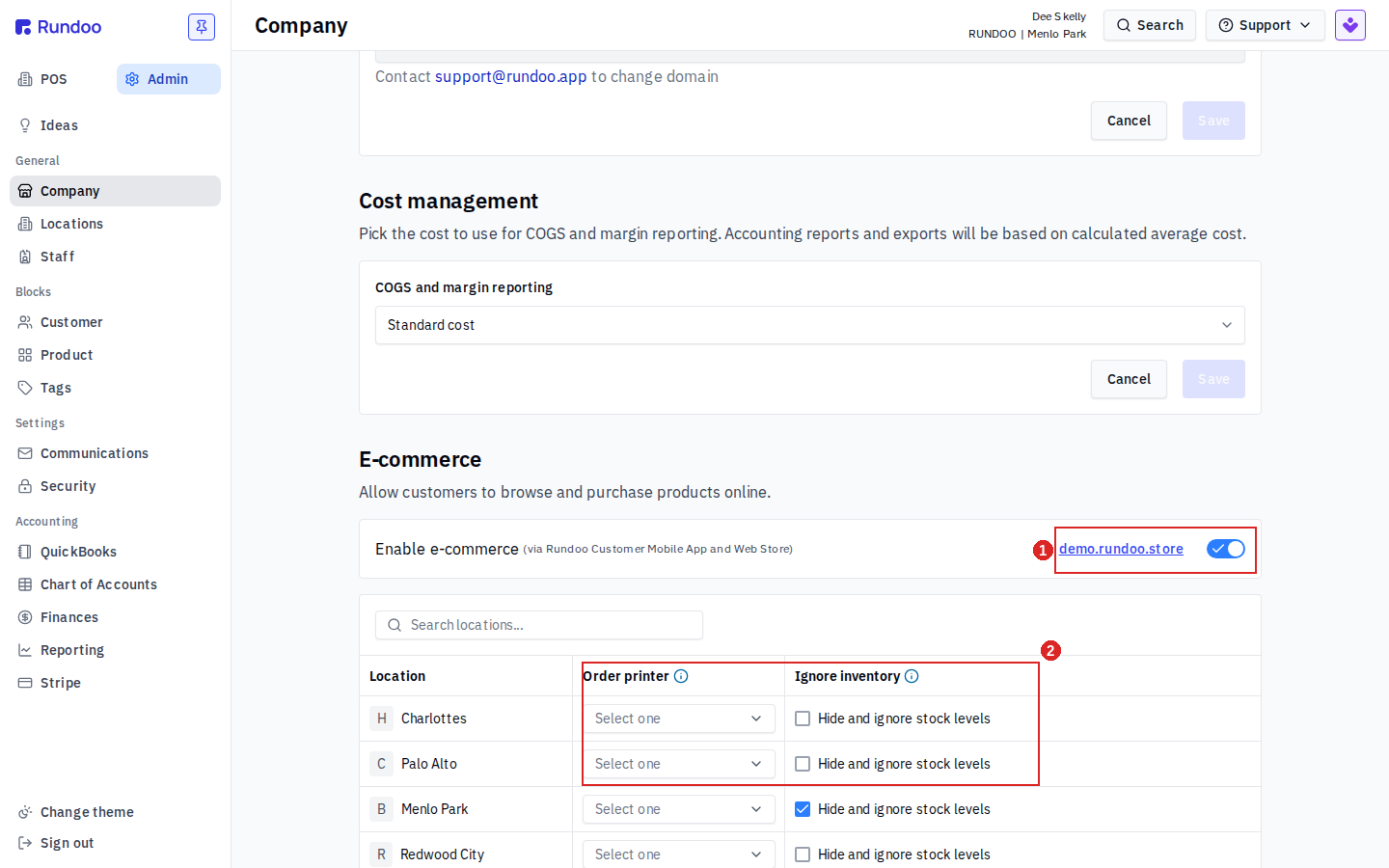
Turn Enable e-commerce on. This one toggle powers both places customers shop from, the Rundoo Customer Mobile App and the Web Store. You do not enable them separately.
Once it is on, the link next to the toggle (yourstore.rundoo.store) is your live web store address. That is the one to share with customers or drop on your website.
In the per-location table, set the Order printer for each location. That picks which printer prints an incoming online order there, so whoever is at the counter knows to pull it and stage it for pickup.
Leave a location on Select one and online orders still land in Rundoo just fine. They simply will not auto-print, so you would find them the same way you find any other sale.
Next to the printer is Ignore inventory. Check Hide and ignore stock levels for a location and customers can order regardless of what is on hand there, and the on-hand count is hidden from the storefront.
Leave it unchecked and the web store shows stock (9 in stock, Out of stock) and blocks customers from ordering something you are out of. Set this the way it matches how each location actually fills orders before you go live.
Your web store opens to a searchable product grid. Shoppers filter by Department, Class, and Fineline down the left, narrow to In stock, sort, and add items to the Cart with the + on each card. Every card shows the price and, unless you hid it, the stock count.
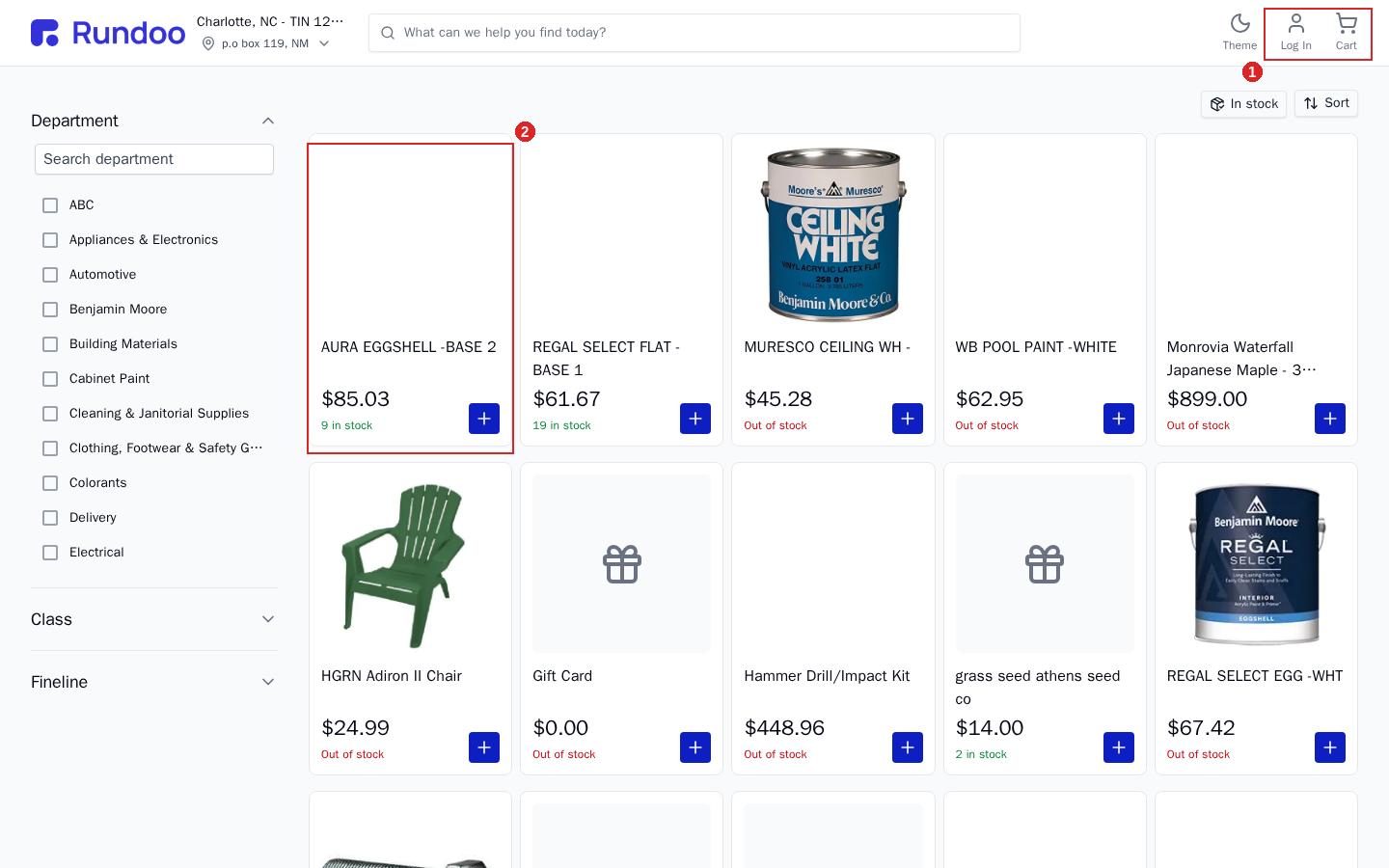
Pricing follows who is shopping. A walk-up who is not signed in sees your retail prices, which is how a first-timer can order color samples without any setup. A charge or contract customer taps Log In and shops under their own account, so their account pricing carries over the same way it does at your counter.
Customers pay by card at checkout, and the order flows straight into Rundoo as a sale for you to fill.
Where
Admin → Company → E-commerce
Scroll to the E-commerce section.
The switch
Enable e-commerce
One toggle, both channels: app and web store.
Your web store
yourstore.rundoo.store
The link next to the toggle. Share it.
Per location
Order printer · Ignore inventory
Set both before you go live.
Good to know
Pickup, not shipping
Online orders are buy online, pick up in store. The customer places and pays for the order online, then collects it at your counter, so it is the same as any other sale once it lands in Rundoo.
Rundoo does not ship online orders. There is no shipping calculation at checkout and no parcel-carrier integration. If a customer needs the goods delivered rather than picked up, handle that off the web store.