Internal tab
Your Rundoo bank account
Card sales land here. Pay vendors with Send ACH.

Getting Started with Rundoo · Accounting
Pay vendors, pull funds in, and record every deposit.
Every store owner asks the same three money questions. Where did my sales money go? How do I pay my vendors? And how do I keep the books straight? In Rundoo, the answers all live in one place. Open Admin mode, click Finances in the left sidebar, and everything below happens right there.
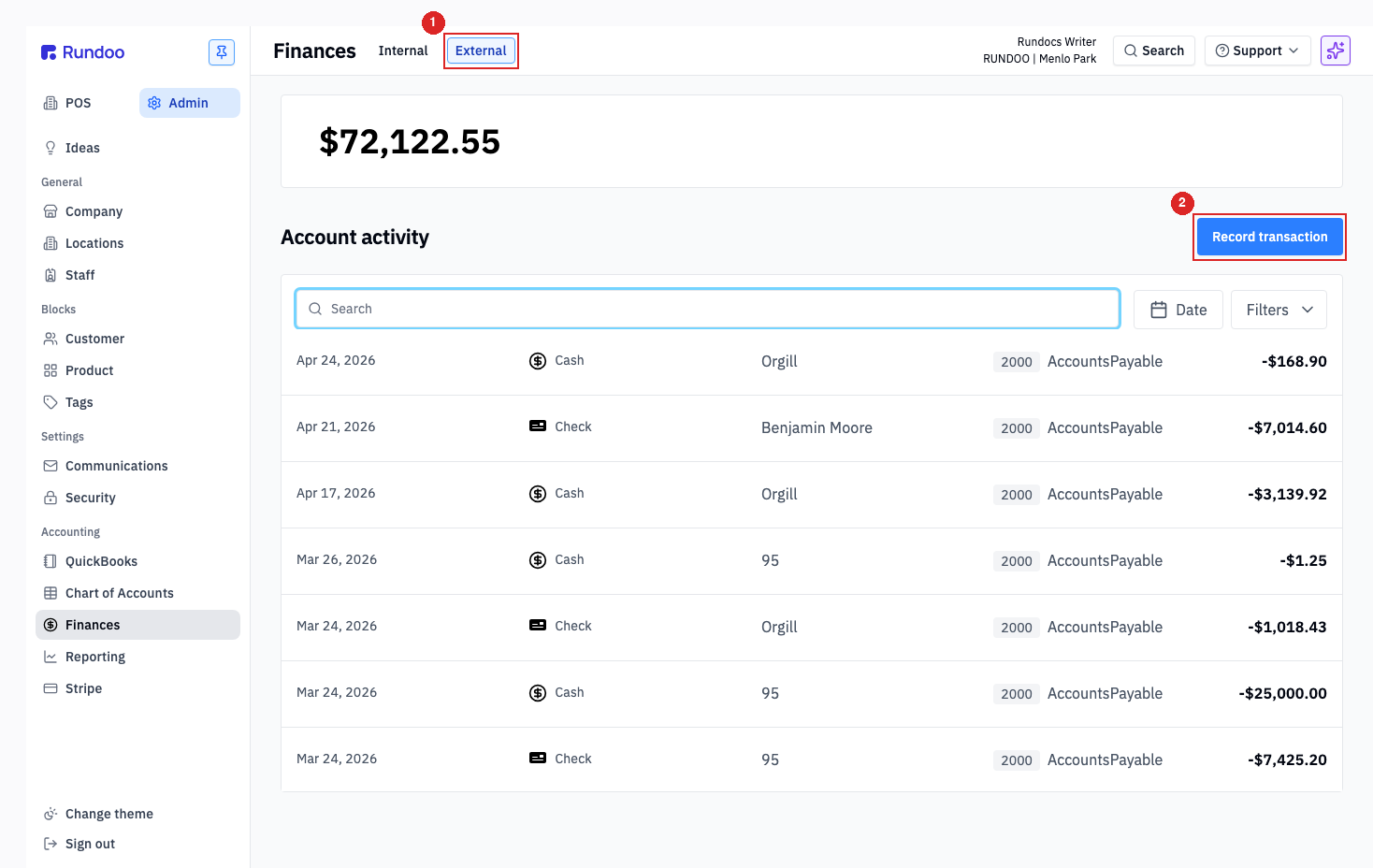
At the top of the Finances page you'll see two tabs, and once this clicks the rest is easy. The Internal tab is your Rundoo-managed bank account. It's a real account (held at Fifth Third Bank), where your card sales land and where you pay vendors from. The External tab is not a bank account at all. It's your record book for the cash and checks you carry to your own local bank, so those still land on your books.
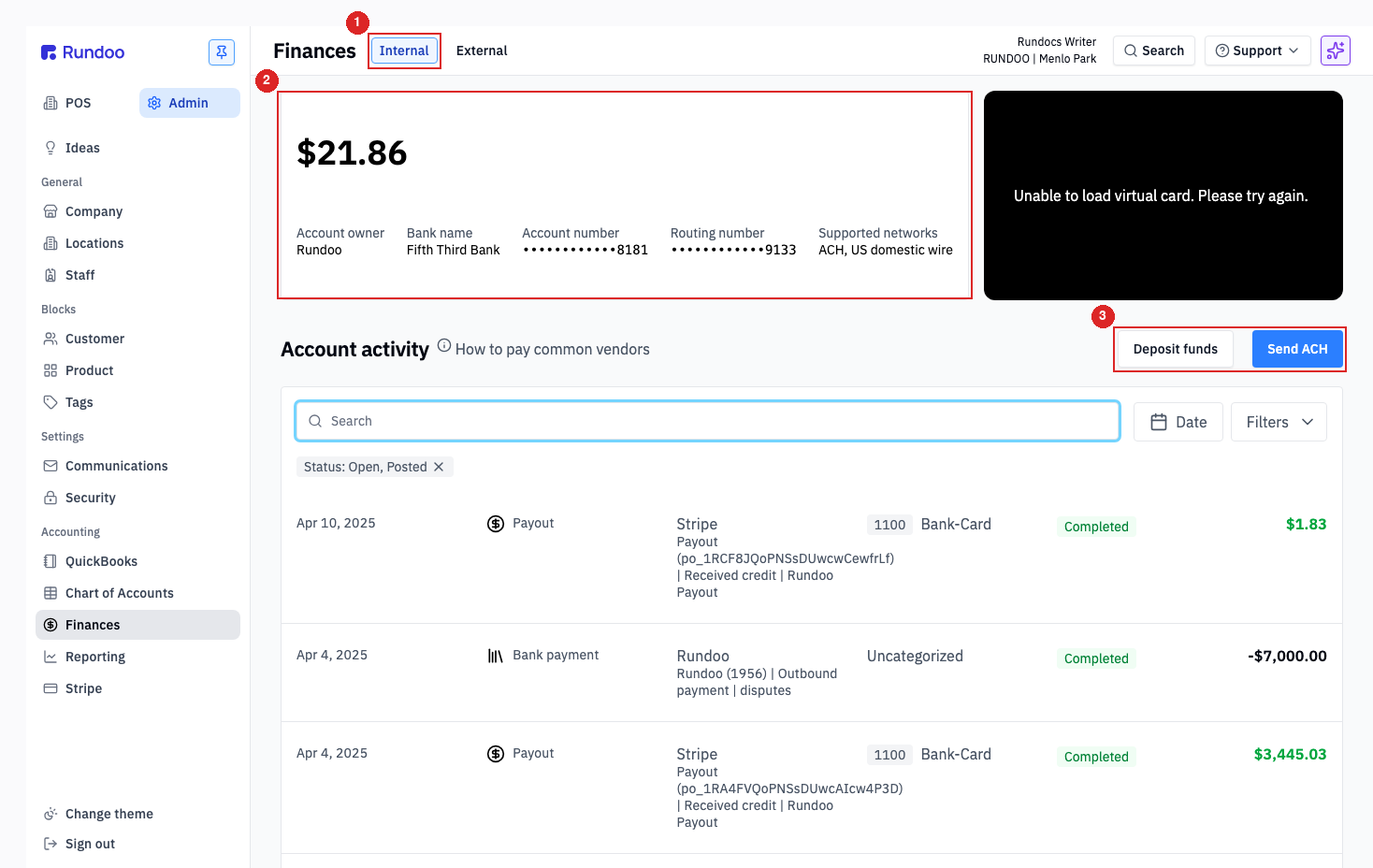
Start with the easy part, because there's nothing to do. When a customer pays by card or ACH, that money flows through Stripe and lands in your Internal account, usually in a day or two. It shows up in the Account activity table as a Payout row. You don't record it, and you don't chase it. Rundoo posts it to your books automatically.
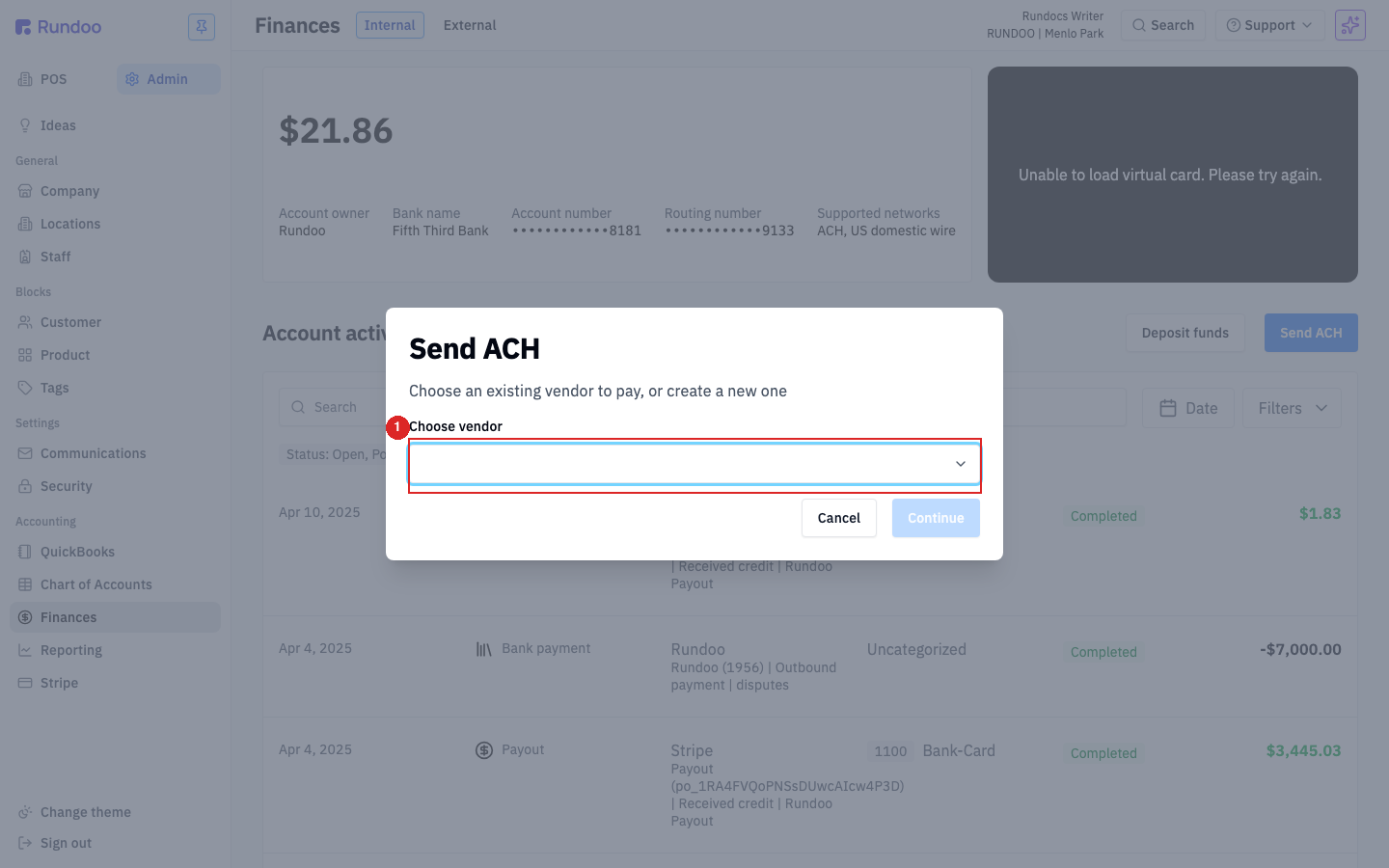
To pay a bill straight from your Rundoo balance, click Send ACH at the top-right of the Internal tab. Open the Choose vendor dropdown and pick any vendor that has bank details on file (say your paint distributor). Click Continue, enter the amount and an optional memo, and review the confirmation screen before you send. There's no fee to send an ACH out, and the full amount leaves your account.
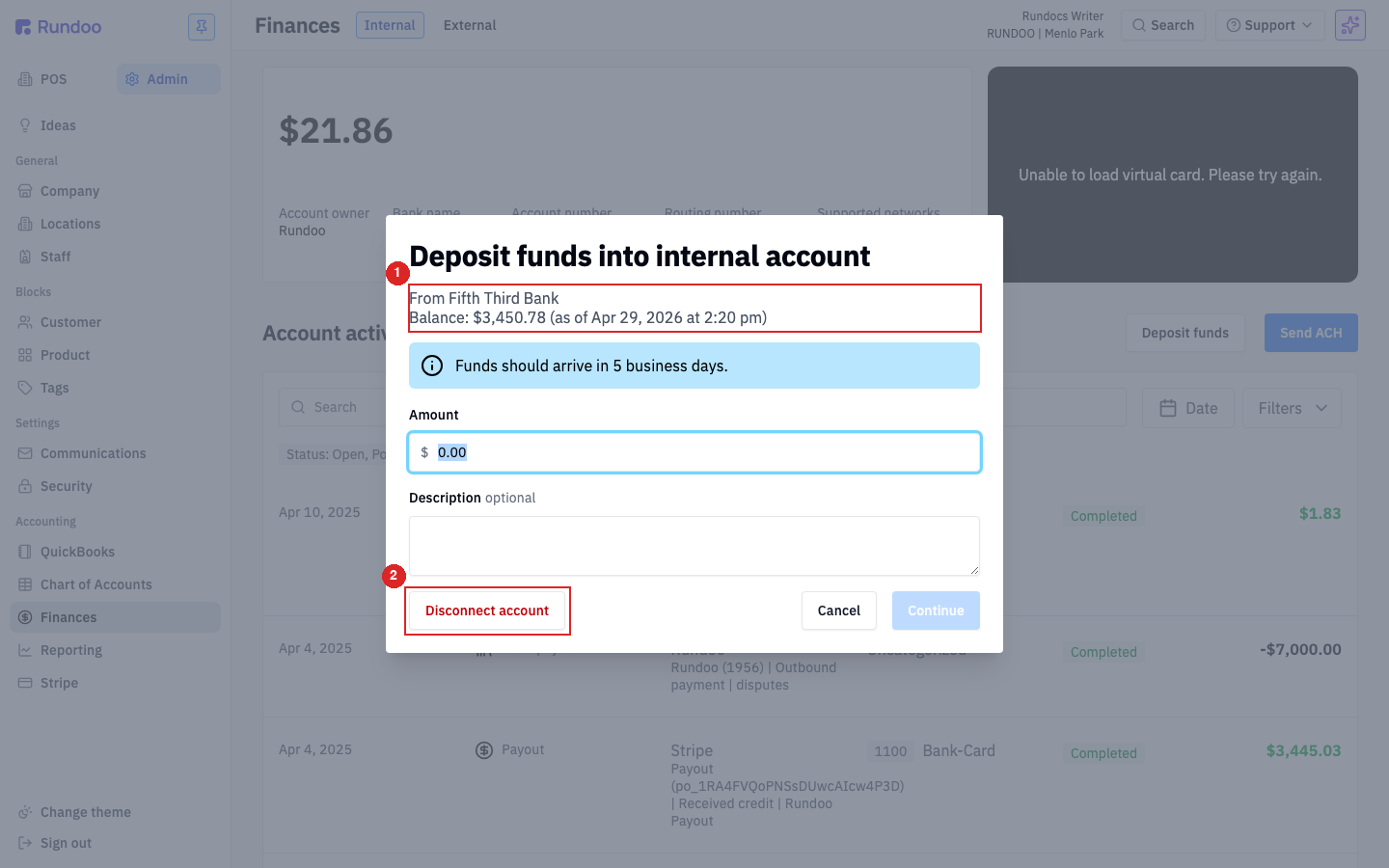
Need to top up your Rundoo balance, maybe to cover a big vendor payment? You can pull money in from your main business bank. The first time, you'll do a one-time link with Connect account (Rundoo opens Stripe, you sign in to your bank, and confirm a code). After that, the button reads Deposit funds: click it, enter an amount, and hit Continue. Just know these pull-ins take about five business days to land, so they're not for last-minute cash. Your Internal account also comes with a virtual card for online purchases; that one is set up by Rundoo Support, so reach out to your guide to turn it on.
End of the day, you've got cash and checks to run to your own bank. You never deposit physical cash into Rundoo. You just record the deposit on the External tab so your books stay right. Click Record transaction and the modal opens on the Deposit toggle. For your checks, enter the amount and (this is the load-bearing part) choose the General ledger account 11300 Check deposits. If cash is on the same slip, click add another and record it to 11200 Cash deposits. Add a description, then click Record deposit.
Internal tab
Your Rundoo bank account
Card sales land here. Pay vendors with Send ACH.
External tab
Your record book
Log the cash and checks you take to your own bank.
Send ACH (out)
No fee, no undo
Settles in 1 to 2 business days once sent.
Deposit funds (in)
Pull from your linked bank
Takes about 5 business days to land.
Good to know