Base unit (how you stock)
Case
One case equals one. This anchors everything.

Getting Started with Rundoo · Setup
Buy it one way, sell it another, and let the price follow along.
Here is the everyday reality behind one screen. You buy your caulk by the case, twenty-four tubes to a box, but your customers buy it one tube at a time. You want Rundoo to handle both on its own: purchase orders written in cases, the counter ringing single tubes, and your inventory staying right the whole way through. That is what units of measure do, and it comes down to three steps you can run on any product you buy one way and sell another.
Whatever the product, the setup is the same three moves: tell Rundoo every way you sell, tell it how you stock this product, and tell it how you sell it compared to how you stock it. Get those three right and the price sets itself across every unit. Below we run all three on a case of caulk you sell as single tubes.
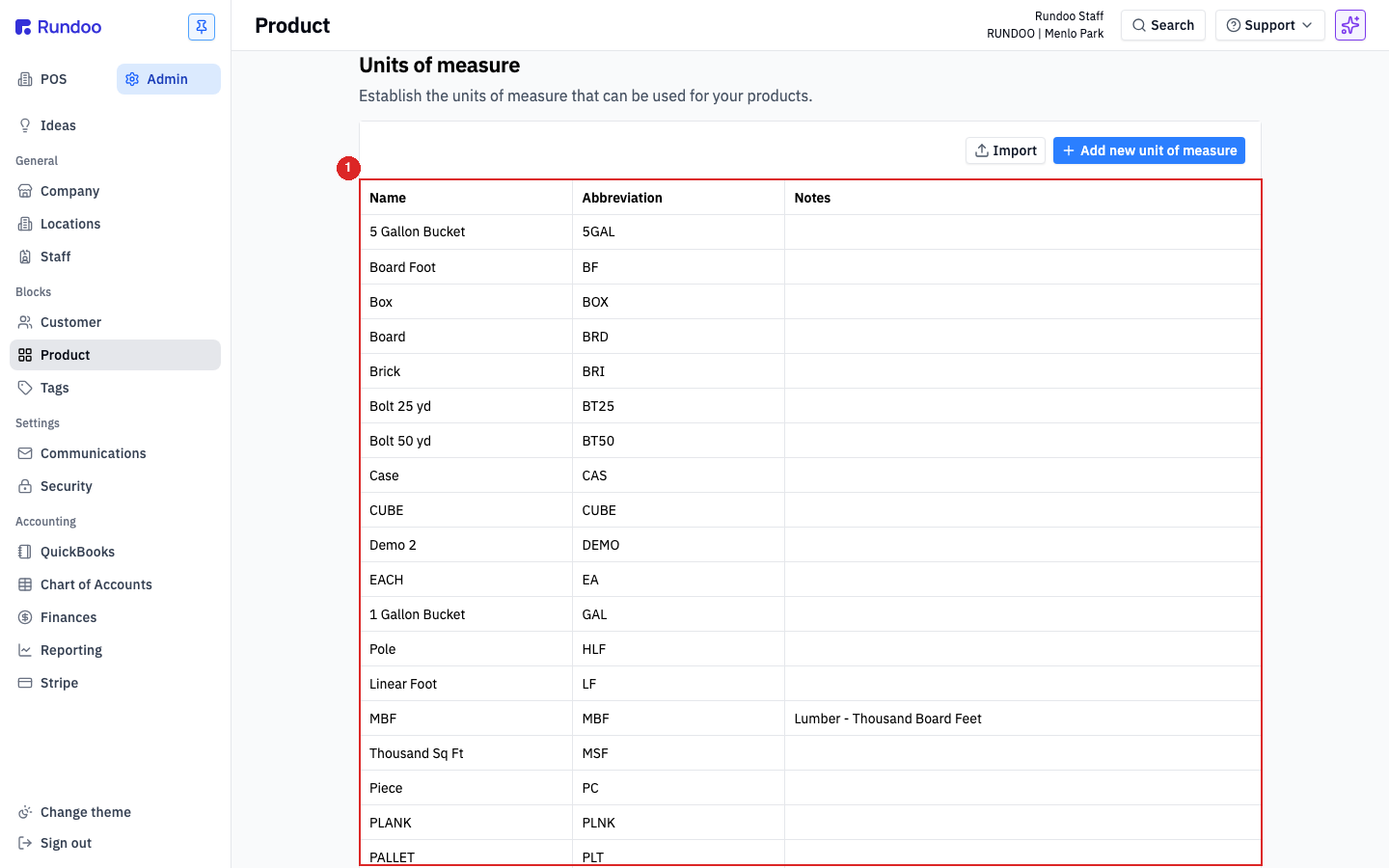
In Admin, open Product in the left sidebar and scroll to Units of measure. This is the master list of every unit your store counts in, like Each, Pack, and Case. You set it once for the whole store, and most stores already find their common units here. Think of it as Rundoo's vocabulary, the units it is allowed to use. Missing one? Click Add new unit of measure, give it a full name and a short abbreviation, and save.
Open the product (in POS, go to Products and click the caulk). Every product has one base unit, and your base is always the unit you stock in. You stock caulk by the case, so the base is the Case: one case equals one. That single choice anchors everything else, so it is worth getting right before you go further.
This is the step that does the real work, and it is three small settings on the product itself.
First, turn on decimal quantities. On the product's Inventory tab, switch on Allow decimal quantities. A single tube is a fraction of a case, and this is what gives Rundoo permission to hold that fraction. Do this first, every time.
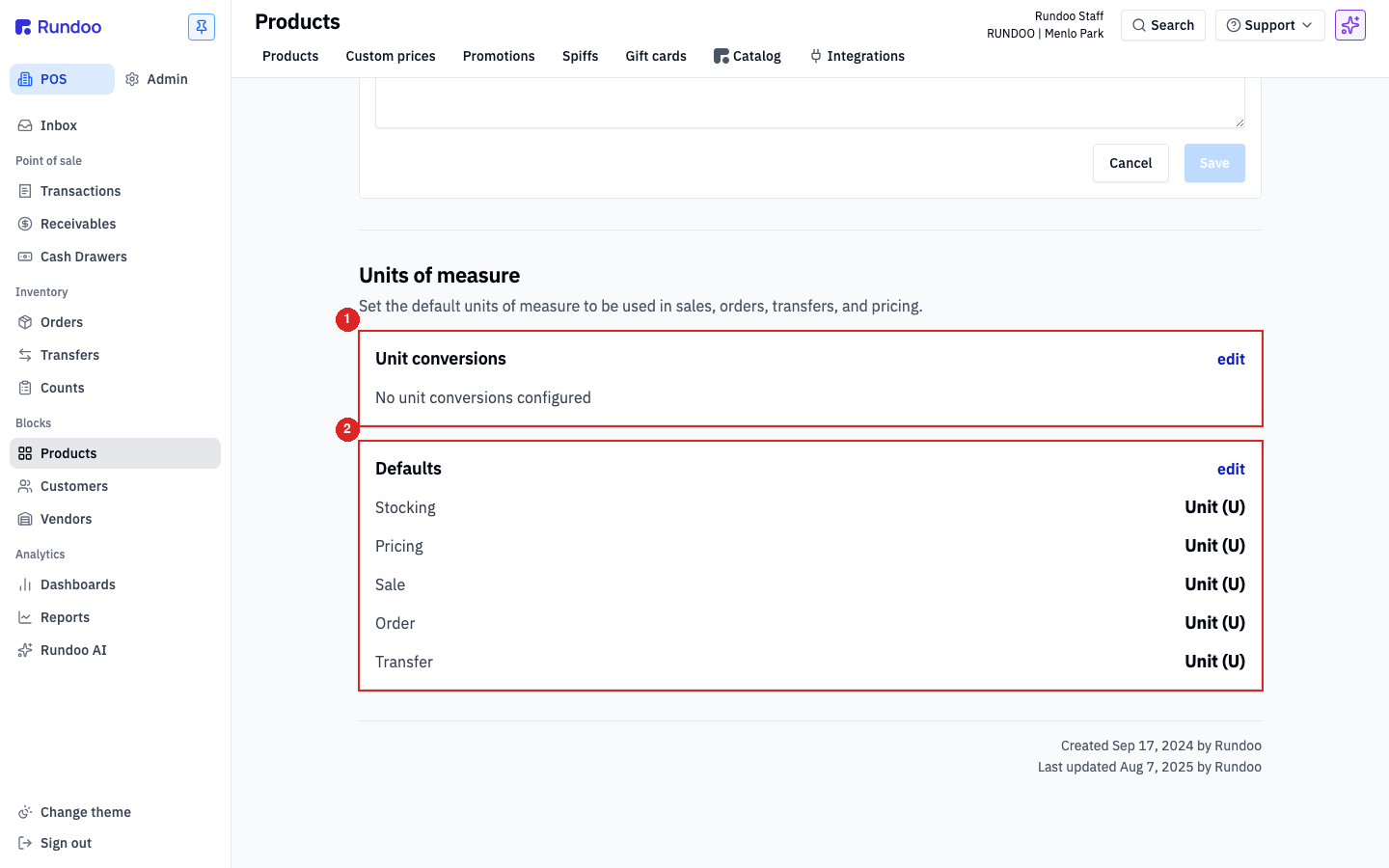
Next, give every selling unit a conversion. On the Settings tab, scroll to Units of measure and open the Unit conversions card. Define each selling unit against your stocking unit. A tube is one of twenty-four in a case, so one Each equals 0.0417 of a case (that is 1 divided by 24). A whole-number unit is the same idea with easier math, like one Pack equals 4 Each. Conversions live on this one product only.
Last, set your Defaults. In the Defaults card, tell Rundoo which unit does which job: Stocking and Order by the Case, and Pricing, Sale, and Transfer by the Each. Save. Now purchase orders come out in cases, the counter rings single tubes, and your on-hand counts to the fraction.
On the Pricing tab, set the price on one unit, whichever is easiest to think in. Because every unit is linked back to your stocking unit, the others price themselves. Set the tube and the case fills in on its own, twenty-four tubes to a case, no math at the counter. Leave the units linked; setting one price and letting the rest derive is the whole point, so there is no need to unlink anything.
Base unit (how you stock)
Case
One case equals one. This anchors everything.
Selling unit (how you sell)
Each · 1 EA = 0.0417 CS
One tube is one of twenty-four in a case.
Decimal quantities
On
Lets a single tube be a fraction of a case.
Defaults
Stock & Order: Case · Price, Sale, Transfer: Each
Each unit gets exactly one job.
Good to know