Where
POS → Receivables → Finance charges
The history of all interest charged, every customer.

Getting Started with Rundoo · Transactions
Void a finance charge so it comes right off a customer's balance.
You have those long-time customers who are always good for it. Say one of them picks up a finance charge on their statement and you just want to make it go away as a courtesy. In Rundoo that is a quick, clean fix. You find the charge, void it, and the interest drops right off their balance, as if it never happened.
These two get mixed up, so it is worth a beat. Void is the clean removal for a finance charge you never meant to keep, a courtesy break or an interest charge that should not have landed. It reverses the interest and takes it right back off the customer's balance. That is what this guide covers.
A Write off is a different thing. It is a payment-flow tender that books a balance as bad debt when you have decided you are never getting paid, and it cannot be undone. If all you want is to erase an interest charge, you want Void.
In POS mode, click Receivables in the left sidebar. Across the top you will see Payment, Credits, Paid, Refunded, and Finance charges. Click that last tab.
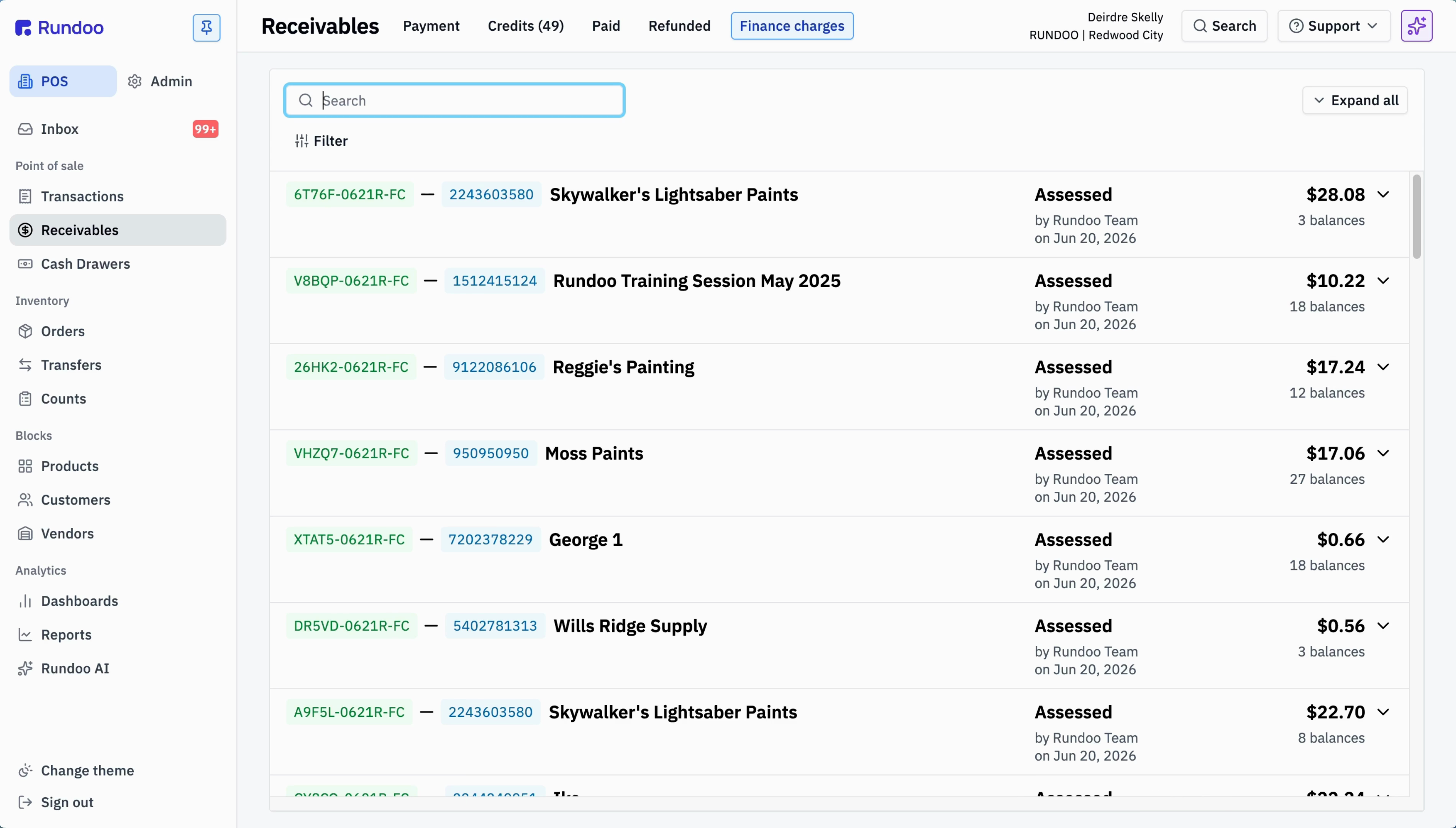
Every finance charge sits in this list with its own ID ending in FC, so they are easy to spot. Type the customer's name into the Search box up top to narrow the list down to just their charges.
Click into the customer's finance charge to open it. You will see the account's transaction detail, with the finance charge line and the amount it added to their balance. Confirm you are looking at the right one before you remove it.
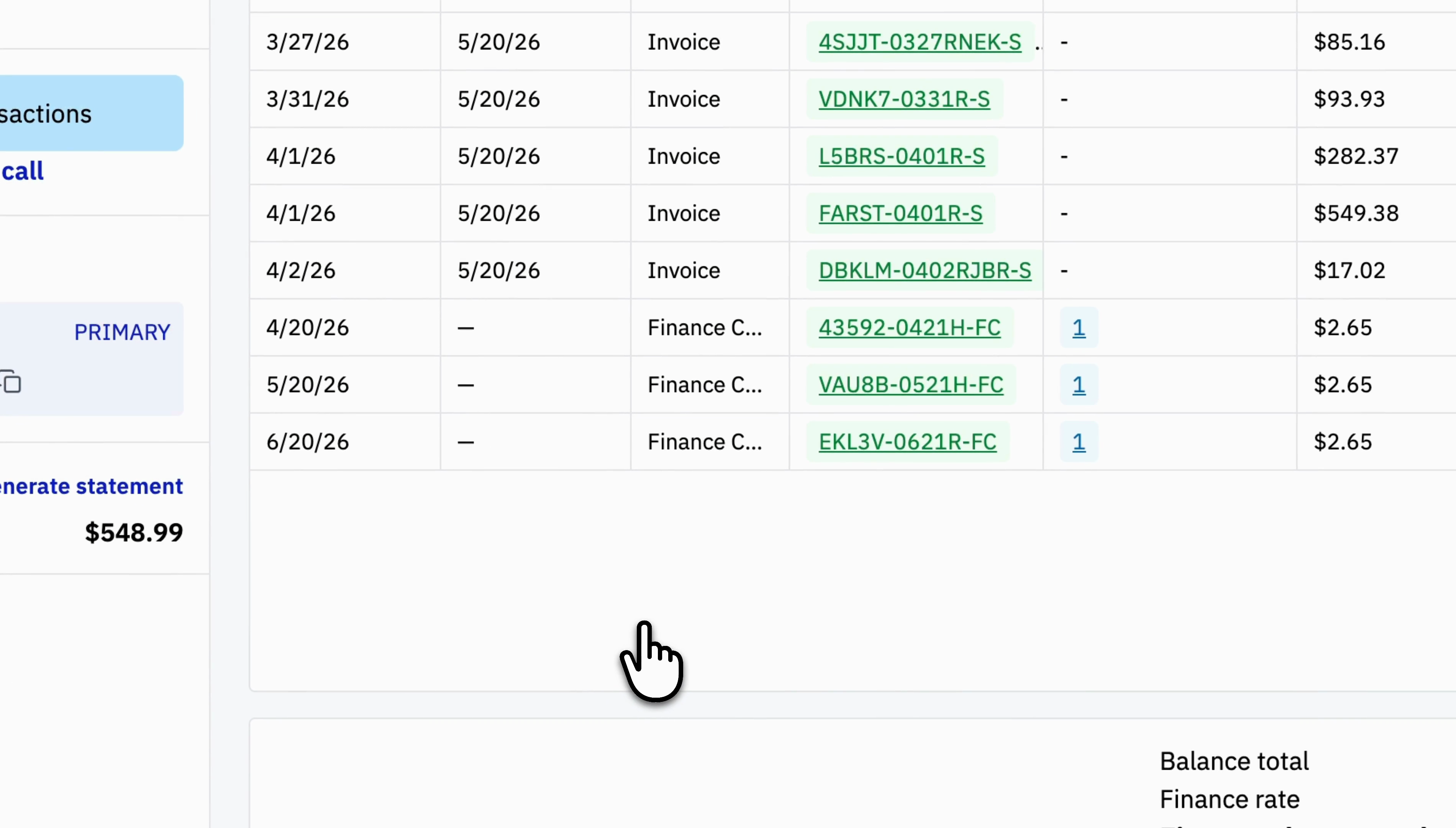
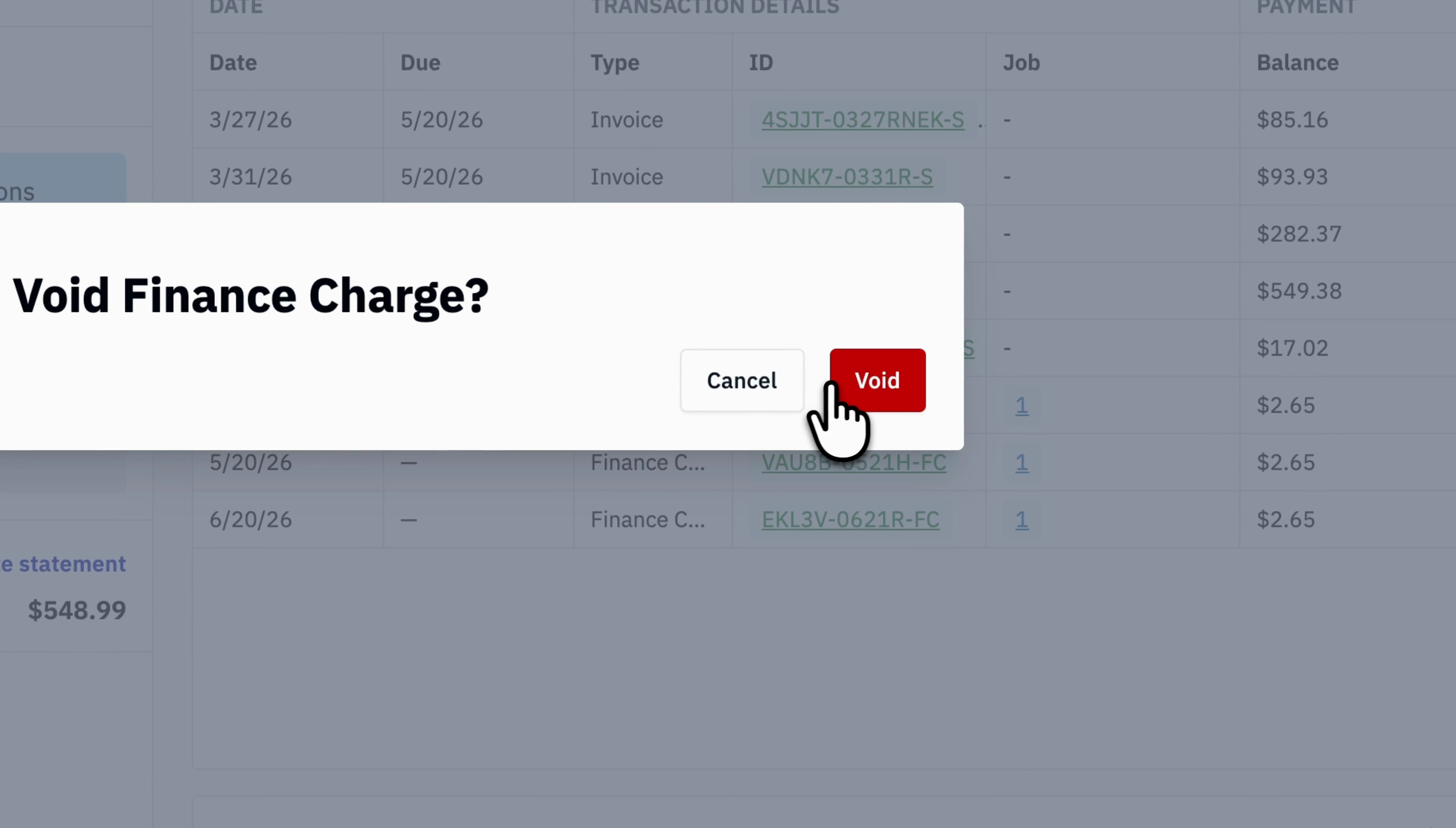
With the charge selected, click Void. Rundoo asks you to confirm with a Void Finance Charge? box. Click Void again to go ahead, or Cancel to back out. That is the whole thing.
That is it. The charge is gone from the list, and the customer's balance and next statement drop by exactly that amount. Nothing else on the account moves.
Where
POS → Receivables → Finance charges
The history of all interest charged, every customer.
The action
Select the charge, click Void, confirm
Search by customer name to find it fast.
What it does
Reverses the interest off the balance
As if the charge never happened.
Not the same as
Write off
That books bad debt and cannot be undone.
Good to know