
Rundocs › Accounts Receivable
Returned checks (NSF)
Last updated 2026-08-05
When a customer's check bounces (a returned check, an NSF or insufficient-funds notice from your bank), you undo the payment it was supposed to cover and, if you charge for it, add a one-time NSF fee. Rundoo has no single "record a returned check" button, so both pieces run through flows you already have: a return (or a void) to reverse the money, and a sale line for the fee.
In the POS mode, the reversal lives on the original transaction (Transactions for a sale, Receivables > Paid for a bill payment) and the fee is rung as an ordinary sale.
Reversing a bounced check on a sale
If the bounced check paid for a sale at the register and the customer now wants to pay another way, reverse the check tender and re-ring the sale. Open the original sale from Transactions > Completed (or from the customer's Transactions sub-tab), then click Return. Return the lines, and in the Return section pick Check as the refund tender. The check is preselected and labeled (Previously used payment method), since that is how the sale was paid. This backs the bounced check off the sale. No money physically leaves your drawer, your staff never cuts a refund check, it is the accounting reversal of a payment that never actually cleared.
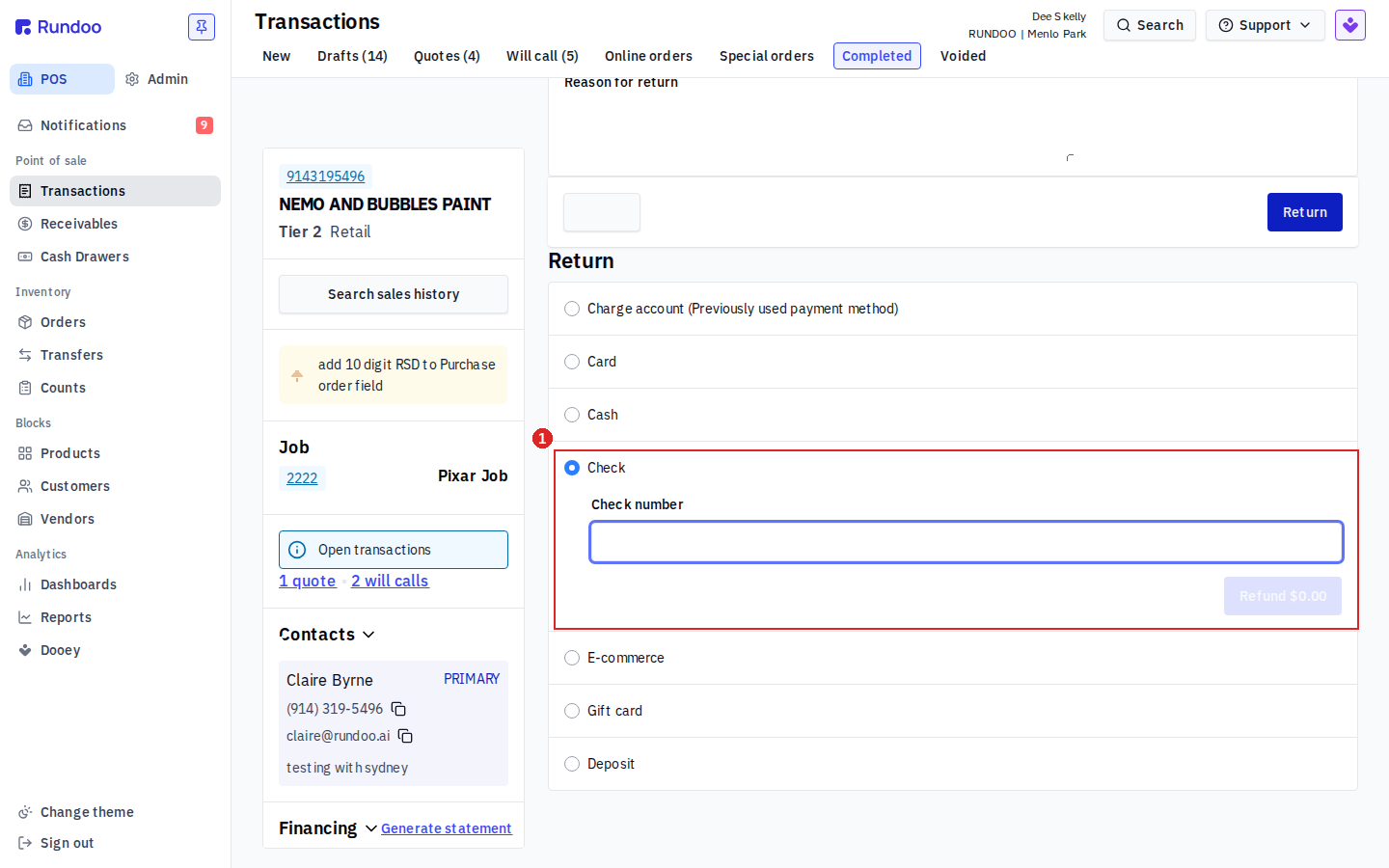
Then ring the same items on a new sale and take the payment the customer wants this time (usually Card). See Sales for the checkout flow and Refunds for how each refund tender behaves.
Return vs Void. The sale's detail page also has a Void button. Use Void when nothing about the original sale should stand (it never really happened because the check was no good) and you would rather cancel it outright than return-and-re-ring. Returning keeps the original sale on the books with a matching return against it; voiding erases it. Either one clears the bounced check, pick the one that matches how you want your records to read.
Reversing a bounced check paid on account
If the bounced check was a bill payment against a charge account (the customer paying down their statement balance), don't return a sale, there isn't one. Open the payment under POS > Receivables > Paid, click its row, and click Void. Voiding the bill payment puts the invoices it covered back on the customer's balance as owed, exactly as they were before the check came in. The customer then re-pays by card the next time through Bill payments.
Void, not Issue refund, for a bounced check. The bill payment's detail page offers both Void and Issue refund. For a returned check use Void: the money never actually cleared, so you are undoing the payment, not handing money back. Issue refund is for when the customer really is getting money returned. See the "Issue refund vs Void" note under Refunds.
Charging a one-time NSF (bounced check) fee
To charge a customer a one-time fee for a bounced check (a $25 NSF fee, say), ring the fee as a sale line on their charge account. The cleanest way is to make a simple product for it once and reuse it:
-
In Admin > Product, or from Products, click Add product and create an item named
NSF Fee. Set its Price to your fee amount ($25.00). You can leave cost and inventory blank, it isn't something you stock. -
Whenever a check bounces, ring a sale to that customer, add the
NSF Feeline, and take it on Charge account so it lands on their next statement (or take payment now if they are settling up in person).
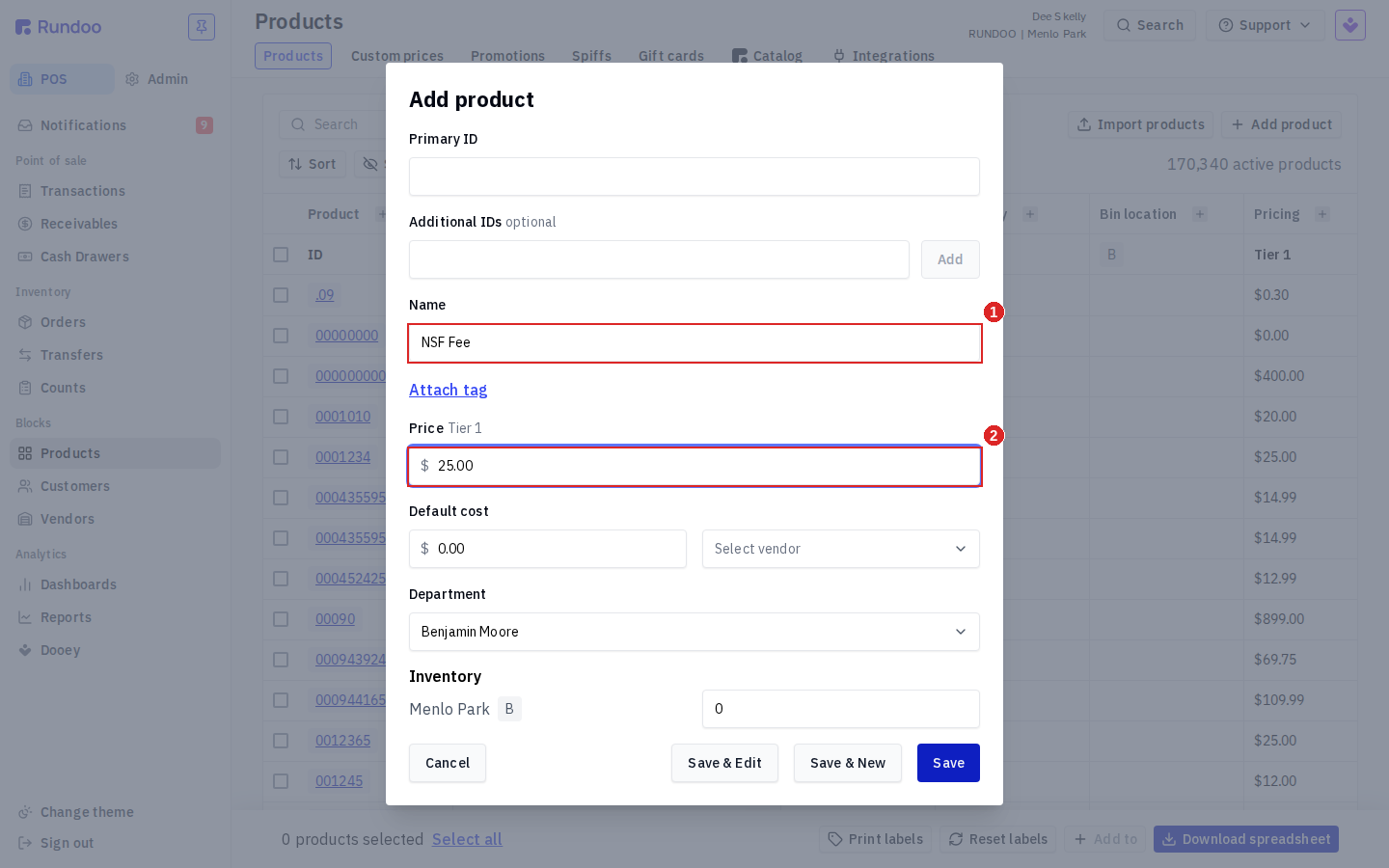
If you ever need a different amount, add the line and change it with the Edit Price modal at checkout. See Products for the full Add-product flow.
An NSF fee is not an Additional fee. It is tempting to set up an "NSF Fee" under Admin > Product > Additional fees, but that is the wrong tool. Additional fees attach to products and apply automatically to every qualifying sale at a location, they are for recurring charges like delivery or a paint-care surcharge, not a one-time charge to one customer. There is no per-customer or one-time option on an additional fee. Charge the NSF fee as a sale line instead, the way this page describes.
Recommended Rundocs
-
Refunds, how each refund tender moves money and the Void-vs-Issue-refund call on a bill payment.
-
Bill payments, how charge-account customers pay down a balance, including re-collecting after a void.
-
Returns, the return flow the sale reversal runs through.