
Rundocs › Admin & Settings
Permissions
Last updated 2026-09-16
Permissions control which buttons, fields, and screens each staff member can see and use in Rundoo. They sit on each person's record so two people sharing a register can have entirely different access. A cashier who can ring sales but can't view costs, a manager who can void and refund but can't edit company-level settings, an admin with everything on.
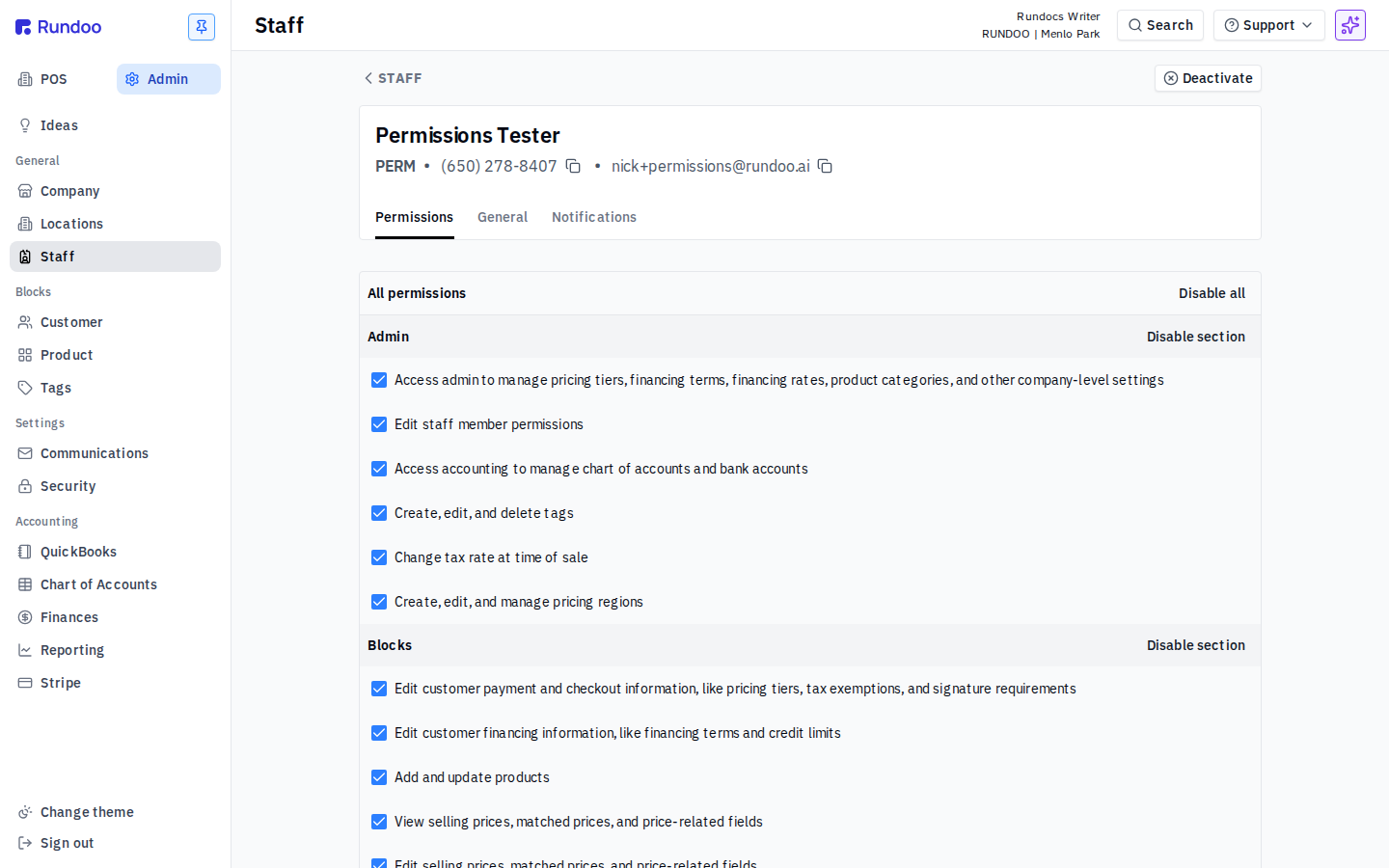
In the Admin mode, open Staff in the left sidebar, click a staff member, and open the Permissions tab.
How the panel is laid out
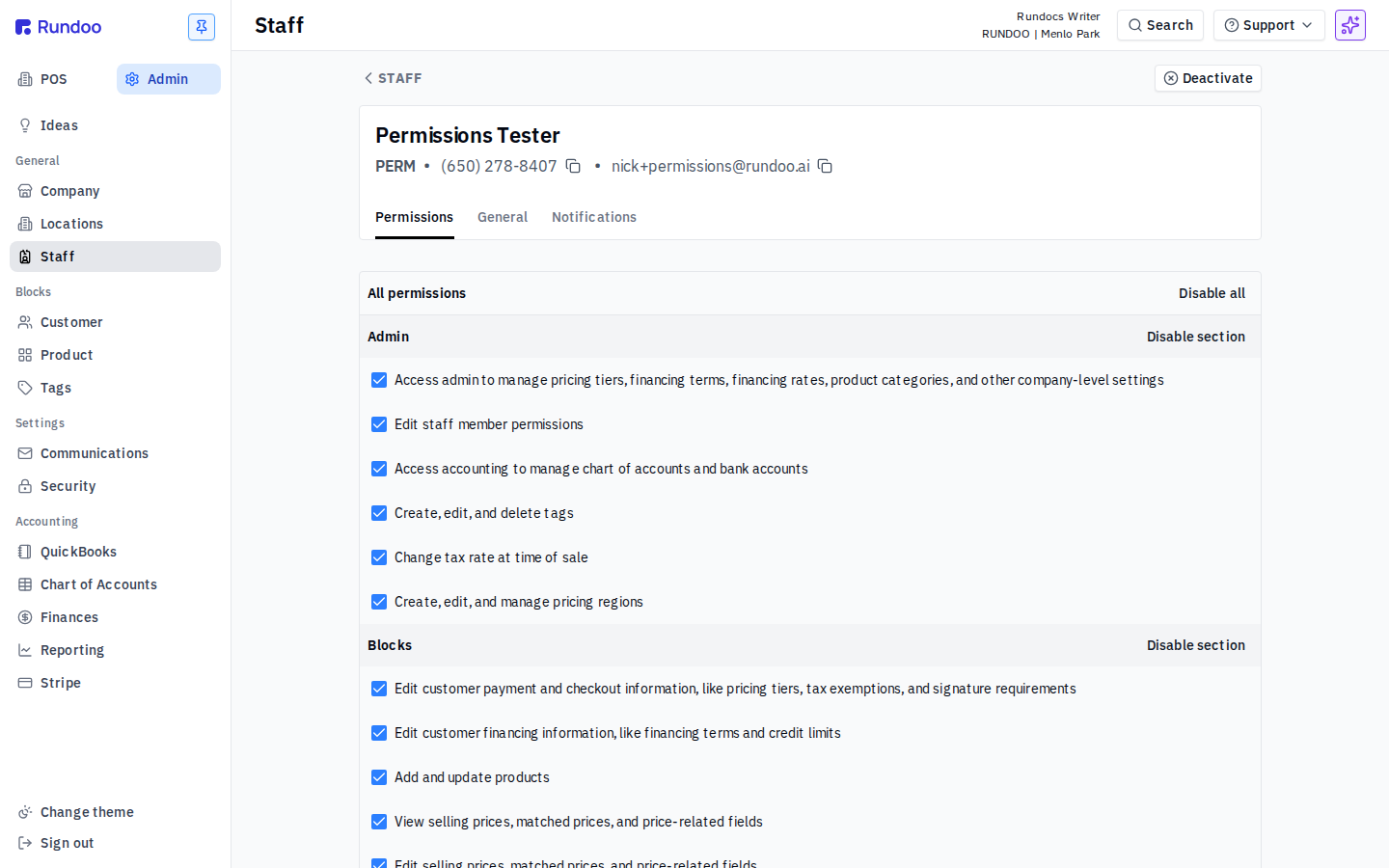
The panel groups the permissions Rundoo ships into seven sections that mirror the parts of the product they gate: Admin, Blocks, Customer Management, Dooey, Inventory, Point of Sale, Reporting. Each section header carries Enable section / Disable section actions that flip every checkbox in that section together; All permissions at the top flips every section at once.
The top of the staff list shows each person's permission count as a fraction (e.g. 28 of 46) so you can see at a glance who's a full admin and who's near a baseline cashier. Total today: 46 permissions, across the seven sections.
Changes save per-checkbox; there's no Save button on this tab. Reload the panel after a change to confirm it stuck.
Permissions and POS security are separate layers. The Permissions tab decides whether the staff member can see the action at all; POS security decides whether they need a manager's PIN or login key to execute it. Voids, price overrides, refund-to-card, and below-cost sales typically need both, the permission turns the action on, POS security gates the actual click.
What turning a permission off actually does
Switching a permission off doesn't always look the same from the staff member's side. Sometimes a button vanishes, sometimes a column drops out of a page that otherwise loads fine, and sometimes the whole page refuses to open. The Verified column in the tables below tells you which behavior to expect:
-
✓ render, a UI element (button, column, panel, nav item) disappears entirely when the permission is off.
-
✓ route (the page itself fails to load); the server blocks the underlying URL and the Rundoo error page replaces the content.
-
✓ hidden (a column or field disappears) from a page that otherwise still renders. A specific case of render, called out separately because the surface is only partly affected.
-
needs data, not confirmed. Either the gated action only appears behind a record in a particular state (a draft inventory count, an open PO, an unrefunded bill payment, an active cart line), or the control still renders with the permission off and the block only fires once the form is complete. Treat these rows as unconfirmed rather than documented, and check with Support before relying on them.
A few of the clearest before/after pairs are below.
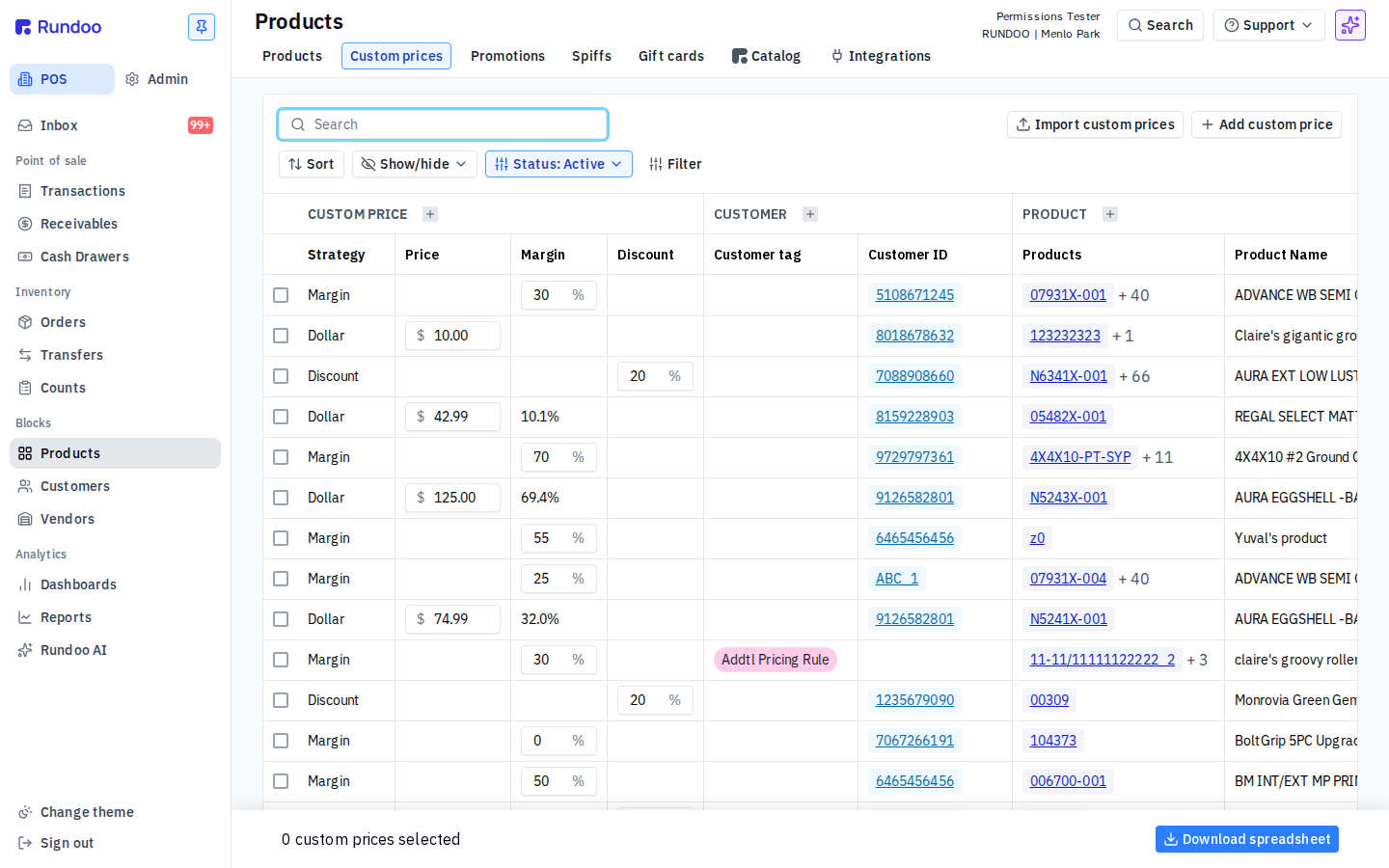
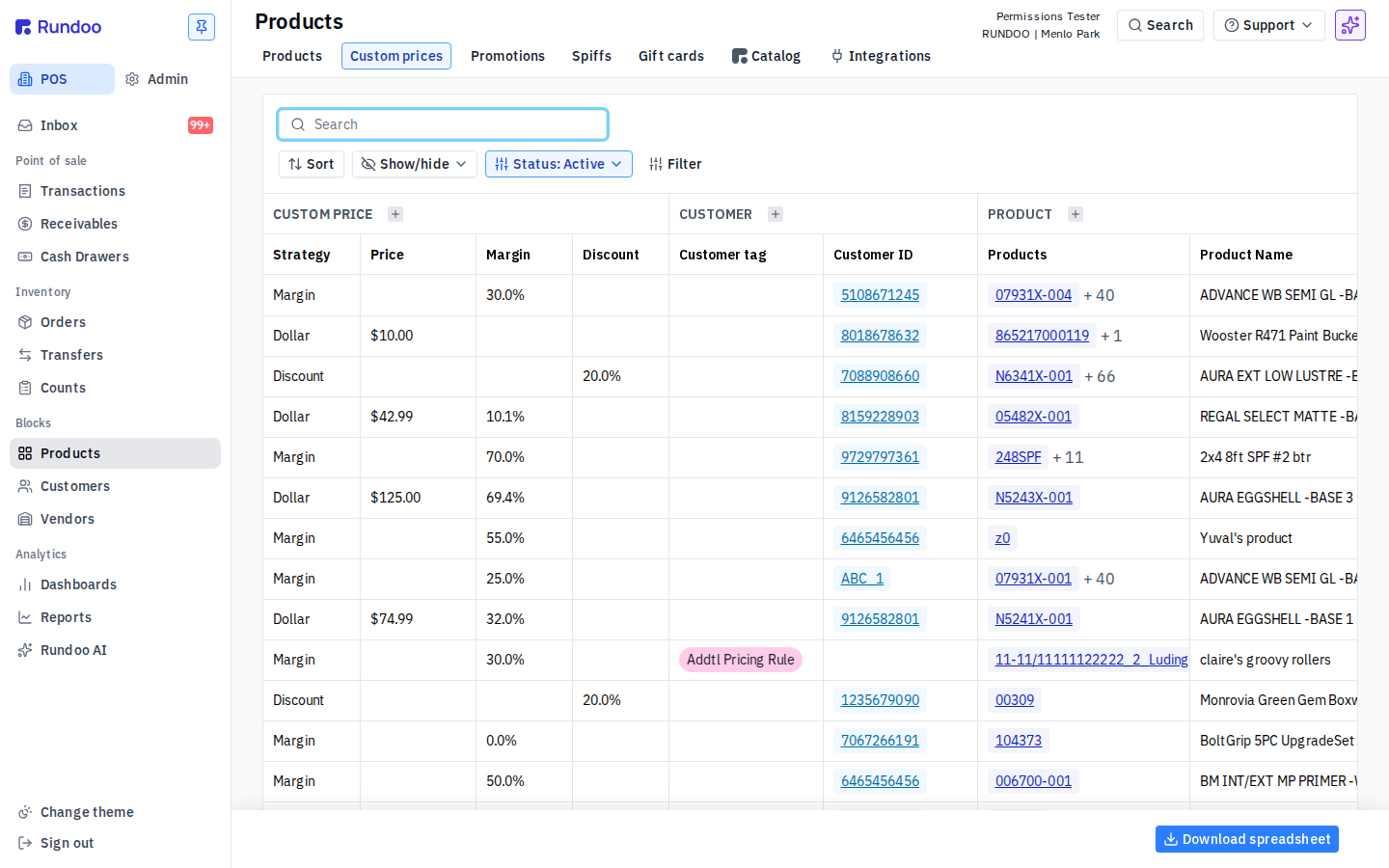
Custom prices, promotions, spiffs. ON (left) vs OFF (right): Add custom price / Import custom prices disappear
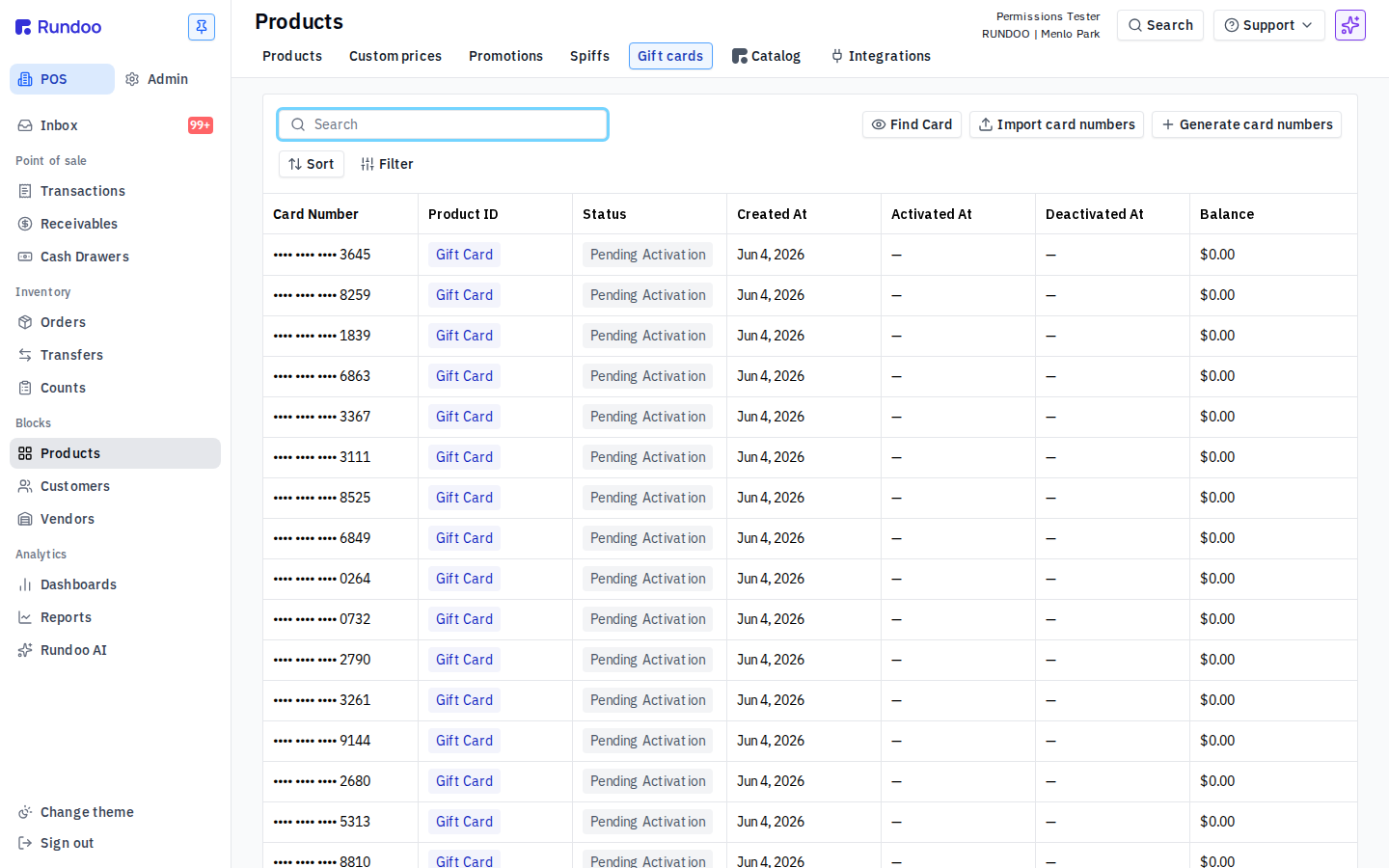
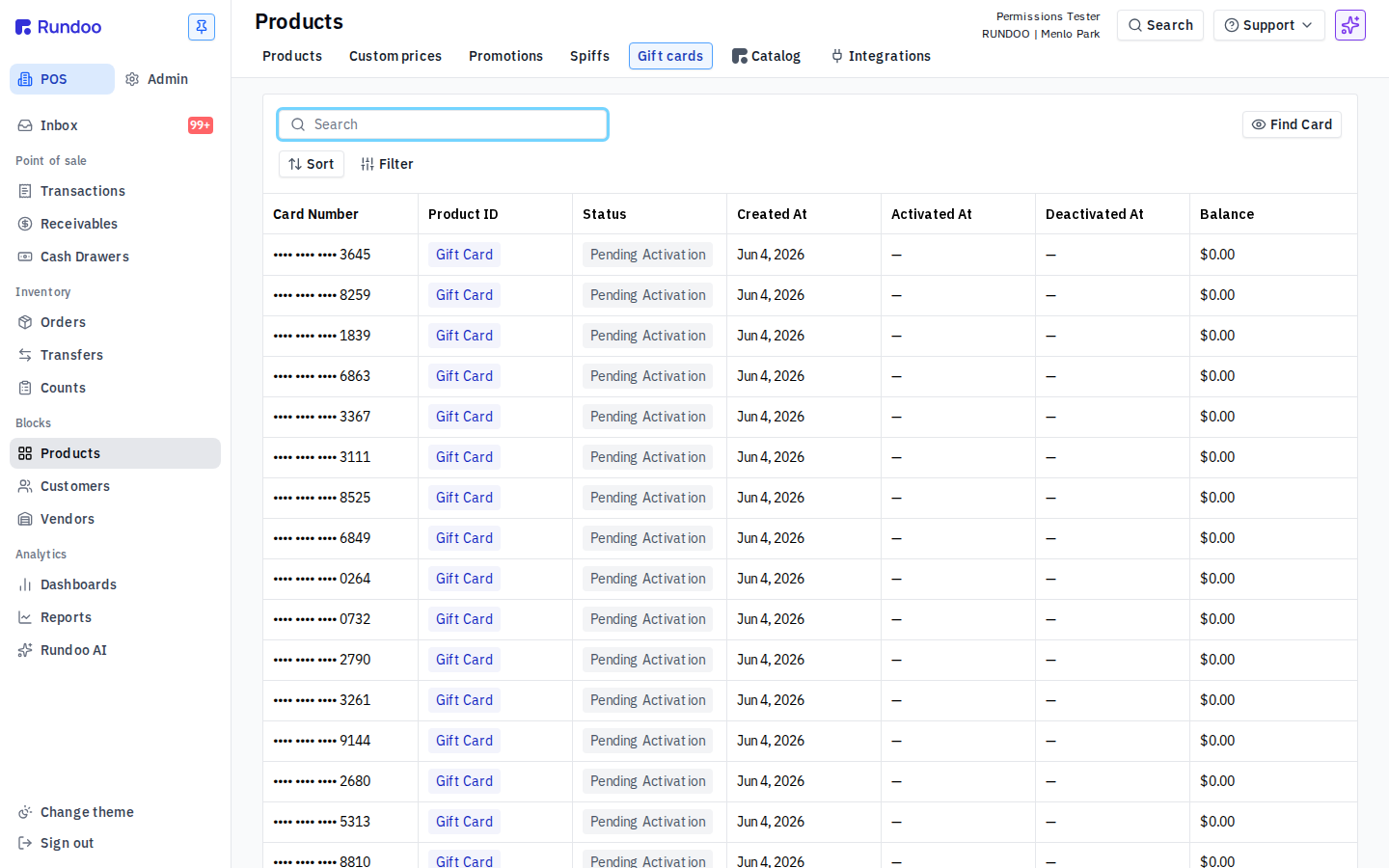
Generate, import, deactivate gift cards. ON vs OFF: Generate / Import buttons and pending-card numbers disappear
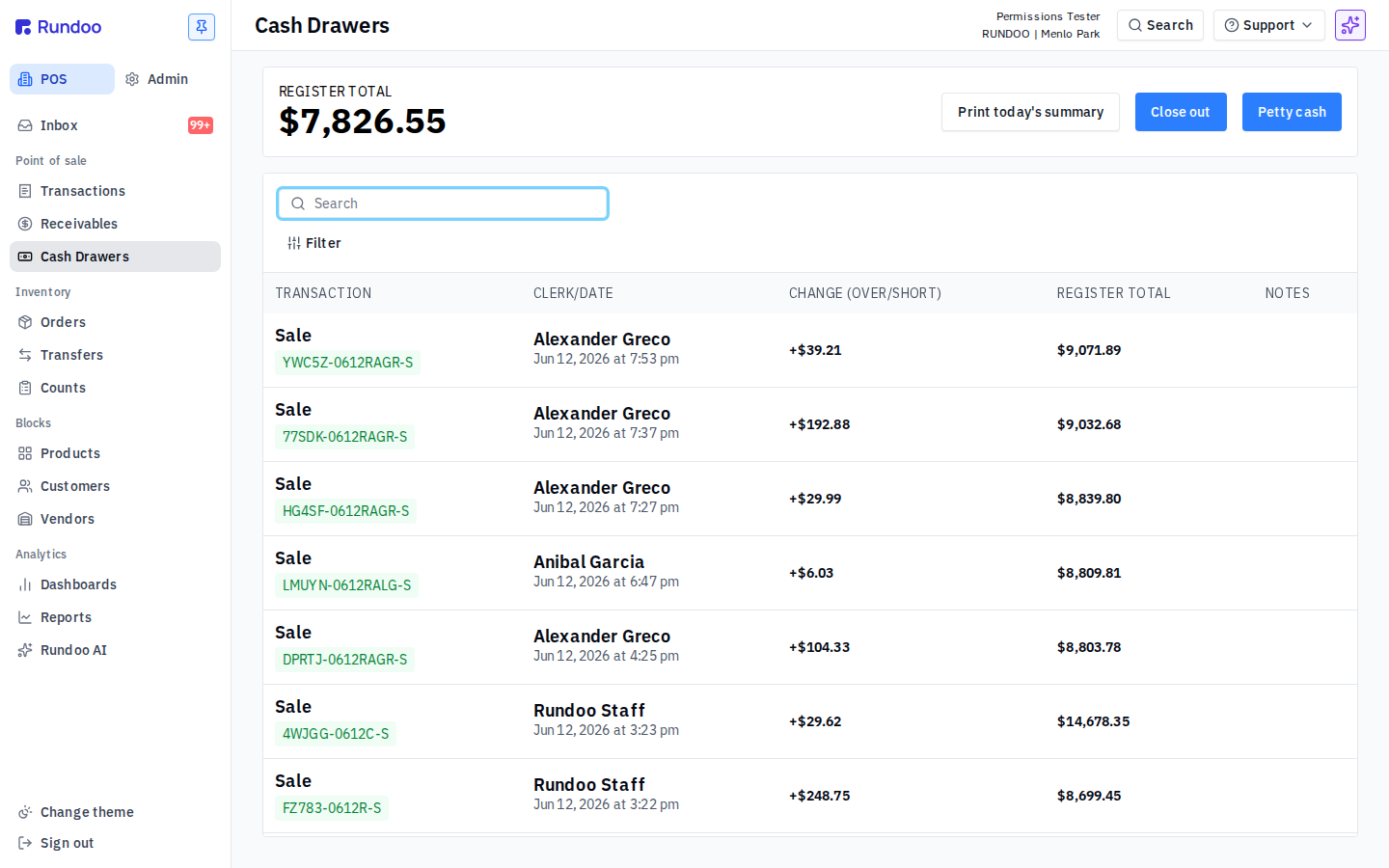
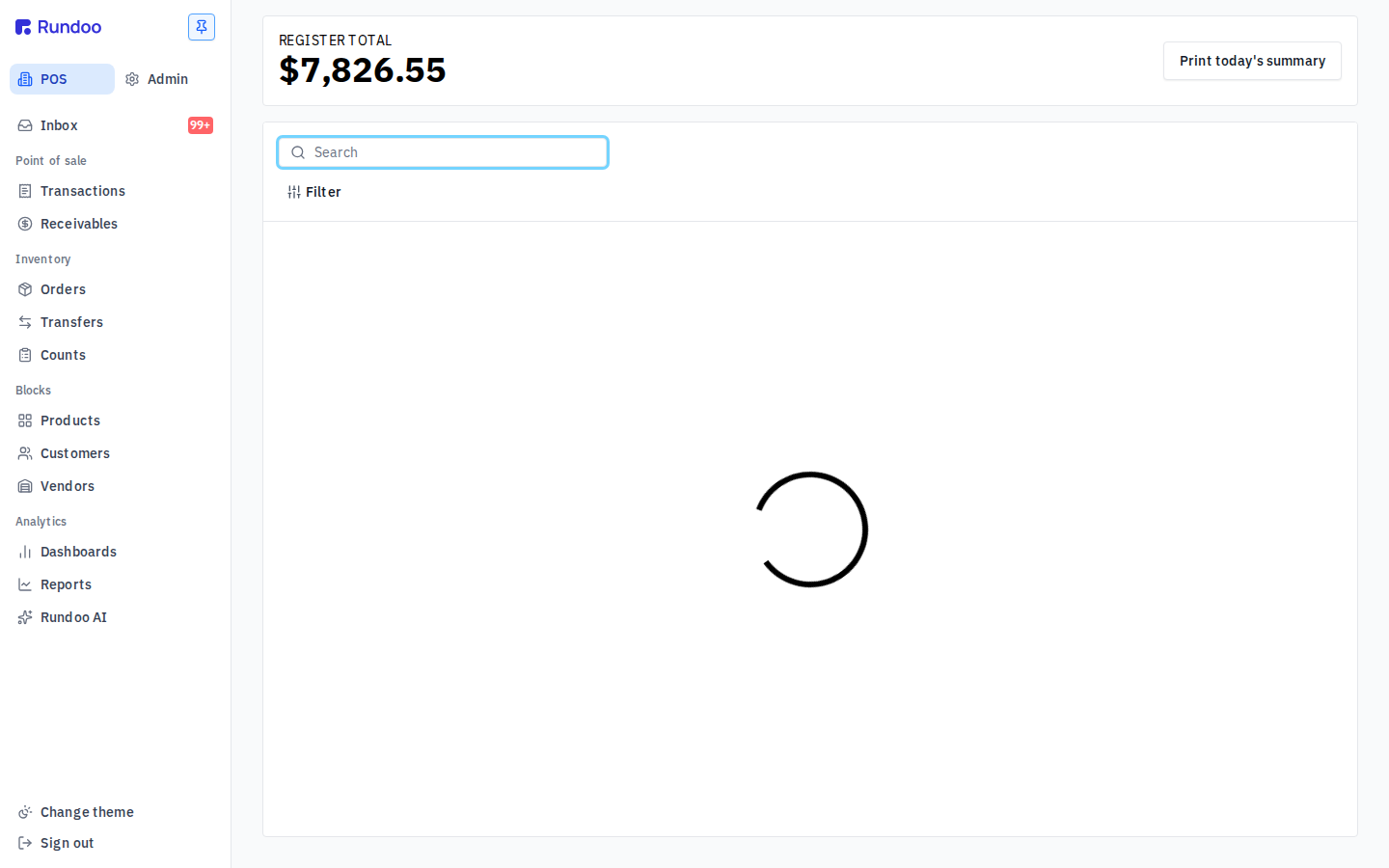
Manage the cash drawer (ON vs OFF): drawer data, clerk lines, and Close drawer all disappear; the left-nav Cash Drawers item is hidden too
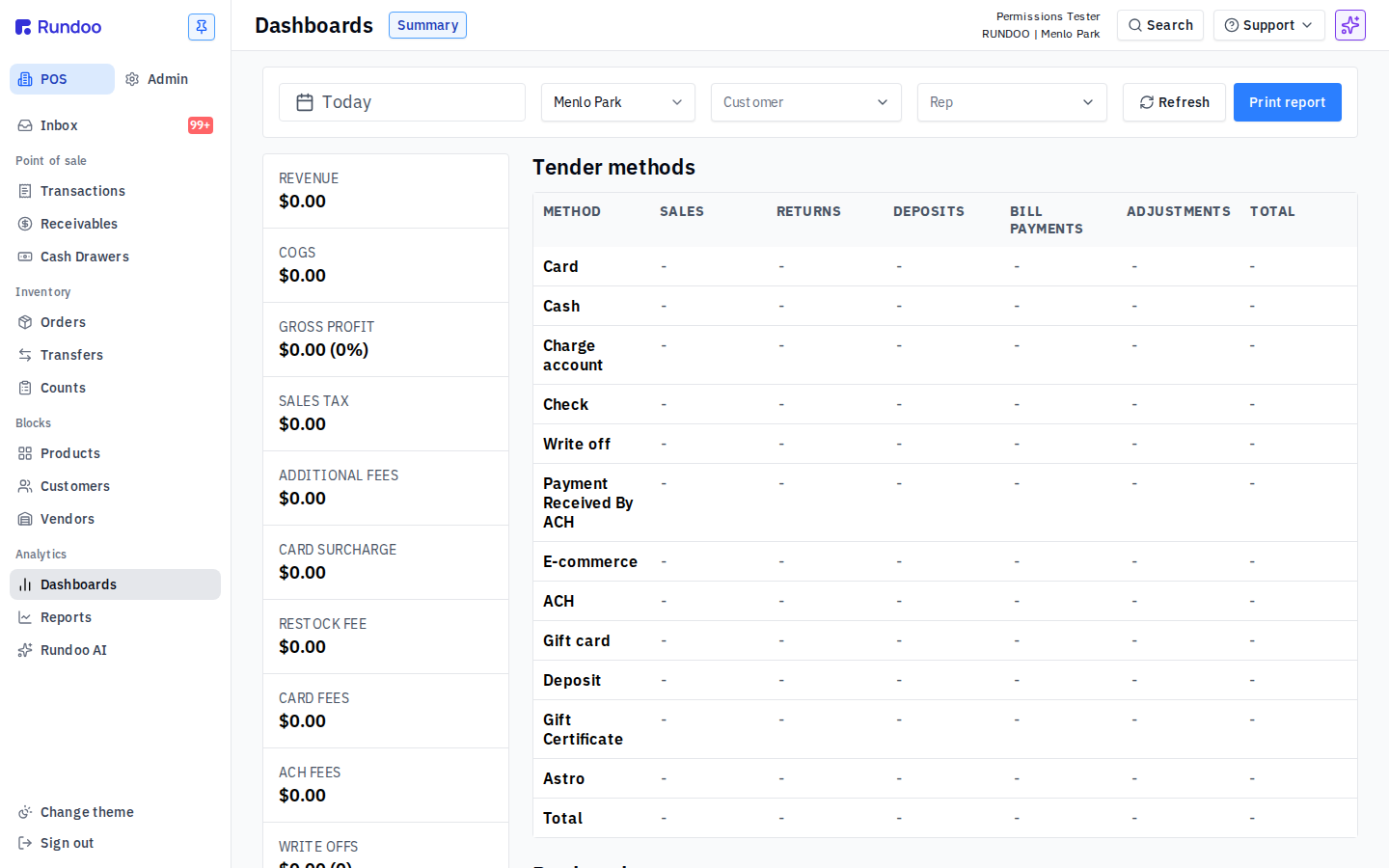
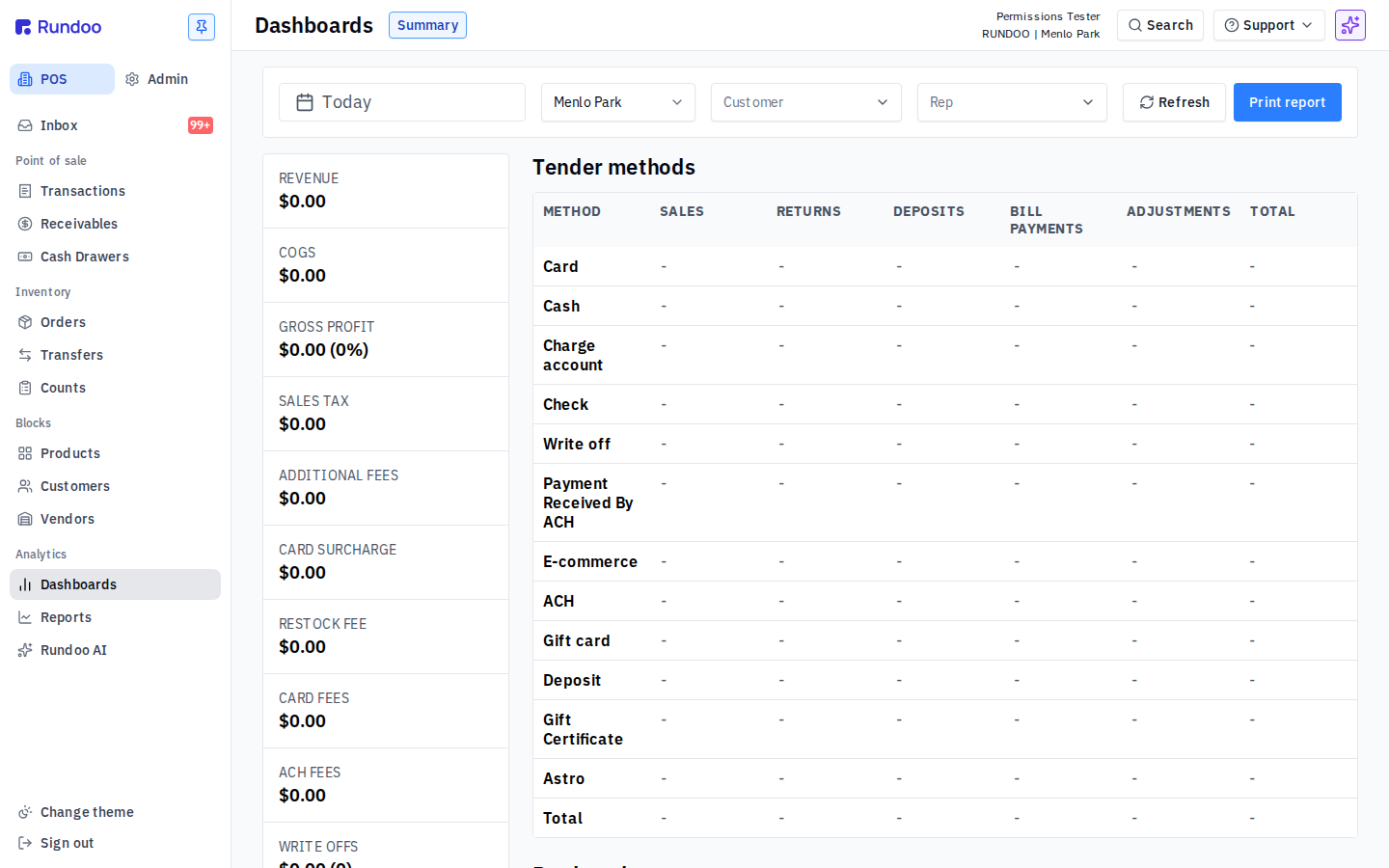
View analytics on web and mobile. ON vs OFF: KPI tiles vanish; Dashboards, Reports, and Dooey items also drop out of the left rail
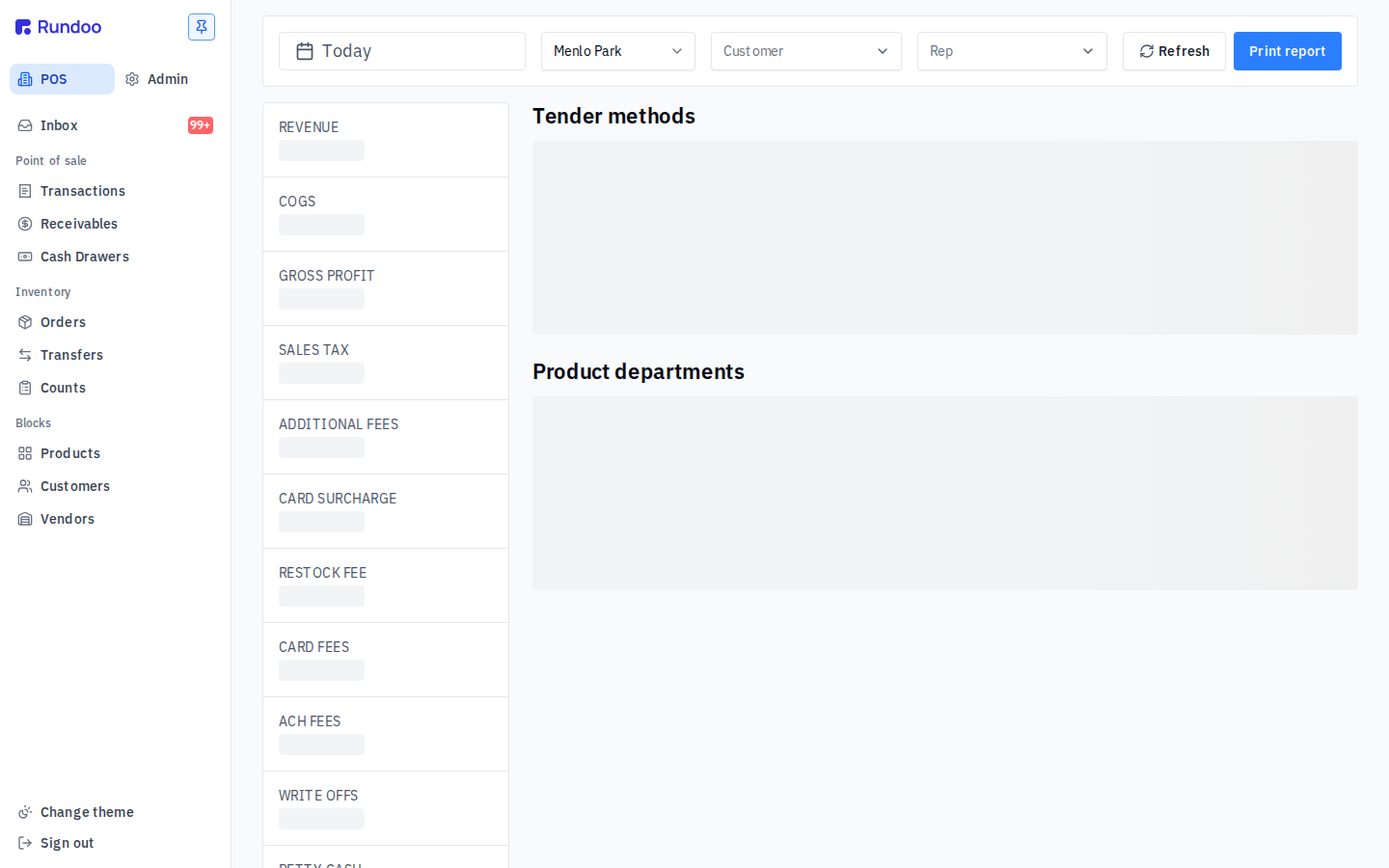
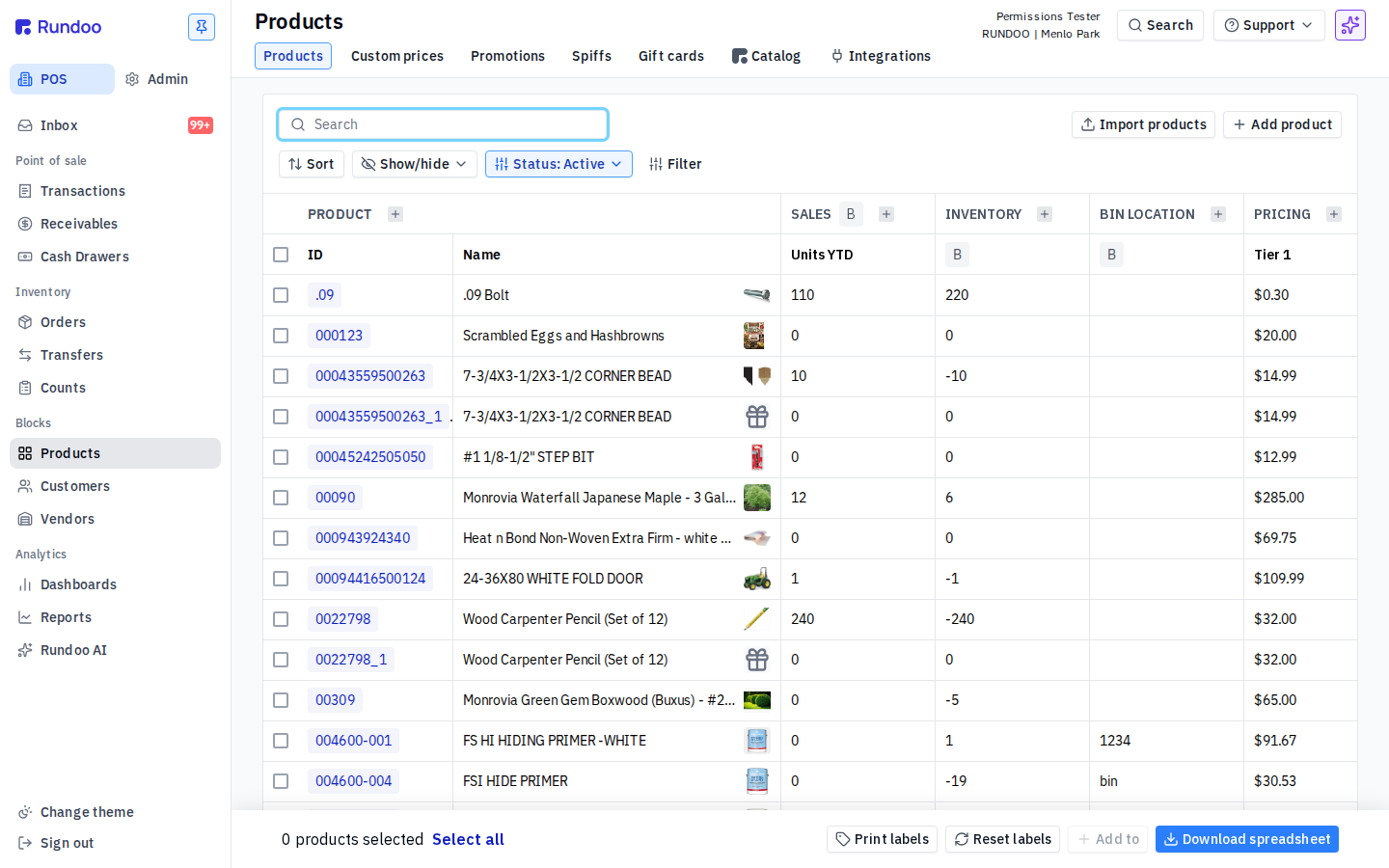
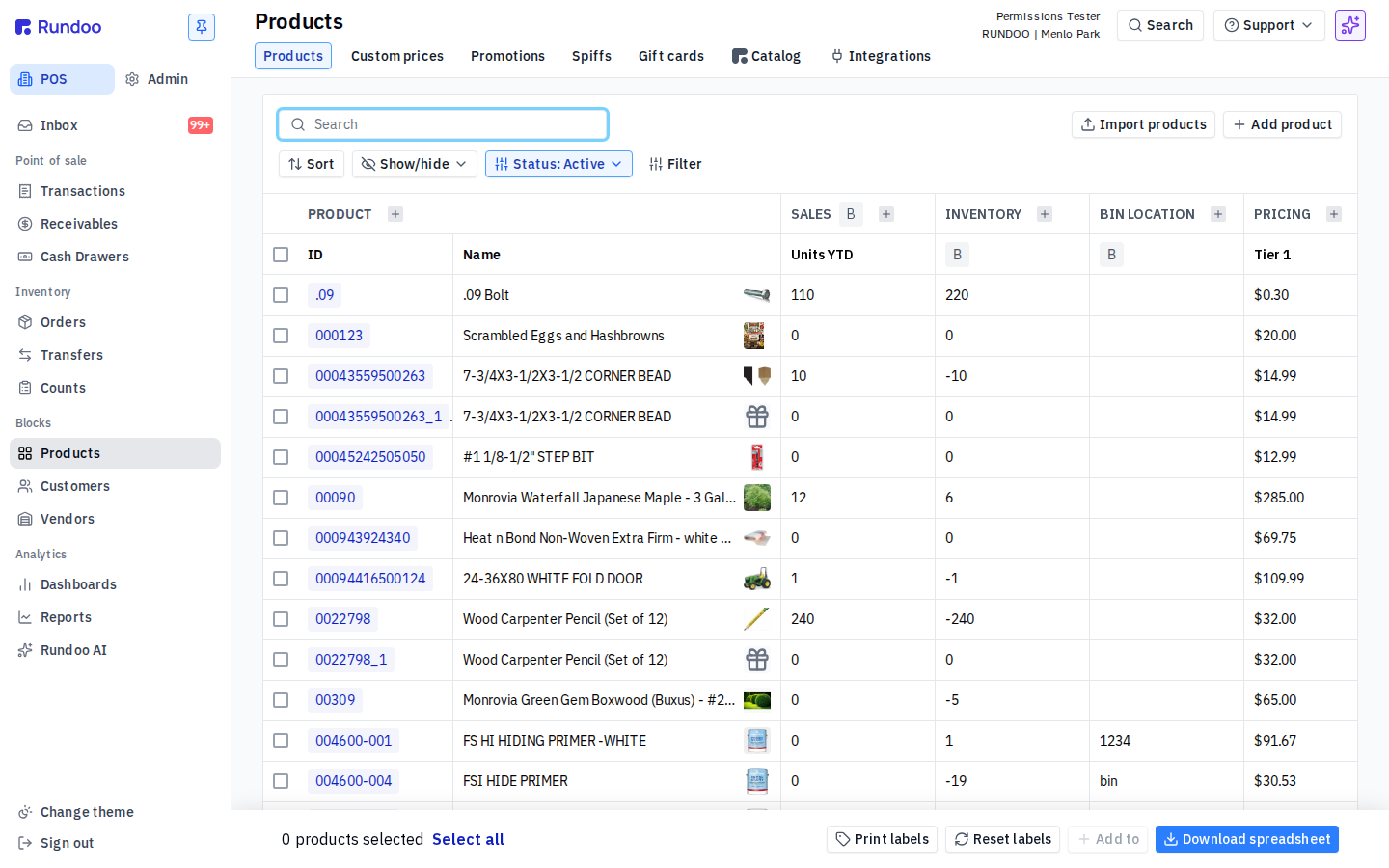
View selling prices, matched prices, and price-related fields. ON vs OFF: the Tier 1 pricing column physically disappears from the product list; the page falls back to a different default column set
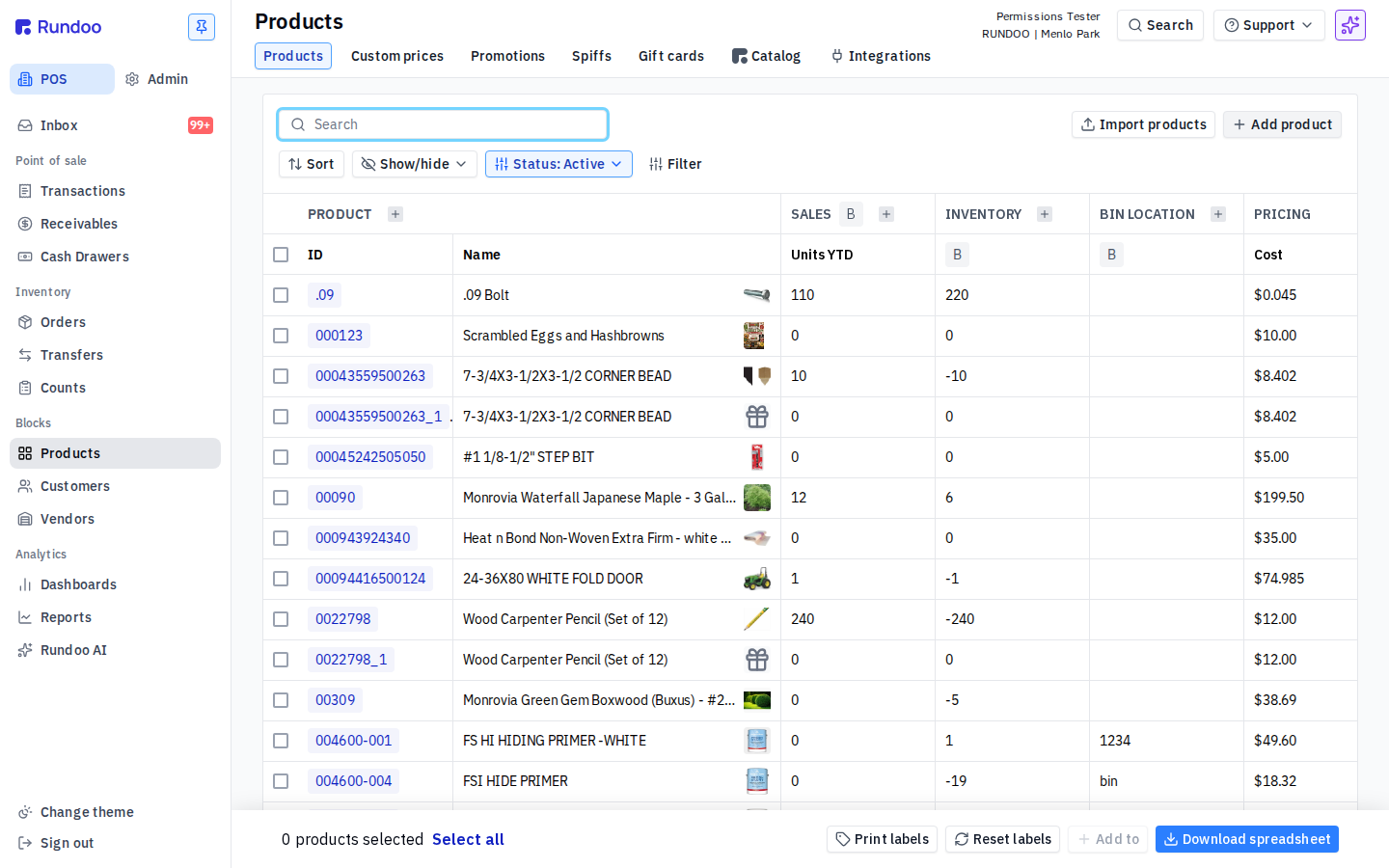
Admin
Company-level settings. Gate Admin to the people who run the store, not the people who staff the counter.
| Permission | What it gates | Verified |
|---|---|---|
| Access admin to manage pricing tiers, financing terms, financing rates, product categories, and other company-level settings | the POS / Admin top-level toggle disappears from the left rail; navigating to /admin/* renders the generic Rundoo error page (cannot load) | ✓ route |
| Edit staff member permissions | Another staff member's Permissions tab still opens and its checkboxes still look clickable. The block fires when a change is saved, so a checkbox can appear to flip without the change sticking. Not confirmed. | needs data |
| Access accounting to manage chart of accounts and bank accounts | the Accounting subsection of the admin nav (Integrations, Chart of Accounts, Manual Journal Entries, Finances, Reporting, Stripe) collapses away; /admin/chart-of-accounts loads but the account list and balances are hidden. This is also the permission that gates Manual journal entries, there's no separate permission for them | ✓ render |
| Create, edit, and delete tags | Add tag and Import tags stay visible on /admin/tags and the Add tag modal still opens. The block fires when you save. Not confirmed. | needs data |
| Change tax rate at time of sale | The per-line tax-rate edit sits on an active cart line, so it only appears mid-sale. Not confirmed. | needs data |
| Create, edit, and manage pricing regions | The Pricing tiers card on /admin/customer looks the same with this off, and Add pricing tier still saved, so this may gate pricing regions only rather than tiers. Not confirmed. | needs data |
| Change the signed-in location from the sidebar | Turns on the sidebar location switcher, which lets the staff member change which store location they're working in without logging out. Off, they stay pinned to their current location. Not confirmed. | needs data |
| View invoices and agreements, and manage the payment method Rundoo bills | Opens the store's own Rundoo billing: the invoices and signed agreements Rundoo has with the store, plus the card or bank account Rundoo charges for the subscription. Keep this to owners and office managers. Not confirmed. | needs data |
Blocks
Customer, product, and pricing data (the building blocks Rundoo sells against). Big block: 18 permissions, mostly read/write splits on price and cost.
| Permission | What it gates | Verified |
|---|---|---|
| Edit customer payment and checkout information, like pricing tiers, tax exemptions, and signature requirements | The pricing tier, tax-exemption, and signature-requirement fields still render on the customer Settings page. The block fires when a change is saved. Not confirmed. | needs data |
| Edit customer financing information, like financing terms and credit limits | The Financing card (Finance term, Credit limit, Finance charge) still renders on the customer Settings page. Edits are blocked at save time. Not confirmed. | needs data |
| Add and update products | Add product and Import products stay visible on the product list and the create modal opens. The block fires on save. Not confirmed. | needs data |
| View selling prices, matched prices, and price-related fields | The Tier 1 pricing column disappears from the product list on /pos/products, and the page falls back to a different default set of columns. | ✓ hidden |
| Edit selling prices, matched prices, and price-related fields | Add custom price stays visible on the custom-prices page and the modal opens. The block fires on save. Not confirmed. | needs data |
| View standard cost, default cost, average cost, and cost fields | Cost columns are hidden by default in the Show/hide picker on /pos/products, so whether this permission also masks them once shown isn't confirmed. | needs data |
| Edit one-time costs | The one-time cost edit lives on an open receipt line. Not confirmed. | needs data |
| Edit standard cost and vendor costs | The standard cost edit lives on the product detail page. Not confirmed. | needs data |
| Adjust stock levels and inventory settings | Stock adjust and Min/Max controls live on the product detail Inventory tab. Not confirmed. | needs data |
| Create, edit, and manage vendors | Add vendor and the edit-vendor controls stay visible on /pos/vendors and the modal opens. Save sits behind required fields (name, accounting code, vendor type). Not confirmed. | needs data |
| Create, edit, and manage custom prices, promotions and spiffs | Add custom price and Import custom prices disappear from /pos/products/custom-prices. Existing rows still list, but their actions are gone. | ✓ render |
| Create, edit, and manage promotions and spiffs | Add promotion and Add spiff stay visible and the create modal opens; the block fires on save (not confirmed). Narrower than custom prices, promotions and spiffs, so use it when you want promo authors who can't edit per-customer custom prices. | needs data |
| Deactivate customers | The Deactivate action disappears from customer Settings. | ✓ render |
| See and edit internal notes on customers | Internal notes live inside a per-transaction detail page rather than on the customer Transactions list, so you need an existing transaction open to see them. Not confirmed. | needs data |
| Manage job accounts | Add job stays visible on the Jobs page and the modal opens. The block fires on save. Not confirmed. | needs data |
| Generate, import, and deactivate gift cards | Generate gift cards, Import gift cards, and the pending-card numbers all disappear from /pos/products/giftcards. | ✓ render |
| Sell gift cards at a different price than the balance | The price-override field sits on a gift-card line in an active cart. Not confirmed. | needs data |
| Edit product unit of measure settings | The UOM editor lives on the product detail Settings tab. Not confirmed. | needs data |
Customer Management
Two permissions, isolated because they cross customer + sales-rep + account-lifecycle wiring.
| Permission | What it gates | Verified |
|---|---|---|
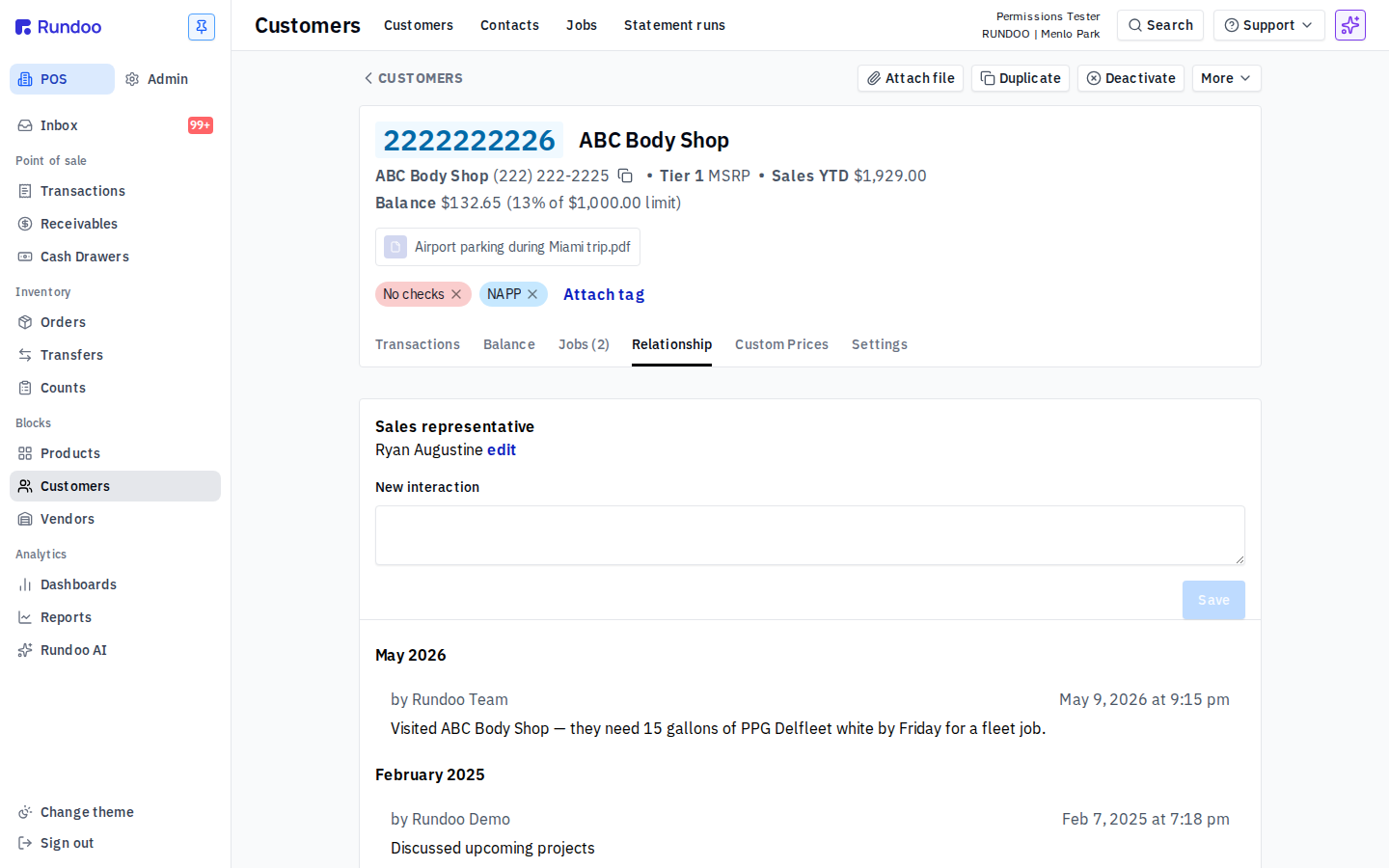
| Assign and change the sales representative for a customer | The Sales representative field still renders on the customer Relationship tab. The block fires when a new selection is saved. Not confirmed. | needs data |
| Merge one customer account into another | Whether the staff member can fold two customer records into one. Today the customer detail More > Merge action still opens a modal that routes to support@rundoo.ai (Rundoo Support runs the merge, see Merging customers), so this permission is in place ahead of a self-serve merge. Not confirmed. |
needs data |
Dooey
One permission, controlling who can build and run Routines, the saved Dooey workflows that run on a schedule or on demand.
| Permission | What it gates | Verified |
|---|---|---|
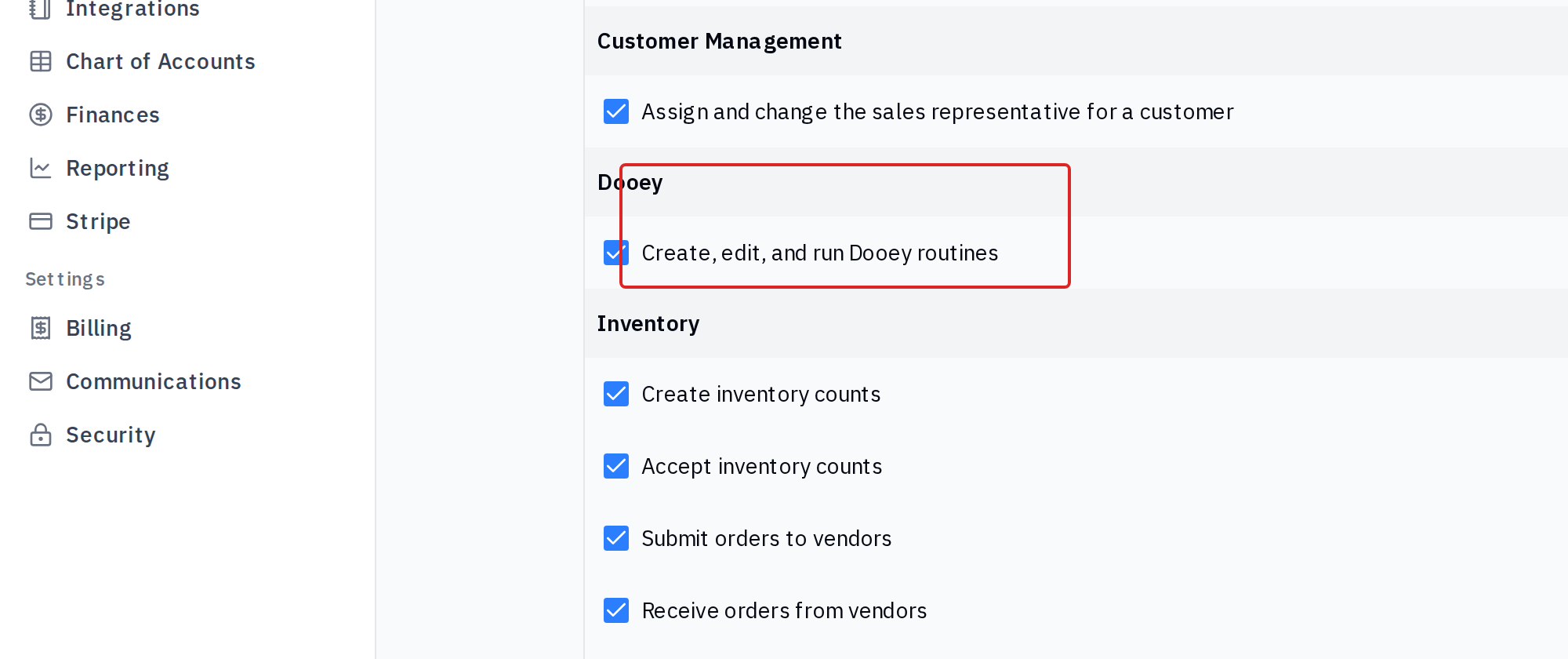
| Create, edit, and run Dooey routines | Whether the staff member can set up, change, and run Dooey routines. This is a separate layer from seeing Dooey at all: the View analytics on web and mobile permission in Reporting controls whether Dooey shows in the left nav, and this one controls whether they can manage routines once there. Whether the routine controls disappear when it's off isn't confirmed. | needs data |
Inventory
The operational moves that change what's in stock (counts, POs, receiving, transfers).
| Permission | What it gates | Verified |
|---|---|---|
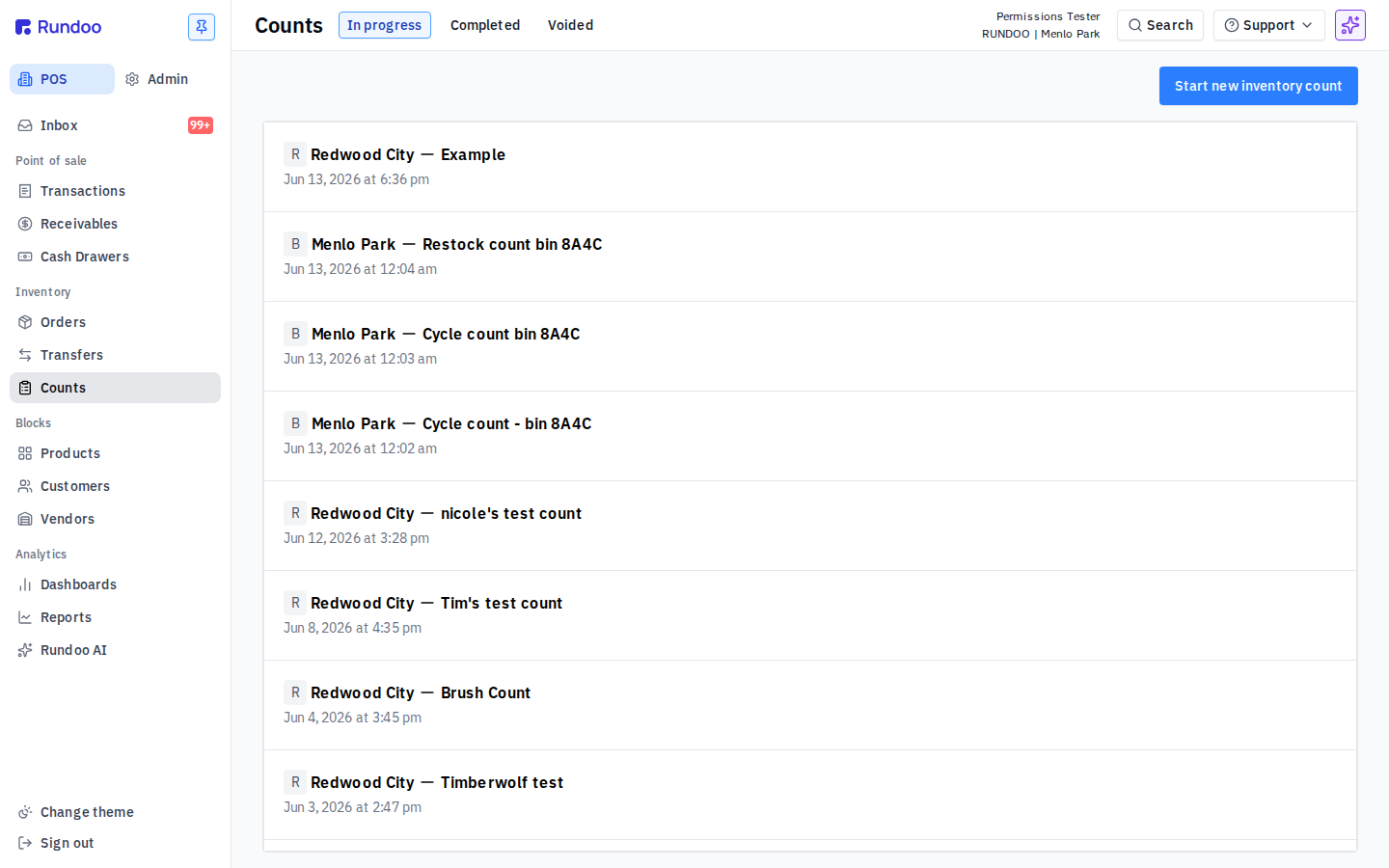
| Create inventory counts | The Start new inventory action disappears from the counts page. | ✓ render |
| Accept inventory counts | Accept only appears on a draft count's detail page, so it needs a draft count to see. Not confirmed. | needs data |
| Submit orders to vendors | The New PO action disappears from /pos/purchase-orders, and existing draft POs can't be submitted. | ✓ render |
| Receive orders from vendors | The Receive flow lives inside an outstanding PO, so it needs one open to see. Not confirmed. | needs data |
| Voucher invoices and mark invoices as paid | Voucher and Mark as paid sit on the vendor invoice / bills page. Not confirmed. | needs data |
| Manage transfers | The Transfers item disappears from the left nav, and /pos/transfers loses its Drafts / Sent / Received tab counts. | ✓ render |
Point of Sale
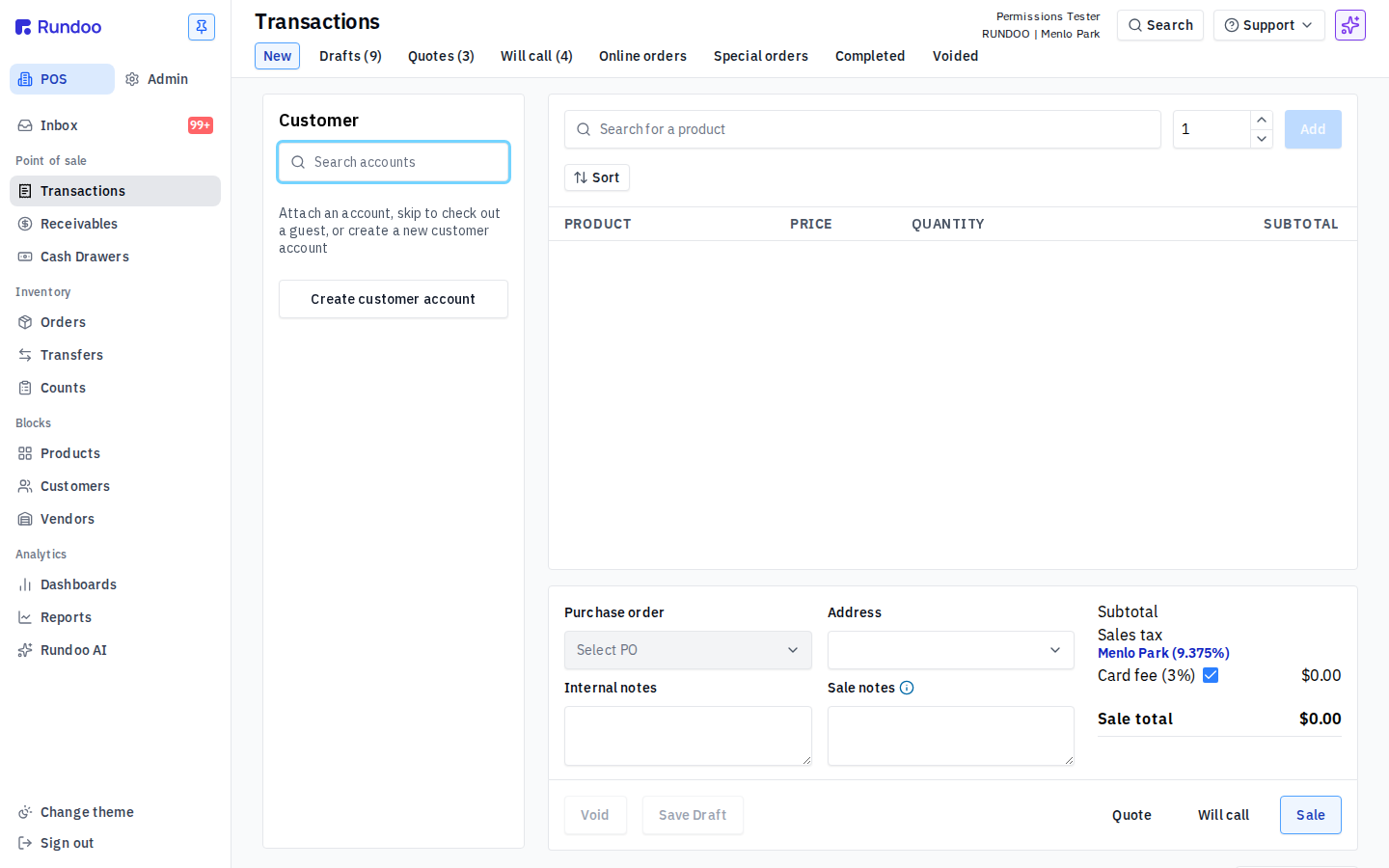
What a staff member can do at the register. The most cashier-relevant section.
| Permission | What it gates | Verified |
|---|---|---|
| Accept and edit unlinked returns | Return-without-receipt sits inside the POS cart's Return mode, reachable only with the cart switched into a Return state. Not confirmed. | needs data |
| Accept and edit returns | The linked-return flow (find the original sale, then return) needs an originating sale found in the cart first. Not confirmed. | needs data |
| Edit product prices and costs at the time of sale and return | The Edit price control sits on an active cart line. Not confirmed. | needs data |
| Accept payments on account | The Receivables payment page renders the same with this off. The Charge action only appears once a customer account is attached and has outstanding lines. Not confirmed. | needs data |
| Refund payments on account | The refund action is only available on an existing payment record. Not confirmed. | needs data |
| Write off account balances | Write off sits on a write-off-eligible balance entry on the customer Balance page, so it needs a balance in that state to see. Not confirmed. | needs data |
| Manage the cash drawer | The Cash Drawers item disappears from the left nav, and the cash-management surface stops showing the day's drawer data, clerk lines, and the Close drawer action. | ✓ render |
| Void and edit completed sales | Void and Edit only appear on a completed sale's detail page. Not confirmed. | needs data |
| Void and edit bill payments | The void action lives on a posted payment's detail page. Not confirmed. | needs data |
| Edit unit of measure at time of sale | The per-line UOM selector sits on an active cart line. Not confirmed. | needs data |
| Edit designated clerk on a sale | The Designated clerk picker sits on a completed sale's detail page, and the block fires when you click. Not confirmed. | needs data |
Reporting
Dashboards, reports, and Dooey (gated as one bundle).
| Permission | What it gates | Verified |
|---|---|---|
| View analytics on web and mobile | Dashboards, Reports, and Dooey disappear from the left nav, and the analytics summary stops showing KPIs, switching to a permissions-blocked state. | ✓ render |
Setting a baseline
Three common shapes hold up across most stores:
-
Admin / owner. Everything on. Manages staff, sets prices, closes month-end.
-
Manager (most Point of Sale, Inventory, and Blocks, plus Reporting. Usually no Admin section (or a thin slice, Tags, Change tax rate at time of sale)).
-
Cashier (minimum to ring sales). No price overrides, no voids, no cost visibility, no Admin.
The fastest way to set one of these is to start from the staff member's existing fraction, click Disable all at the top, then Enable section on each section the role needs, picking individual exceptions as you go.
If your store has multiple locations and you want a staff member to have different permissions per location, that's set on the Locations Rundoc, not here (this tab sets the global default for that staff member).
Recommended Rundocs
-
Staff (adding, editing, and deactivating staff members). Permissions sit inside this flow.
-
POS security (the second gate on top of permissions): voids, price overrides, refund-to-card, and below-cost sales can require a manager's PIN or Login key at the register.
-
Sign-in (the staff sign-in flow that the permissions then gate).