
Rundocs › Admin & Settings
Billing
Last updated 2026-09-15
Billing is where you see your Rundoo invoices, manage the card Rundoo charges, and pull up your signed agreements, all inside the POS instead of hunting through your email.
In Admin mode, open Billing at the bottom of the left sidebar, under Settings.
What moved into Rundoo
Your Rundoo invoices, the payment method we bill, and your signed agreements now all live on this one page. They used to arrive by email, which meant lost checks, bounced messages, and invoices that disappeared when the person who got them changed jobs.
Now your subscription is charged automatically from a saved payment method, the same way a Netflix or utility bill comes out. You add a card once and Rundoo applies each invoice to it, so there is nothing to remember every month.
Viewing your invoices
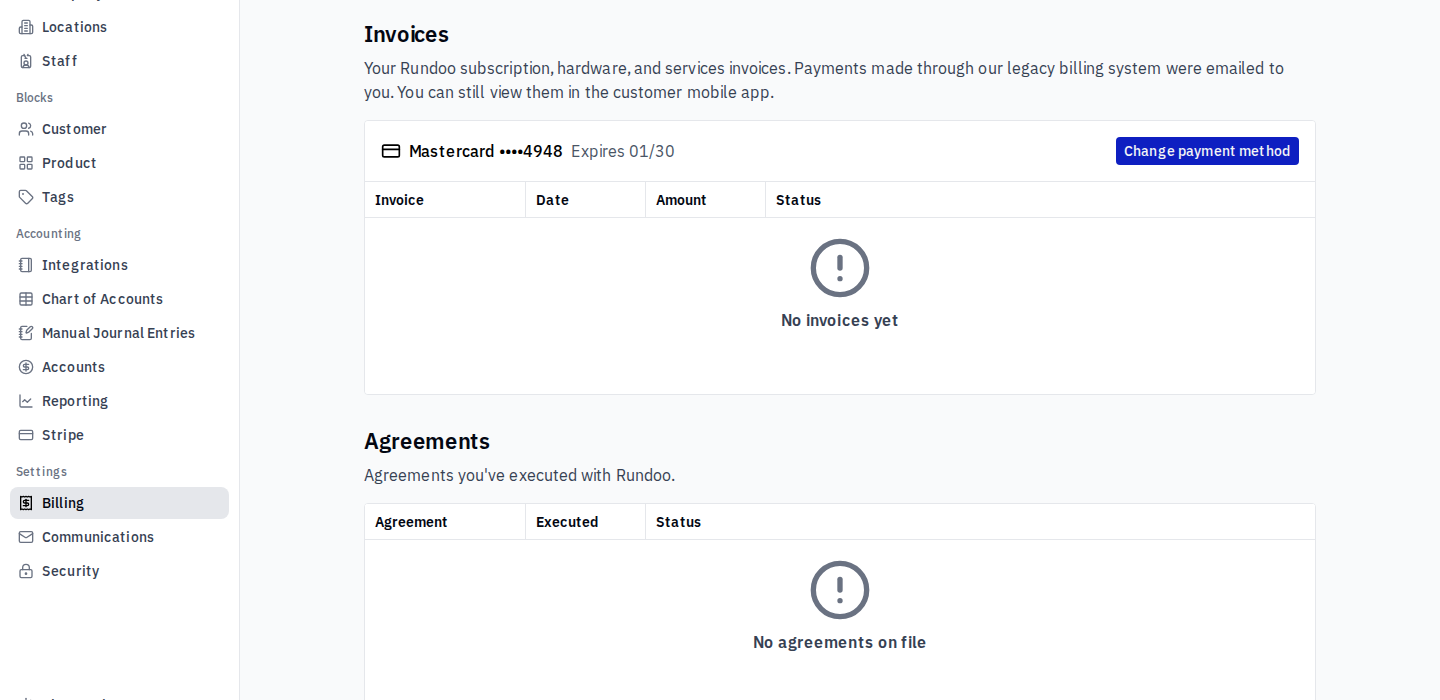
The Invoices section lists your Rundoo subscription, hardware, and services invoices, with the date, amount, and status of each. Open one to see the receipt for a past payment and the line-by-line detail. An upcoming charge shows up here the day before it is due, so you always get a look before the money moves.
Invoices from the old billing system were emailed to you rather than posted here. You can still pull those up in the Rundoo customer mobile app.
Changing the payment method
Your saved card is shown at the top of the Invoices section, with the last four digits and the expiration date. Click Change payment method to swap in a new card. Whatever is saved here is what every future invoice is charged to.
Set the card up early. Rundoo shows a daily reminder until a payment method is on file. Adding it once clears the reminder, even before your first invoice lands.
Card is the standard, and existing bank transfers keep working. New Rundoo accounts are billed by card, which posts each invoice right away. If you already pay Rundoo by bank transfer (ACH), nothing changes, that keeps running as it is. Buying group and co-op members are billed through their group instead (see below).
Buying groups and co-ops
If you pay through a buying group or co-op (for example AllPro), those payments show as pending on your invoices until the group sends the money to Rundoo. That is expected. Nothing is wrong, and there is nothing for you to chase.
How price changes are timed
Any scheduled price change in your agreement is measured from your original sign date, not your go-live date. Rundoo has deliberately simplified billing so escalations follow that one date across the board, with far fewer one-off exceptions. If a step-up in your agreement looks like it landed on the wrong month, check it against your sign date first.
Your signed agreements
The Agreements section holds the agreements you have executed with Rundoo, so your most recent one is a click away instead of buried in an email archive.
Checks are no longer accepted, and old balances still stand. Rundoo bills from a saved payment method now, so check payments are retired. Any balance left on the previous billing system still has to be paid off separately.
Who can see the Billing page
Anyone whose Rundoo account has all permissions can already open Billing. To give (or remove) access for a specific person, go to Admin > Staff, open the staff member, and under Permissions toggle View invoices and agreements, and manage the payment method Rundoo bills.
Something look off on an invoice? If a charge or a price does not match what you expect, email support@rundoo.ai and the billing team will sort it out.
Recommended Rundocs
- Staff — set the permission that controls who can open Billing.
- Mobile apps — the customer mobile app, where invoices from the old billing system still live.